

Azure Functions
The Azure Functions end-to-end development experience enables you to use familiar languages to build and debug locally without additional setup, deploy and operate at scale in the cloud, and integrate services using triggers and bindings. You can develop more efficiently using an event-driven, serverless compute platform that can help you solve complex orchestration problems.
Installed Datasets
- Azure/Function Logs
- Azure/Function App
- Azure/Function
Azure Function Monitor templates
The Azure Function app provides the following monitors for functions:
- Function Health Check Status Under 100 - alerts if the health check for any function is less than 100%.
- Function Failure Rate Greater Than 5% - alerts if the function fail rate exceeds a configured percentage (default 5%).
View Azure Functions in Observe by Snowflake
Out of the box, Observe by Snowflake provides the following dashboards.
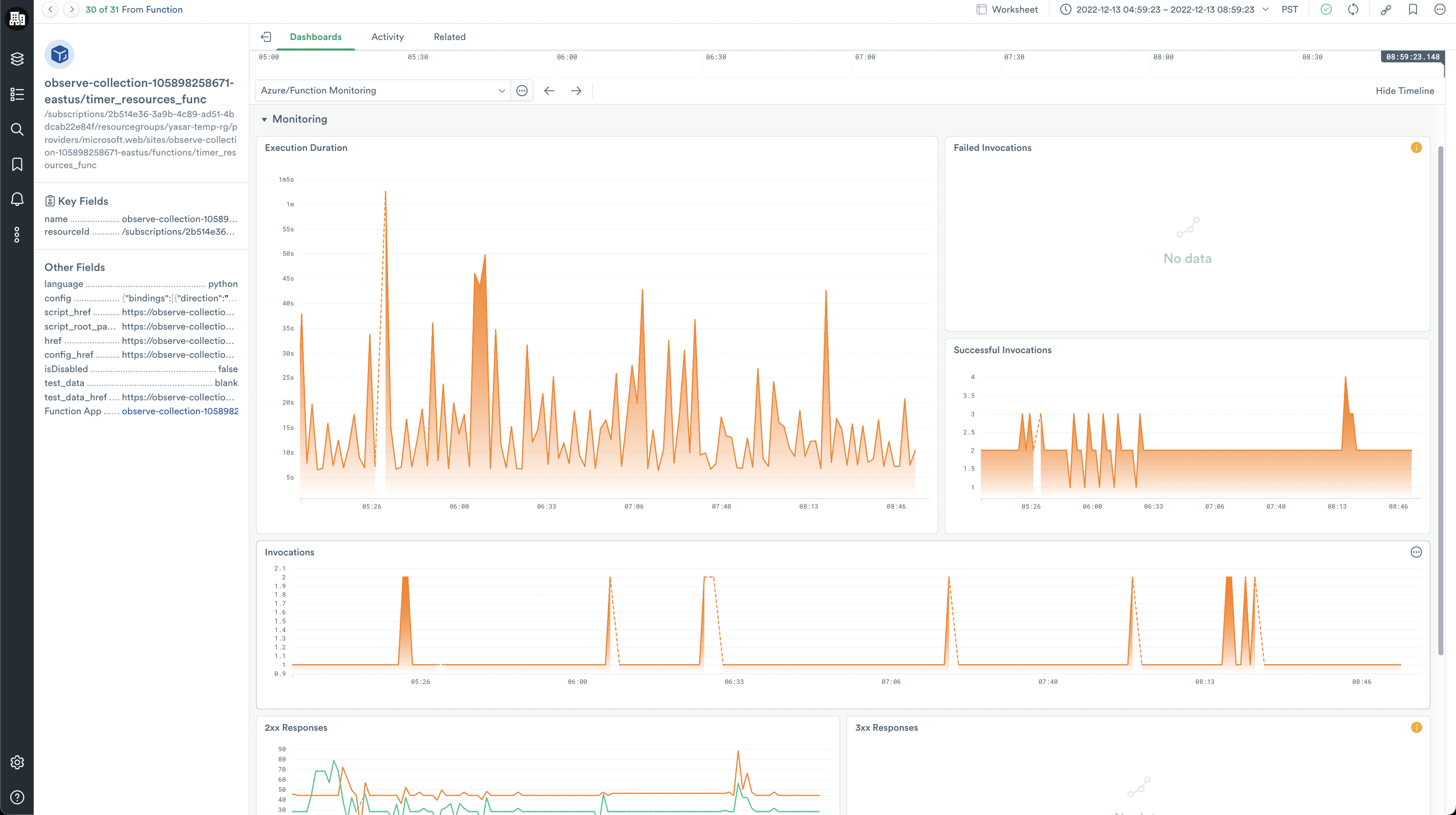
Functions Monitoring dashboard
The Functions Monitoring dashboards give a high-level overview of your Azure Functions. From here, you can answer questions such as the following:
- How long does it take for my functions to execute?
- What are the HTTP response codes for my functions?
- How often are my functions executing?
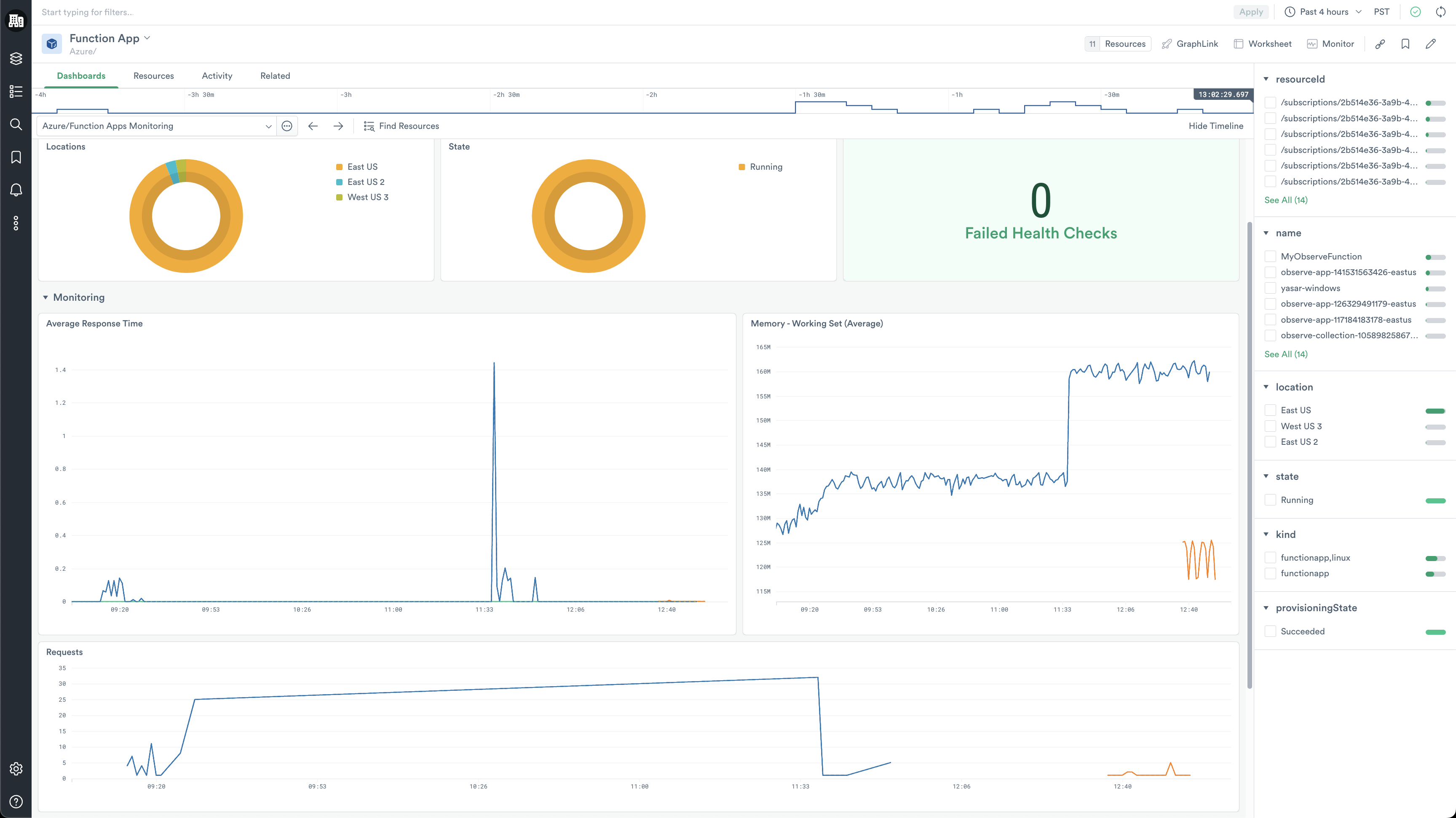
Function Apps Monitoring dashboard
The Function Apps Monitoring dashboard provides insights into requests for your Azure Function app. You can answer the following questions:
- What is the HTTP response time of my Function App?
- How many requests is my Function App getting?
- How much memory is my Function App consuming?
- How many Function Apps have failed health checks?
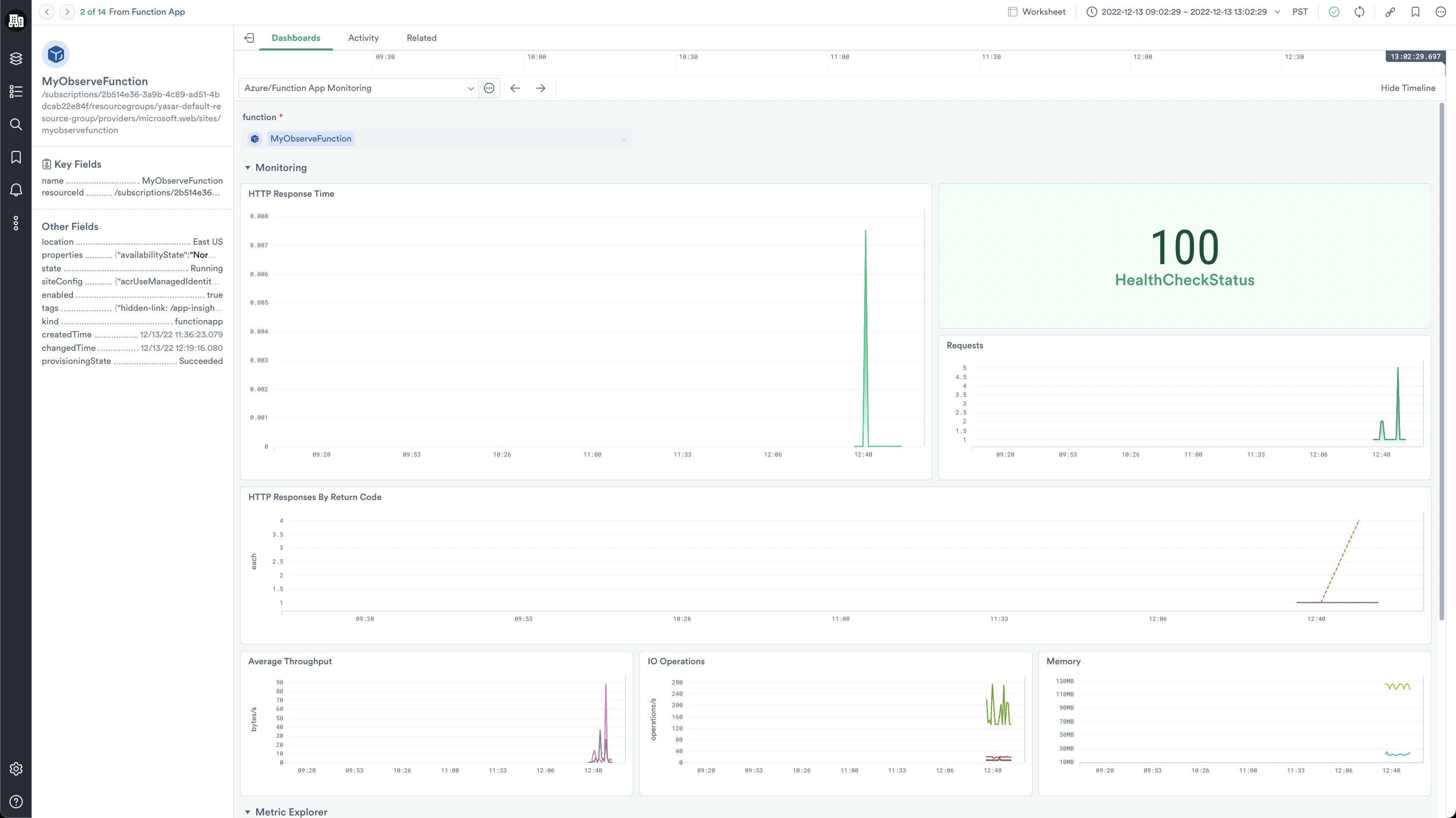
Once you've identified a Function App of interest, double-click the corresponding hexagon to open the Function App dashboard. This dashboard shows detailed information on the status of the selected Function App. Use it to answer questions such as:
- How much I/O is my Function App consuming?
- What is my average throughput?
- What HTTP response codes is this Function App is returning (2xx, 3xx, etc.)?
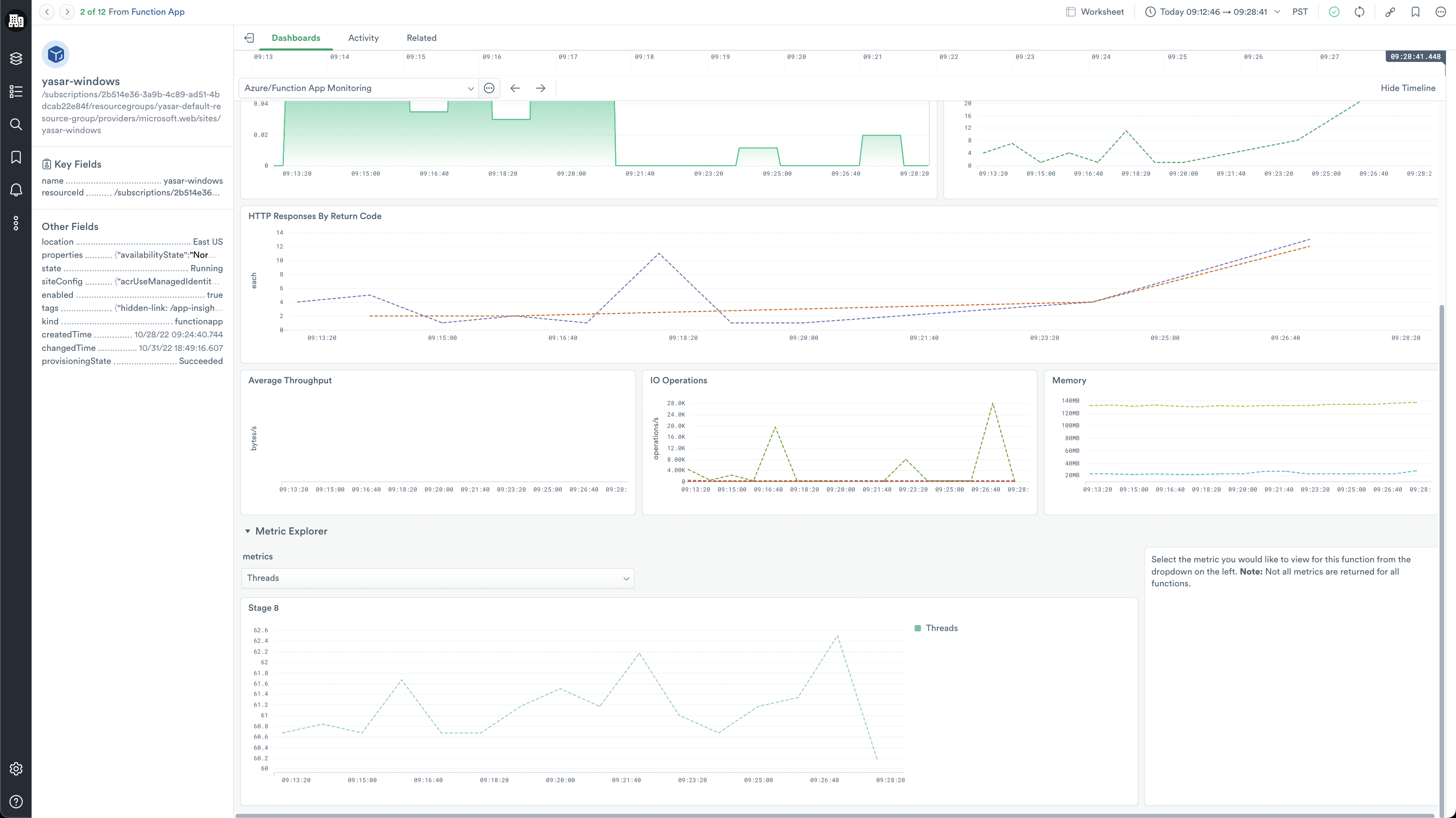
In addition to pre-defined metrics, use the Metrics Explorer graph at the bottom of the dashboard to visualize any metric related to a Function App.
Install the Azure Functions app
To install the Azure Functions app, see Install and configure the Microsoft Azure app.
Azure Functions metrics
To learn more about Azure Functions metrics, see Monitoring Azure Functions data reference in the Microsoft documentation.
Updated about 1 month ago