

Manage local users
Access the Users dashboard
View the Users dashboard to see the users who can access your Observe by Snowflake instance. Access the Users dashboard in either of the following ways:
- In the left navigation rail, select Admin > Users.
- In the left navigation rail, hover on your user name, then select Manage account, then click Users.
Edit existing users
Hover on the name of any user and you can perform the following tasks:
- Click the pencil icon () to edit the user's name, group assignments, or expiration timeline. You can also disable the user or send them password reset instructions.
- Click the trash icon () to delete the user.
- Click the more options icon () to toggle whether the user is enabled or disabled.
Create a new user
Click Add user to create a new local user.
Provide the user's name, email address, group assignments, and expiration timeline. See Manage groups for more information about the groups in Observe by Snowflake.
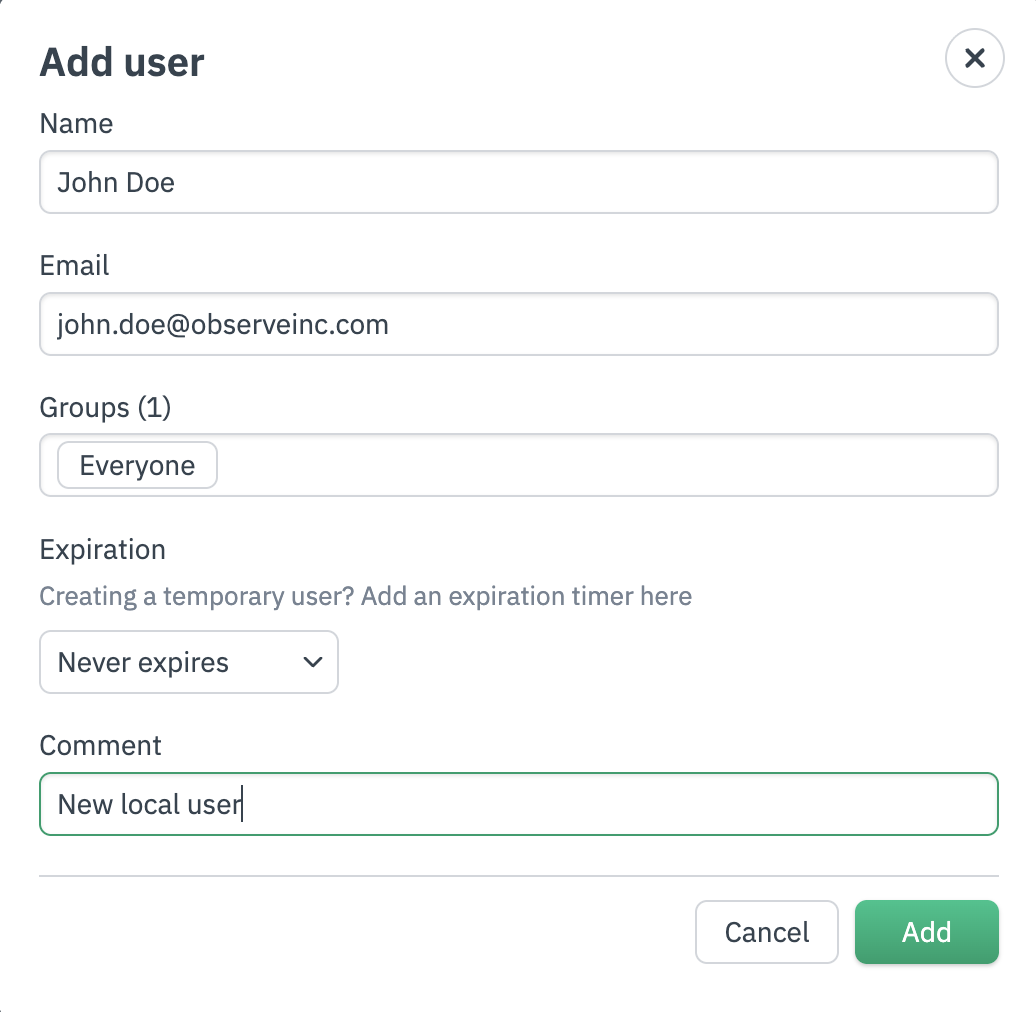
Click Add to create the user.
Disable and delete users
Users with admin privileges can disable or delete local users directly from the Observe by Snowflake platform.
Disable a local user
Perform the following steps to disable a user in Observe by Snowflake:
- In the left navigation, select Admin > Users.
- In the list of users, hover on the row of the user you want to disable, click the vertical ellipsis icon (), then slide the toggle in the Enable field to the off position.
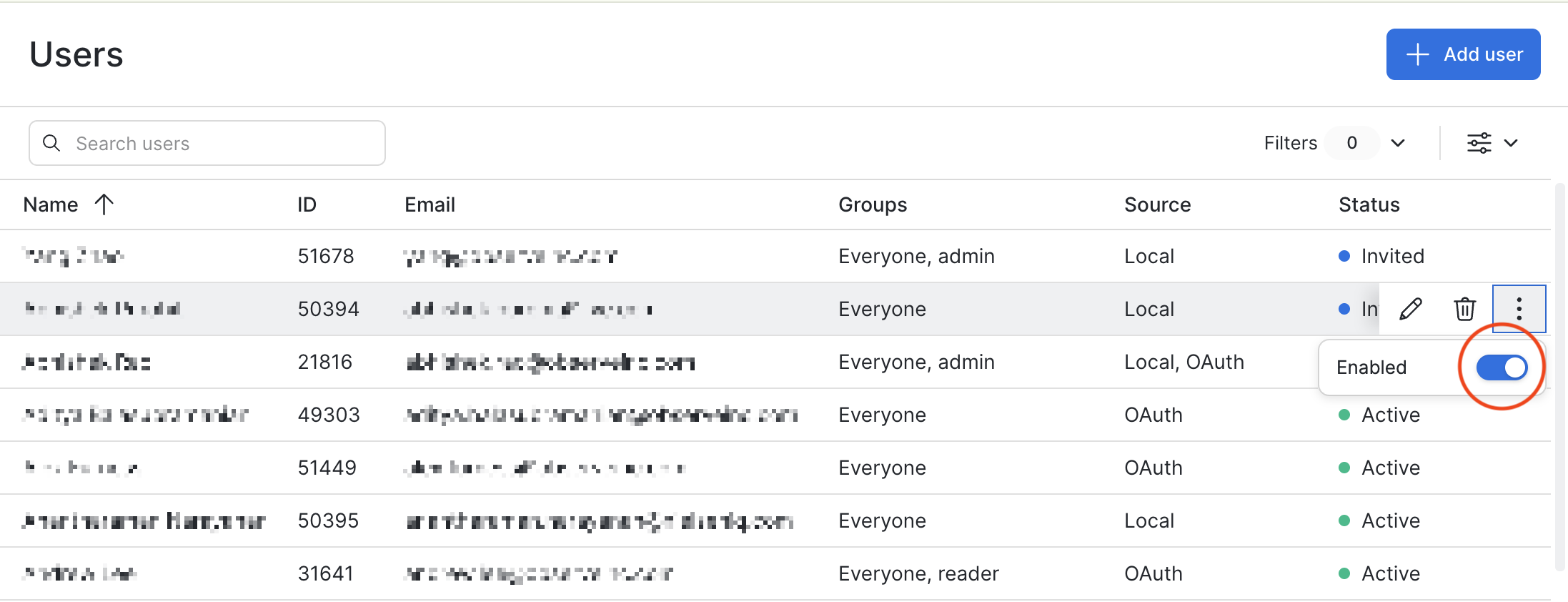
A disabled user's tokens no longer work and the user will be unable to use the product. The user still appears on the Users page and can be managed like any other user, for example, get added to a group.
When a disabled user is re-enabled, everything will work just as it did before the user got disabled.
Any content created by a disabled user remains in the system and is not deleted.
Delete a local user
Perform the following steps to delete a user in Observe by Snowflake:
- In the left navigation, select Admin > Users.
- In the list of users, hover on the row of the user you want to delete, then click the delete icon ().
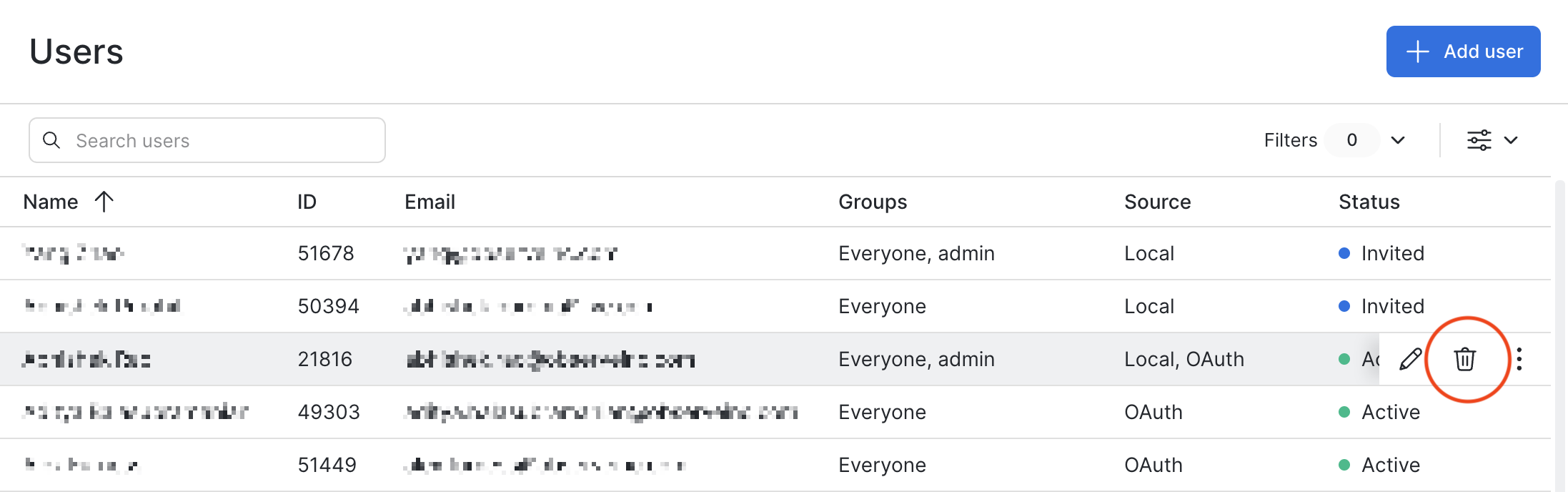
As with disabled users, a deleted user can no longer use the product. In addition, deleted users don't show up on the Users page or most other places in the product, and can't be managed anymore.
The only place where a deleted user might appear is in a Created By reference on an object they created. Notably, deletion cannot be undone, so you must create a new user account if you want to grant access to a previously deleted user.
Any content created by a deleted user remains in the system and is not deleted.
Updated about 1 month ago