

MCP Server
Learn how to configure Observe's MCP server to connect to your AI tools.
MCP Server lets AI agents in tools such as Cortex Code, Cursor, Claude Code, and Claude Desktop connect to your Observe by Snowflake tenant and perform the same tasks as someone using the UI, such as investigate incidents, explore logs, metrics, and traces, search Datasets, list active alerts and monitors, generate queries, and inspect APM service maps.
Agents can query data the authenticated user can already access. MCP does not grant extra privileges or reproduce the full Observe by Snowflake UI.
This illustration shows how the MCP server works:
%%{init: {
"themeVariables": {
"fontSize": "30px"
}
}}%%
flowchart LR
U["USER PROMPT<br/><br/><i>Get me the logs for<br/>container xyz in staging</i>"]
subgraph AGENT["Customer's Agent"]
direction TB
S1["<b>1. Call correlation-tag search</b><br/><br/><i>Get me logs for container xyz in staging</i>"]
S2["<b>2. Call Dataset search tool</b><br/><br/><i>container.name:xyz<br/>environment:staging</i>"]
S3["<b>3. Load generate-opal, then call generate-query-card</b><br/><br/><i><exact OPAL on exact dataset></i>"]
R["<b>RESPONSE</b><br/><br/>Query results"]
S1 --> S2
S2 --> S3
S3 --> R
end
subgraph MCP["Observe MCP Server"]
direction TB
M1["<b>MCP tool 1</b><br/><br/>Gets CG entities from string → returns<br/><b>container:xyz, environment:staging</b>"]
M2["<b>MCP tool 2</b><br/><br/>Gets datasets with CG entities → returns<br/><b>K8s Logs Dataset</b>"]
M3["<b>MCP tool 3</b><br/><br/>Runs OPAL query → returns results"]
M1 --> M2
M2 --> M3
end
U --> S1
S1 --> M1
M1 --> S2
S2 --> M2
M2 --> S3
S3 --> M3
M3 --> R
%% Keep corresponding agent/MCP steps vertically aligned
S1 ~~~ M1
S2 ~~~ M2
S3 ~~~ M3
OAuth authentication for the MCP Server
Connect MCP clients with OAuth. Your AI client opens a browser login with your identity provider. Observe by Snowflake does not collect your IdP password. The client then sends a Bearer token to the MCP server; Observe validates that token and runs queries as your user.
For interactive MCP clients, OAuth is the default. You do not create an API token for that path. Use an API token only if OAuth is turned off for your account, or for headless / service-account use. OAuth setup does not require permission to create API tokens.
OAuth authentication allows you to give your agent and the MCP server more restrictive permissions than you would normally have if you logged into Observe by Snowflake, such as read-only access.
Configure the Observe by Snowflake MCP server
Perform the following steps to configure the MCP server in Observe by Snowflake:
-
Click on your user name in the left navigation rail and select Manage account.
-
Click MCP Setup.
-
Pick the tool you want to connect, then follow the instructions. The instructions vary by tool.
This example shows Claude Desktop. Click the Claude desktop MCP docs link to open the Claude Desktop MCP docs and provide the JSON configuration. If the page reports that OAuth is not enabled for this account, create a personal API token on My API tokens and use the token JSON on the setup page. That page does not create a token for you.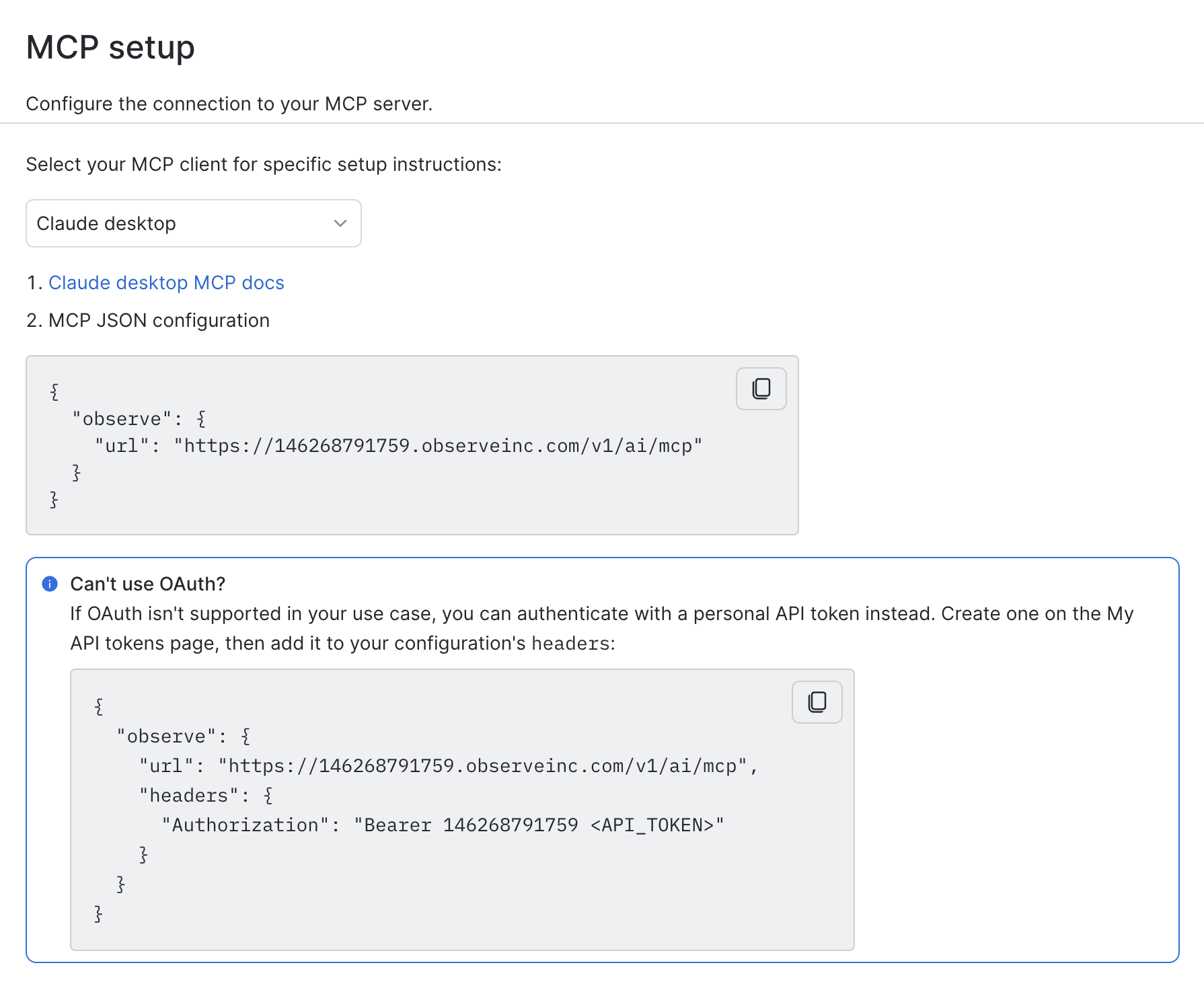
-
Restart your tool, in this case, Claude Desktop.
-
Start asking questions! For example: What are the top 5 errors in my application?
Observe by Snowflake plugin availability in other marketplaces
The Observe by Snowflake plugin, which includes the MCP server, is available in the following marketplaces:
Updated 8 days ago