

Install Docker image
The Observe Agent is available as a Docker image. The official image is available on Docker Hub.
Install the Observe Agent in your Docker environment to monitor your Docker container's metrics and logs.
Run the Observe Agent Docker image directly in a Docker runtime
Use the following commands to run the Observe Agent Docker Image directly in a Docker runtime:
docker run \
--mount type=bind,source=/proc,target=/hostfs/proc,readonly \
--mount type=bind,source=/snap,target=/hostfs/snap,readonly \
--mount type=bind,source=/var/lib,target=/hostfs/var/lib,readonly \
--mount type=bind,source=/var/log,target=/hostfs/var/log,readonly \
--mount type=bind,source=/var/lib/docker/containers,target=/var/lib/docker/containers,readonly \
--mount type=bind,source=/var/log/pods,target=/var/log/pods,readonly \
--mount type=bind,source=$(pwd)/observe-agent.yaml,target=/etc/observe-agent/observe-agent.yaml \
--pid host \
observeinc/observe-agent:latest
Run the Observe Agent Docker image using docker compose
docker composeBefore you run the Observe Agent using docker compose, be sure to do the following:
- Make sure the forwarder binds to all addresses, not just localhost. Set the following in your
observe-agent.yamlfile:
forwarding:
  enabled: true
  metrics:
    output_format: otel
  endpoints:
    grpc: 0.0.0.0:4317
http: 0.0.0.0:4318 - Set the following environment variables to tell the Observe Agent where to find the collection endpoint and the ingest token:
OBSERVE_URLmust point tohttps://<OBSERVE_CUSTOMER>.collect.observeinc.com.TOKENmust point to an ingest token created through the Add Data portal.
NoteThere is no Docker option in the Add Data portal, so choose Linux in order to create your data ingest token.
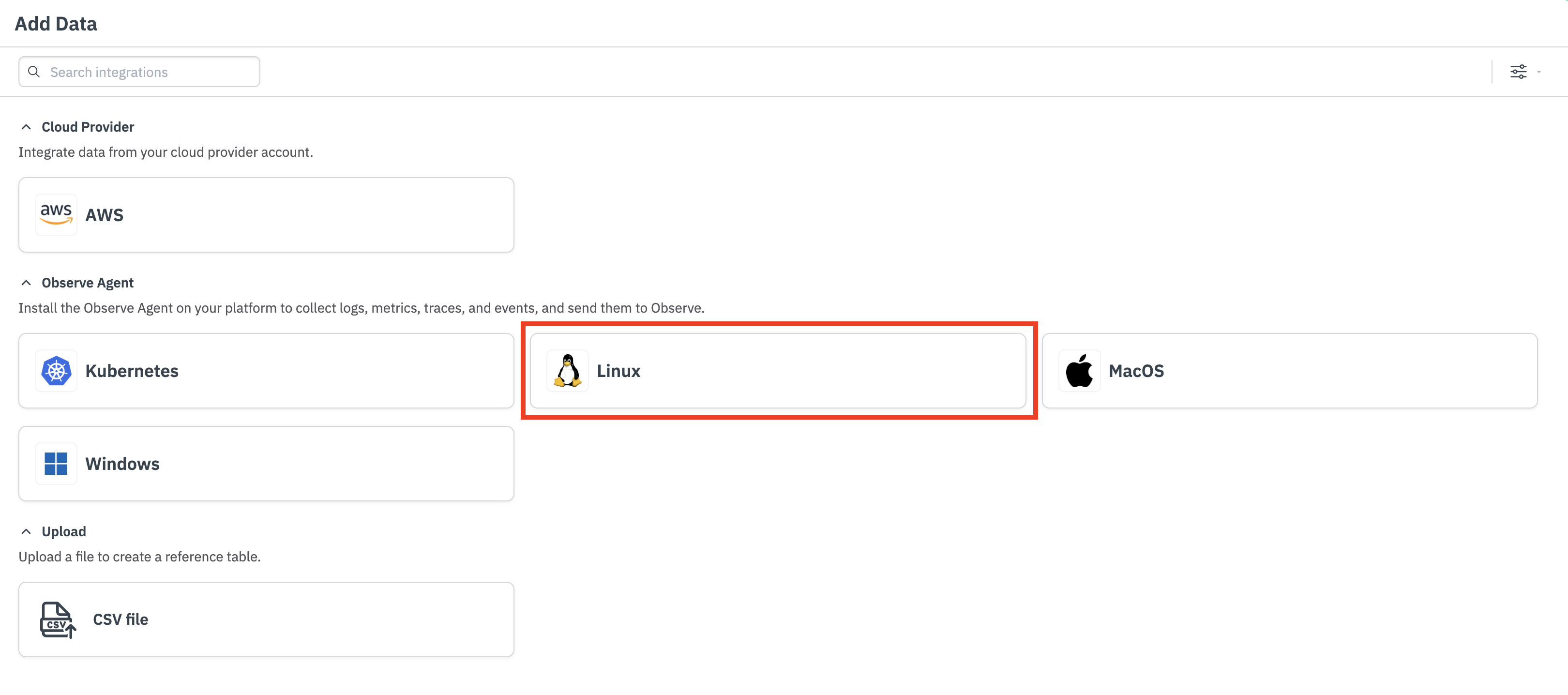
To use docker compose in your environment, use the following Docker Compose file to run the Observe Agent container. You can extend this file to also run other containers that can then send telemetry to and be monitored by the Observe Agent container.
# compose-debian-host.yaml
services:
  agent:
    image: "observeinc/observe-agent:latest"
    pid: host
    environment:
      OBSERVE_URL: "https://<YOUR_CUSTOMER_ID>.collect.observeinc.com"
      TOKEN: "<YOUR_INGEST_TOKEN>"
    expose:
      - "4317"
      - "4318"
    ports:
      - "4317:4317"
      - "4318:4318"
    volumes:
      # Used for hostmetrics
      - type: bind
        source: /proc
        target: /hostfs/proc
        read_only: true
      - type: bind
        source: /snap
        target: /hostfs/snap
        read_only: true
      - type: bind
        source: /var/lib
        target: /hostfs/var/lib
        read_only: true
      # Used for filelog
      - type: bind
        source: /var/log
        target: /hostfs/var/log
        read_only: true
      # Symlinks dont work by default on docker containers so we need to add each of the
      # directories containing symlink targets individually for docker to be able to follow them
      - type: bind
        source: /var/log/pods
        target: /var/log/pods
      - type: bind
        source: /var/lib/docker/containers
        target: /var/lib/docker/containers
      # Load agent from current directory
      - type: bind
        source: ${PWD}/observe-agent.yaml
        target: /etc/observe-agent/observe-agent.yaml
To run this Compose file, you’ll need to first create an observe-agent.yaml configuration file. For more information, see Configuration. Then, from the directory containing the observe-agent.yaml and compose-debian-host.yaml files, run the following command:
docker compose -f compose-debian-host.yaml -p observe-agent upUpdated 12 months ago