

Monitor your AI usage
Use the AI Model Usage Dashboard to monitor the AI usage on your system and gain:
- Visibility into actual AI consumption.
- Insight into active users and adoption patterns.
- Confidence that your AI investment is being used effectively and as expected.
Use the AI Model Usage Dashboard to monitor the AI usage on your system and gain:
- Visibility into actual AI consumption.
- Insight into active users and adoption patterns.
- Confidence that your AI investment is being used effectively and as expected.
Requirements
You must have version 1.2.0 or higher of the Observe Usage Reporting app. Earlier verisons do not report any AI data.
Access the AI Model Usage Dashboard
To access the AI Model Usage Dashboard:
- Select Dashboards in the left navigation rail.
- Enter AI in the search field and select AI Model Usage Dashboard from the list of dashboards.
The AI Model Usage Dashboard provides a clear, at-a-glance view of AI usage within a your Observe by Snowflake tenant, so that you can find metrics such as:
- Total number of questions asked. A question refers to the input text you send to Observe by Snowflake's AI backend through AI SRE or other features within the product.
- Usage split between AI SRE and MCP Server.
- User-level activity and AI credit consumption over time.
This makes it easy to understand who is using AI, how often, and through which surfaces.
Overview
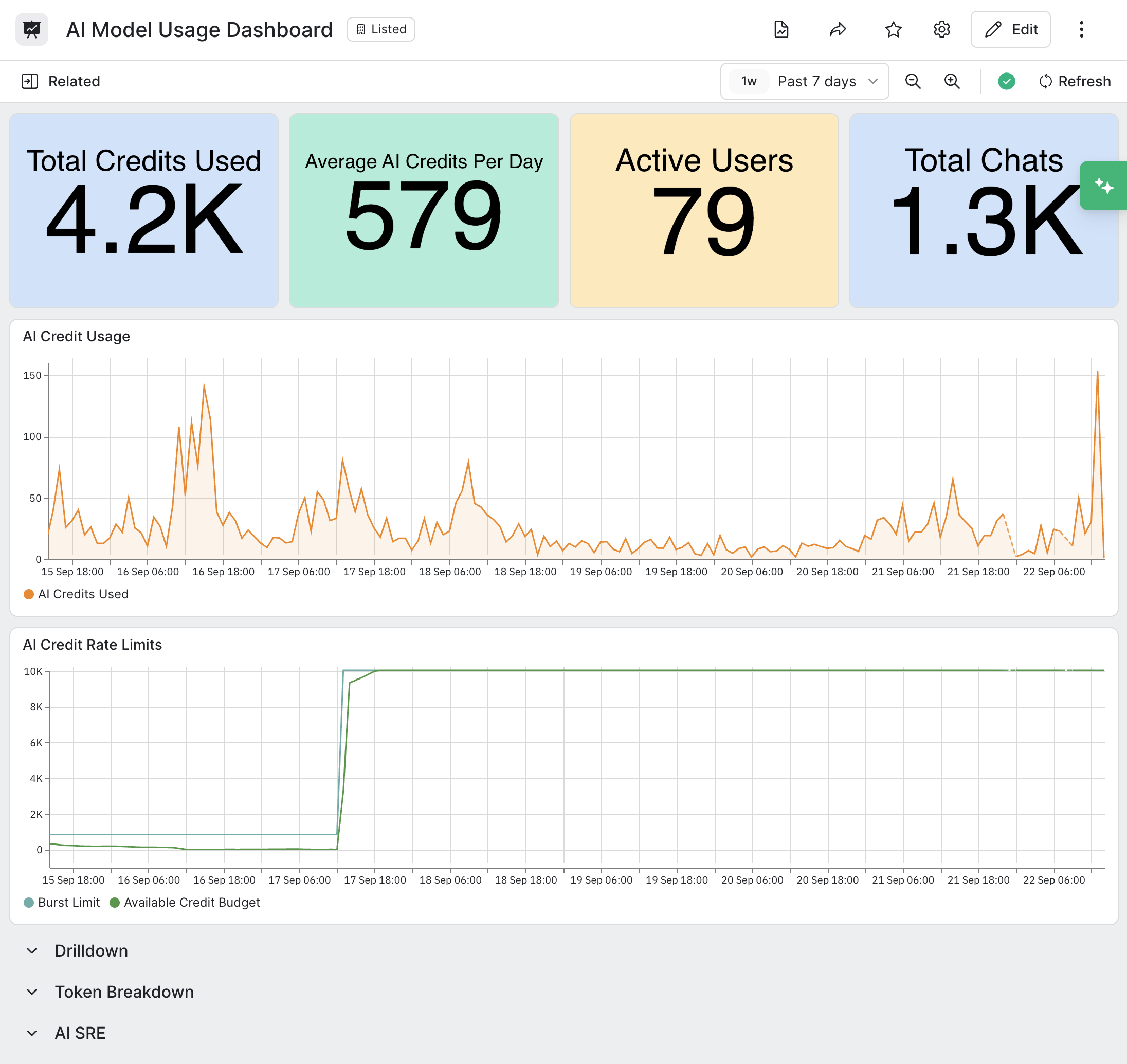
The top portion of the dashboard presents a summary of total usage by credits, users, and chats.
Drilldown
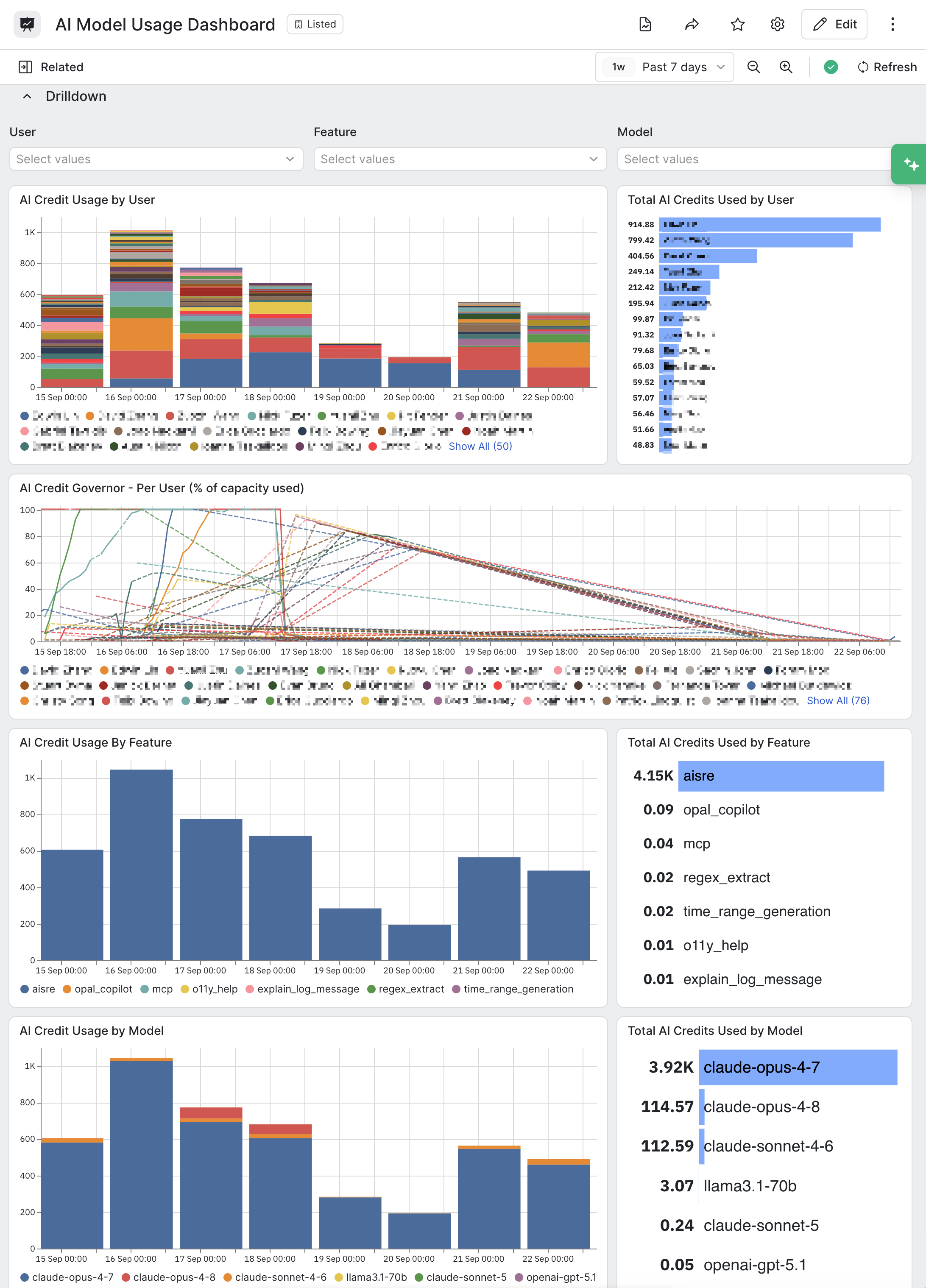
The Drilldown section allows you to analyze AI usage by user, feature, and model.
Token breakdown
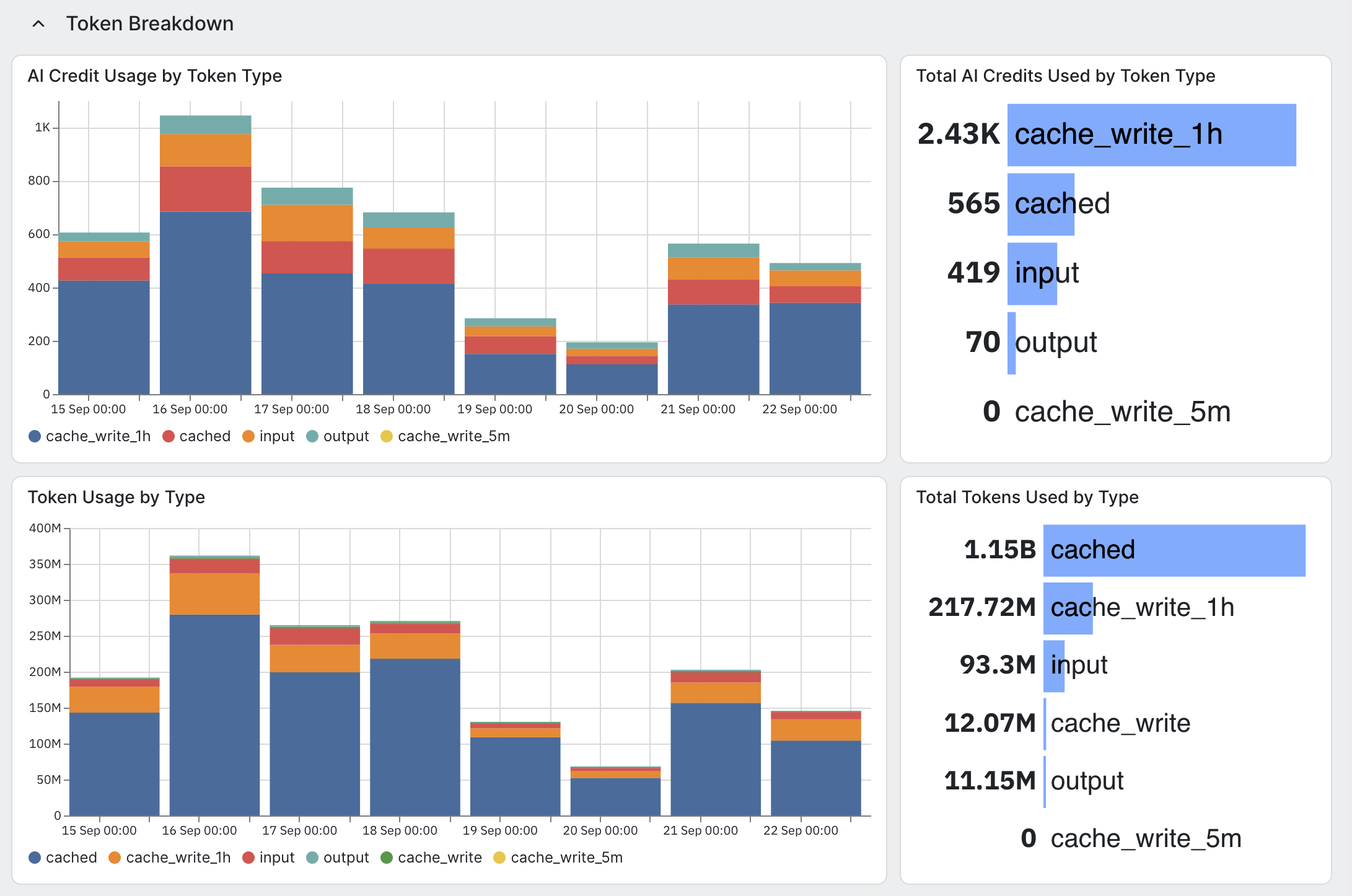
The Token Breakdown section summarizes the AI token and credit usage.
AI SRE
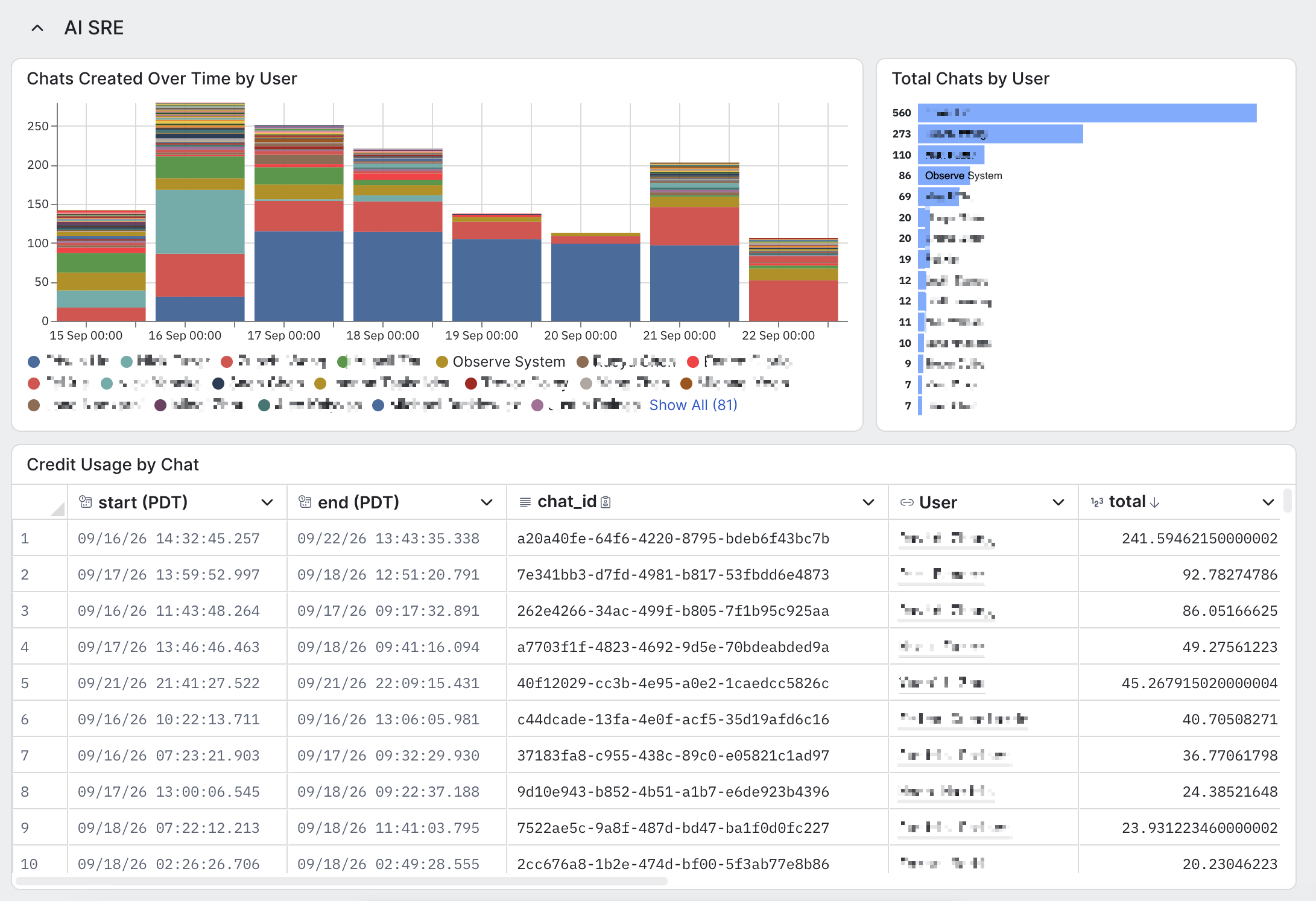
The AI SRE section summarizes your AI SRE chat activity by user.
Updated 15 days ago