

Manage local authentication policies
As an administrator, you can use the UI to configure local authentication to enforce policies for your organization.
For security teams, this feature allows configuring policies such as:
- Completely disable local authentication to enforce strict SAML-based authentication.
- Enforce password policies for local authentication.
- Control whether Observe by Snowflake support can log into your account.
Manage local authentication settings
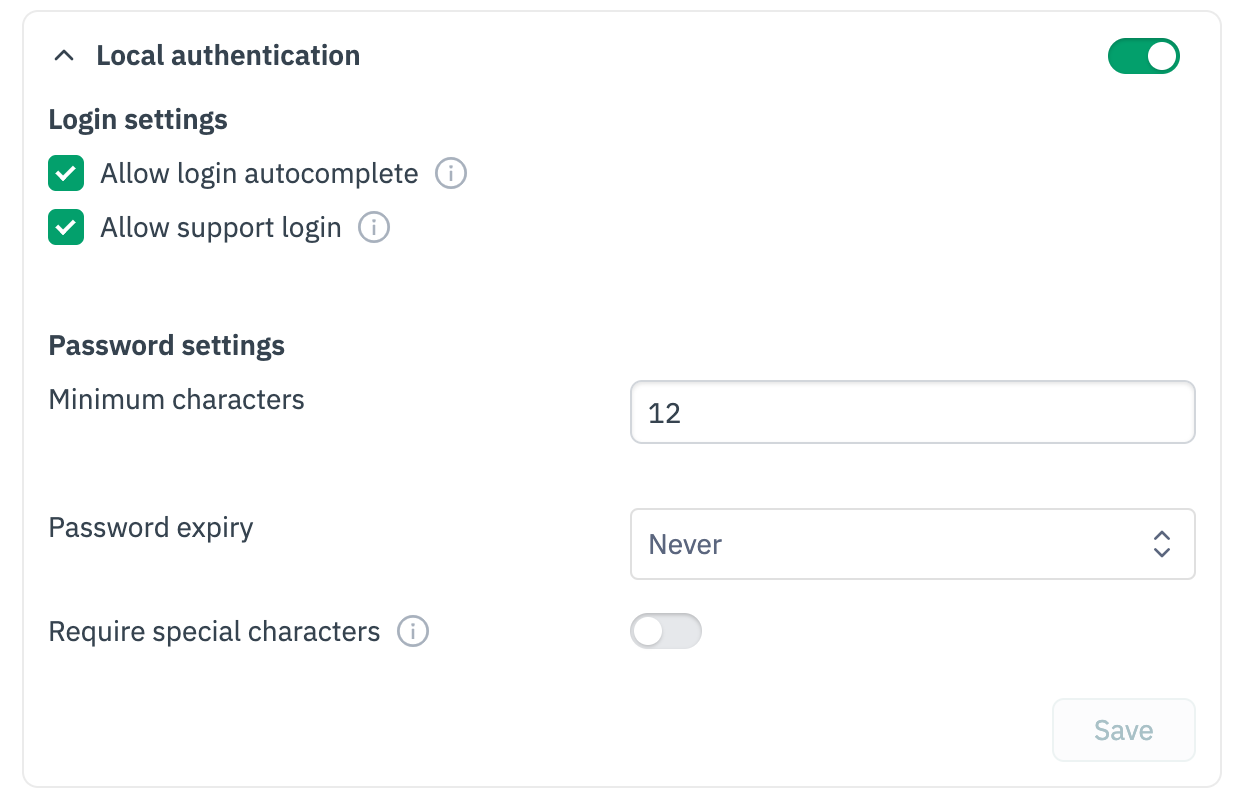
Select Settings > Workspace Settings > Customer Settings, then expand the Local authentication section.
Disable local authentication
Toggle the switch next to the Local authentication header to fully disable local authentication.
NoteOpen a support request to allow local authentication for a few select users for break-glass scenarios.
Login settings
Configure whether browser autocomplete is allowed for passwords and whether Observe by Snowflake support can log into your account.
Password settings
Configure password policies for your account:
- Minimum characters: The minimum length for passwords
- Password expiry: How often the passwords must be rotated
- Require special characters: Require special characters for more secure passwords
Updated 15 days ago
Did this page help you?