

Deploy to multiple clusters using Rancher (legacy)
You can simplify deployment of the Observe Agent across multiple Kubernetes clusters by leveraging Rancher. Follow the steps below to configure Rancher with your fleet.yaml file, add necessary secrets, and manage distribution via Continuous Delivery.
Prepare fleet.yaml
Prepare the fleet.yaml configuration file:
-
Create a GitHub repository (or an equivalent VCS). Use this repository to hold your
fleet.yamlfile and any future updates or configurations. -
Add
fleet.yamlto your repository. Commit the following contents into your repo asfleet.yaml. Replace<YOUR OBSERVE COLLECTION ENDPOINT>with your instance's collection endpoint (ex: https://123456789012.collect.observeinc.com/).
defaultNamespace: observe

helm:
  chart: "agent"                    # chart name
  repo: "https://observeinc.github.io/helm-charts"
  # version: "0.51.1"
  releaseName: observe-agent

  # Enable or confirm "disablePreProcess" is false so Fleet processes templating.
  # (This is usually the default, but some Fleet versions require you to specify.)
  disablePreProcess: false

  values:
    agent:
      selfMonitor:
        enabled: false
    application:
      prometheusScrape:
        # Set it to false if you don't want to use Prometheus Autodiscovery to scrape Prometheus metrics from your pods.
        enabled: true
    cluster:
      events:
        enabled: true
      metrics:
        enabled: true
      # If a cluster does not have the env label, the expansion becomes an empty string—meaning the name might become "-monitored-cluster".
      # If you want a fallback, you can do something like:
      name: "${ .ClusterLabels.env | default \"unknown\" }-observe-monitored-cluster"
    node:
      enabled: true
      containers:
        logs:
          enabled: true
        metrics:
          enabled: true
      forwarder:
        enabled: true
        traces:
          enabled: true
        metrics:
          enabled: true
        logs:
          enabled: true
    observe:
      collectionEndpoint:
        value: "<YOUR OBSERVE COLLECTION ENDPOINT>"
      token:
        create: false
      traceToken:
        create: false
Configure Rancher
Perform the following tasks:
-
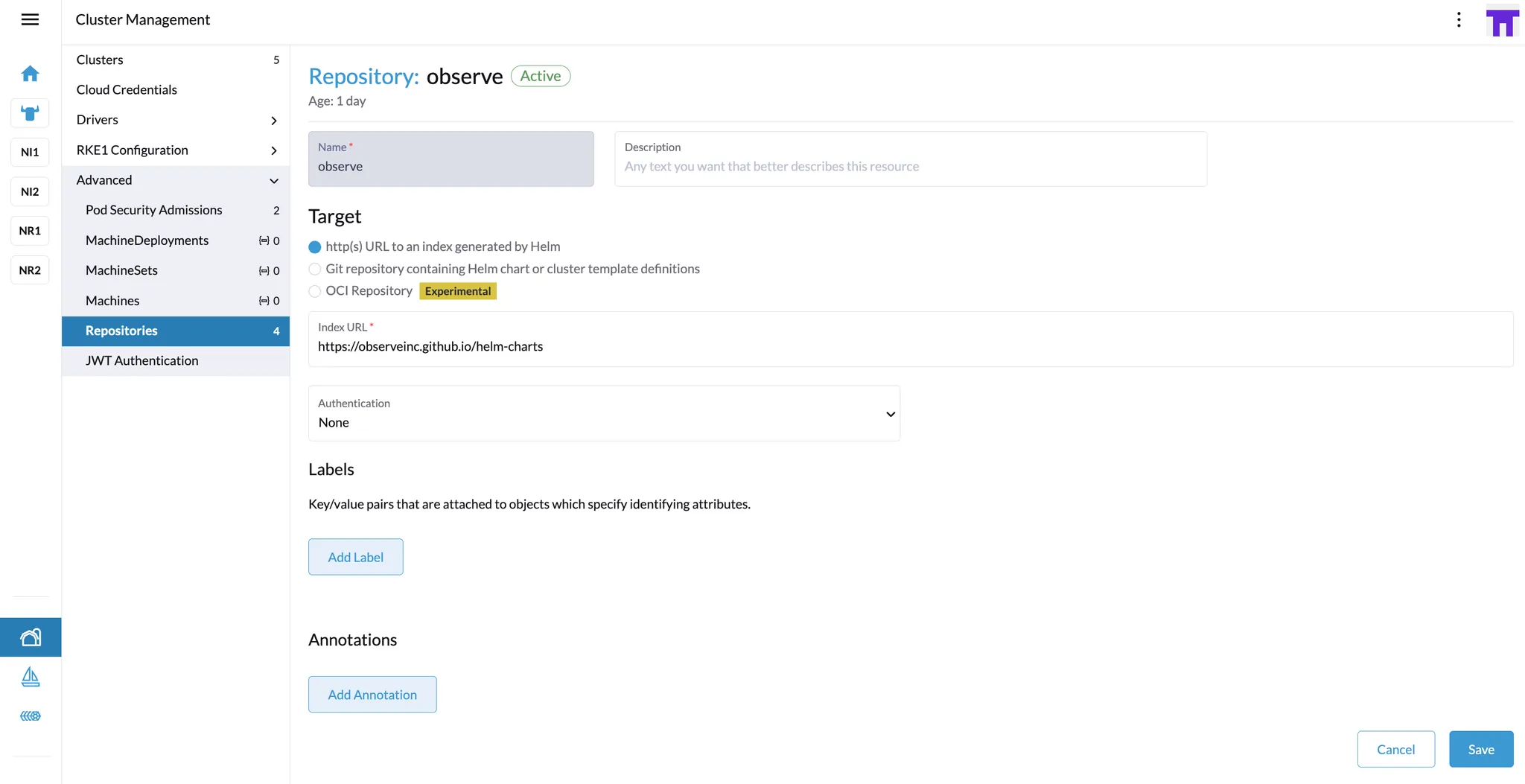
Add the Observe by Snowflake Helm Repository
- In Rancher, go to Cluster Management → Repositories.
- Create a new repository using
https://observeinc.github.io/helm-chartsas the URL:
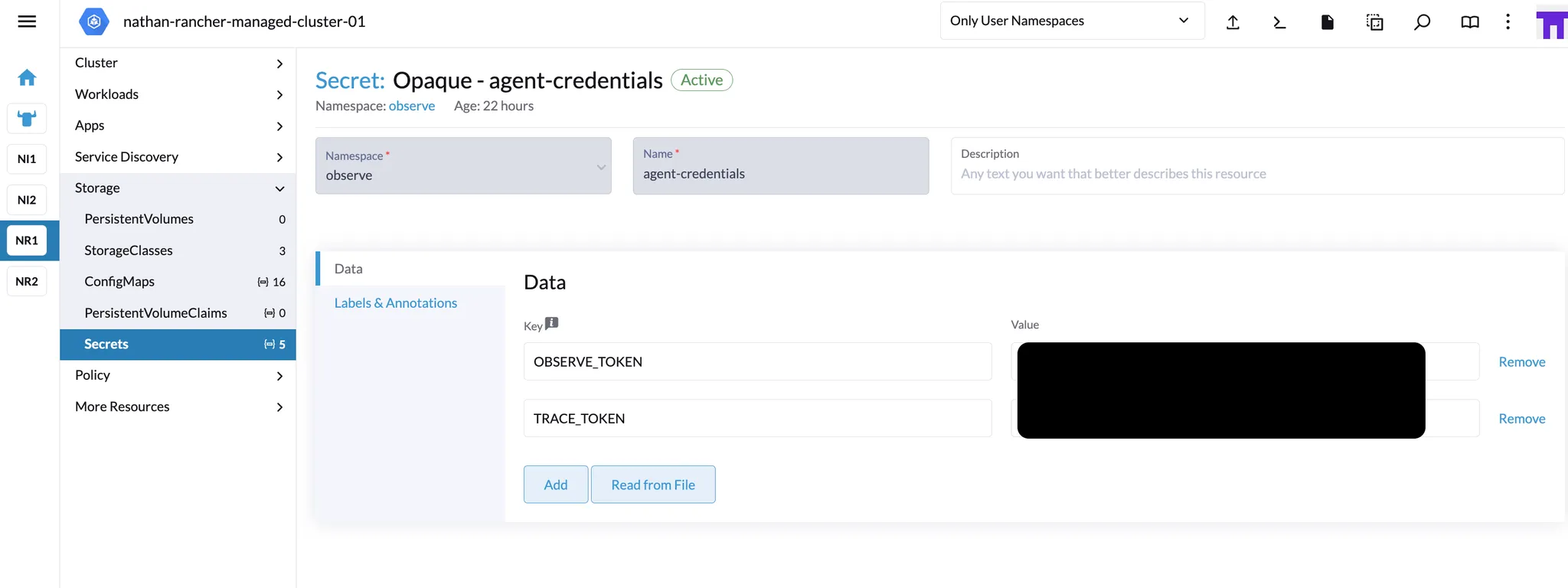
- Create a Secret for each Kubernetes cluster:
- Select a cluster in Rancher, then navigate to Secrets.
- Add a new secret with the following settings:
- Type:
Opaque - Name: For example,
agent-credentials. - Namespace:
observe(or another namespace, but presumablyobserveif you’re deploying the Observe Agent there). - Key-Value Pairs:
- Key:
OBSERVE_TOKEN, Value:ds1gF7ZGV52S...(your token) - Key:
TRACE_TOKEN, Value:ds1g123123...(trace token)
- Key:
- Type:
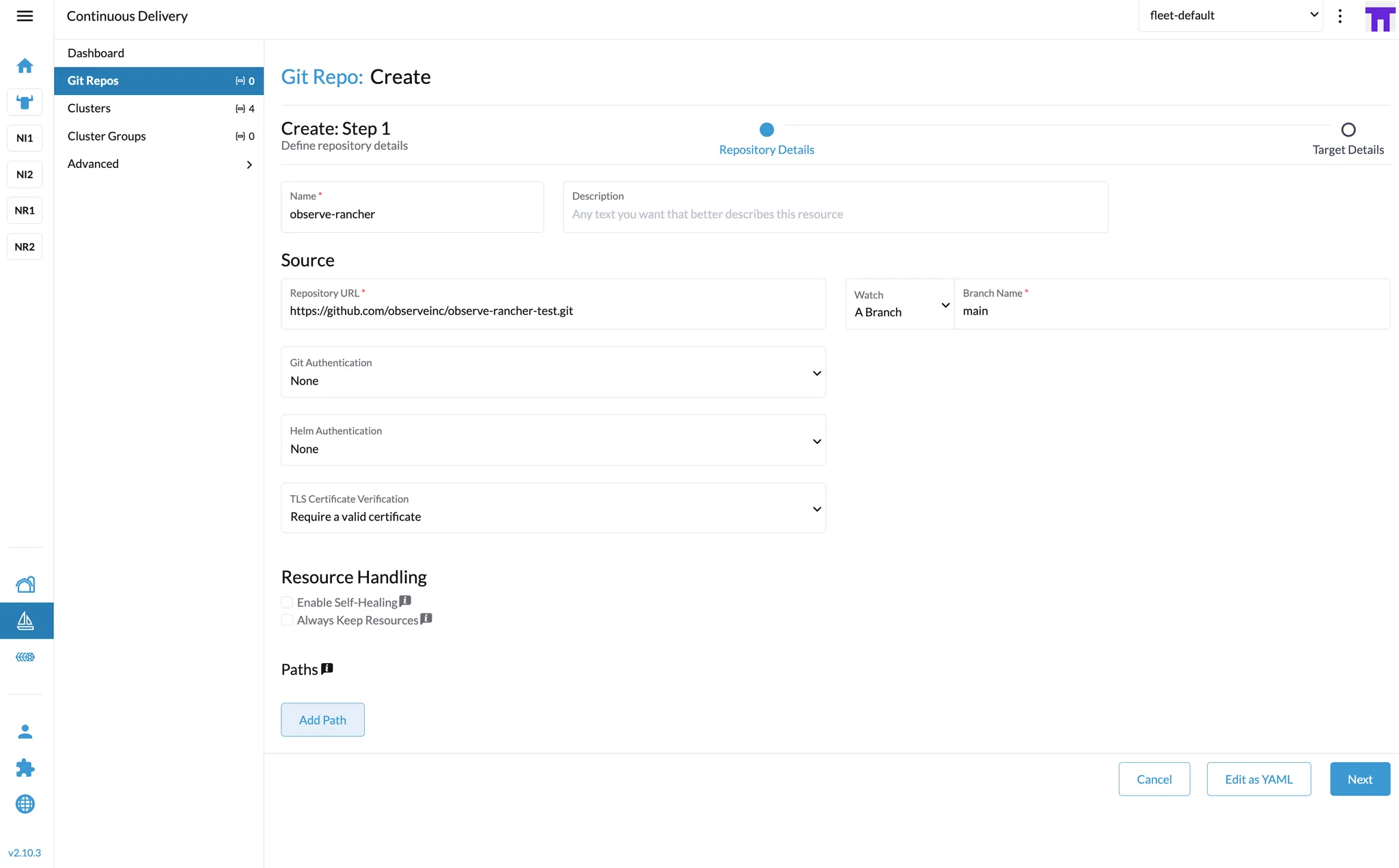
- Add Your GitHub Repository in “Continuous Delivery”
- Go to Continuous Delivery → Git Repos in Rancher.
- Add a new Git repository. For the URL, use the link to the repository containing your
fleet.yamlfile, such ashttps://github.com/observeinc/observe-rancher-test.git:
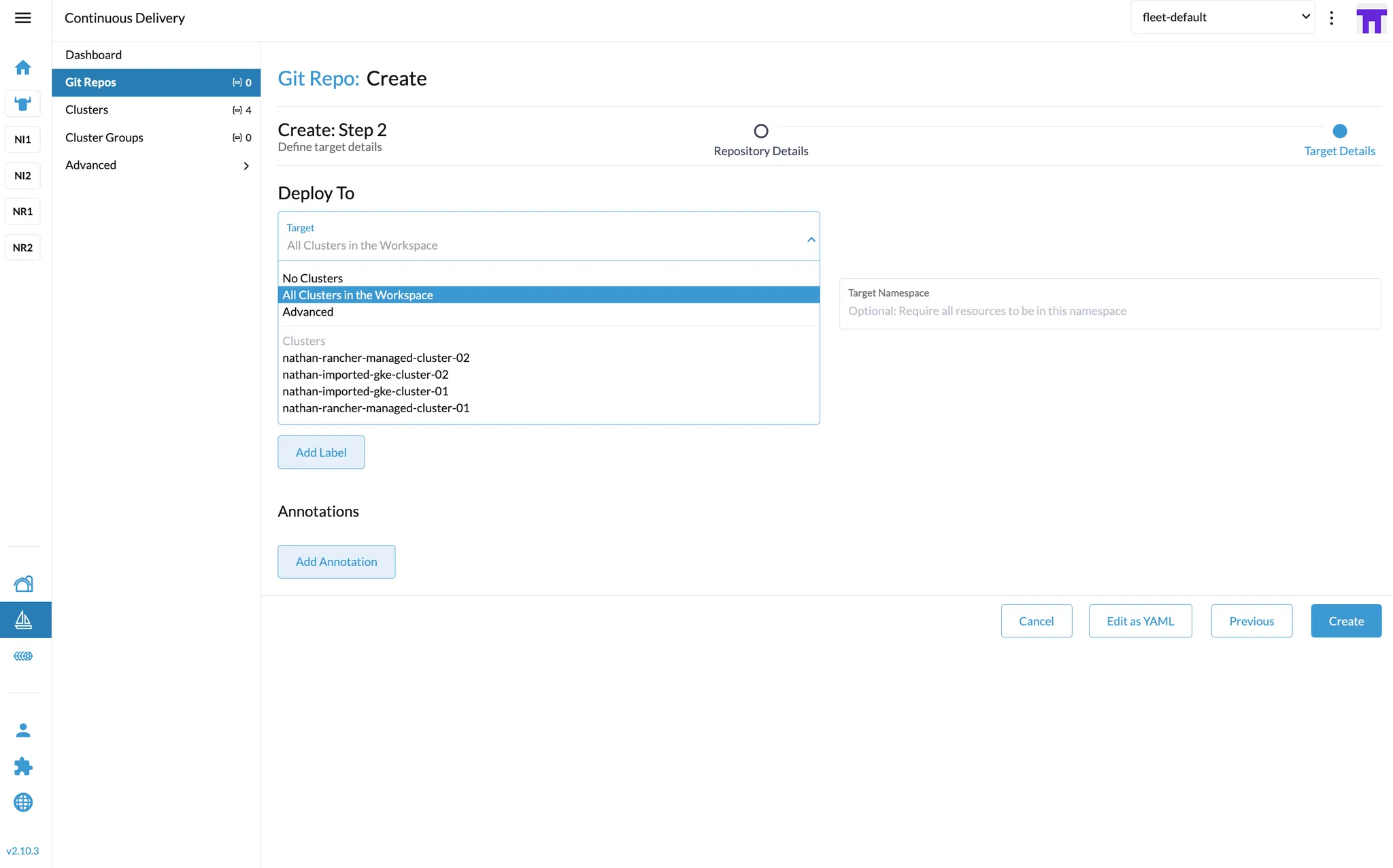
- Choose target clusters to deploy the Observe Agent.
- Wait for Rancher to synchronize and deploy the Observe Agent to each selected cluster.
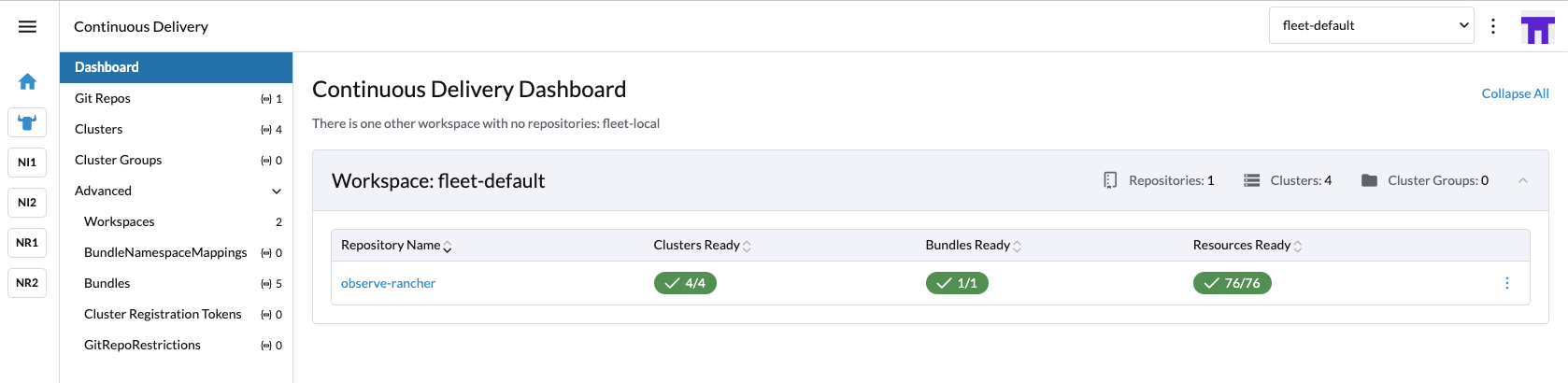
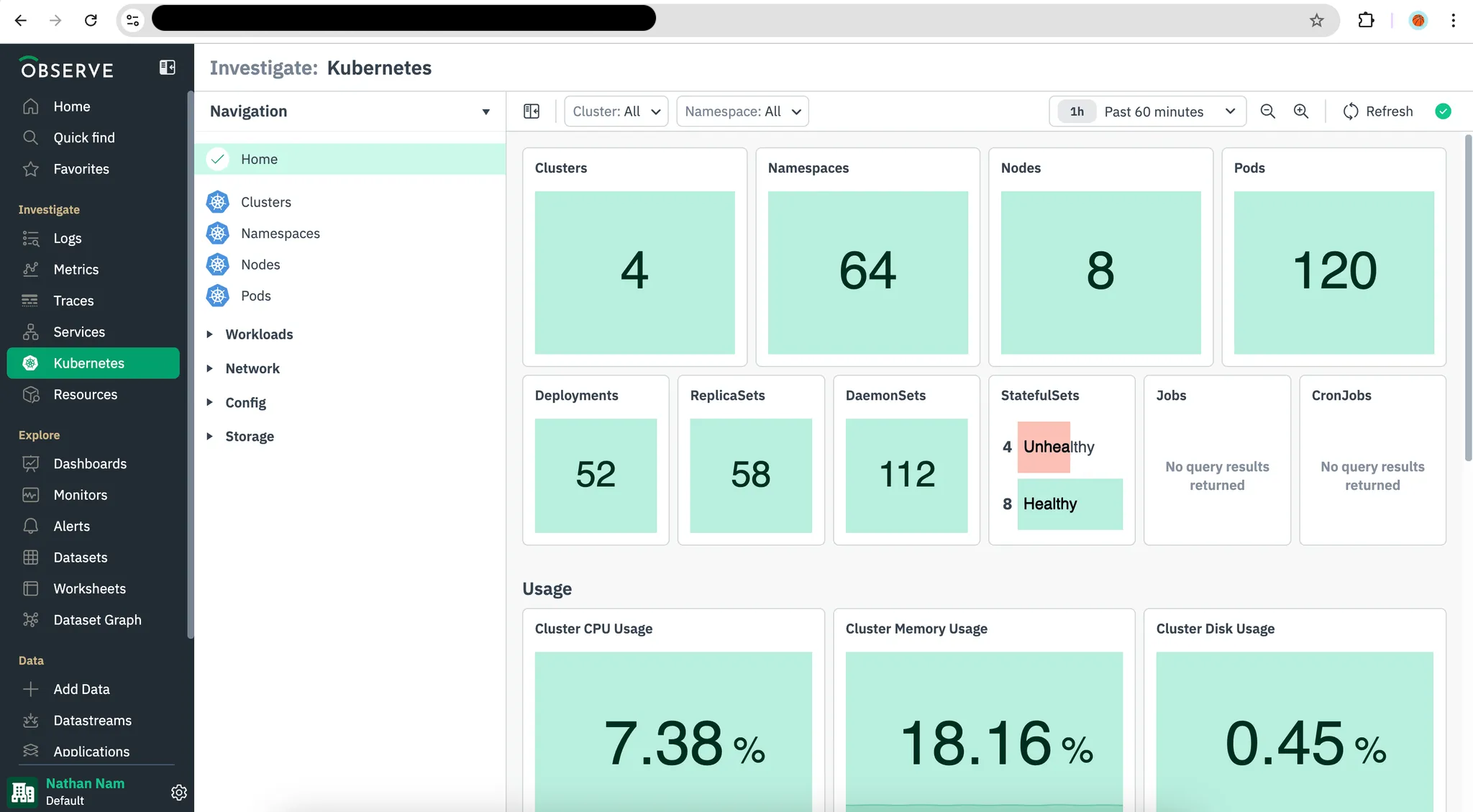
- Verify deployment. Once the process completes, check Kubernetes Explorer in your Observe by Snowflake account (or your chosen monitoring view) to confirm the Observe Agent is reporting data as expected.
Updated about 1 month ago