

Manage service account using the API
Create API tokens for service accounts and use them for bearer authentication to interact with the Observe by Snowflake APIs.
Together, service accounts and service account API tokens enable the following:
- Machine-to-machine communication for automated scripts, applications, terraform etc
- Scoped access controls to allow principle of least privilege
- Ability to periodically rotate tokens for increased security
Usage
Service account APIs are documented in the Observe by Snowflake API Reference.
Prerequisites:
- Only admins or users with the service account edit permission can manage service accounts and service account tokens.
- Thus you will need to first obtain an API token with relevant permissions to manage service accounts and tokens. See Observe by Snowflake API authentication.
Create a service account
Below is an example cURL request to create a service account:
curl -H 'Content-Type: application/json' \
  -H 'Authorization: Bearer 123456789012 <API_TOKEN>' \
  https://123456789012.observeinc.com/v1/service-accounts \
  -d '{"label":"Test Account"}'
A sample response looks like this:
{"id":"1234","label":"Test Account","disabled":false,...}View your service accounts
Once you create a service account, you can manage the accounts in the UI under Admin > Service account.
To view using the API, use the following cURL command:
curl https://123456789012.observeinc.com/v1/service-accounts/1234 \
  -H 'Authorization: Bearer 123456789012 <API_TOKEN>'
Configure RBAC for the service account
By default, service accounts are added to the Everyone RBAC group and will have the minimum configured workspace default permissions. Reach out to an admin to configure relevant permissions for the service account.
Create a service account API token
Below is an example cURL request to create a service account API token:
curl https://123456789012.observeinc.com/v1/service-accounts/1234/api-tokens \
  -H 'Content-Type: application/json' \
  -H 'Authorization: Bearer 123456789012 <API_TOKEN>' \
  -d '{"label":"app-automation", "lifetimeHours":24}'
A sample response looks like the following:
{
  "id": "id-<token-id>",
  "disabled": false,
  "expiration": "2025-08-18T23:33:59Z",
  "label": "app-automation",
  "secret": "<token-secret>",
  ...
}
The token secret can only be viewed once on creation. Tokens do not automatically renew on use and will expire after the configured lifetime.
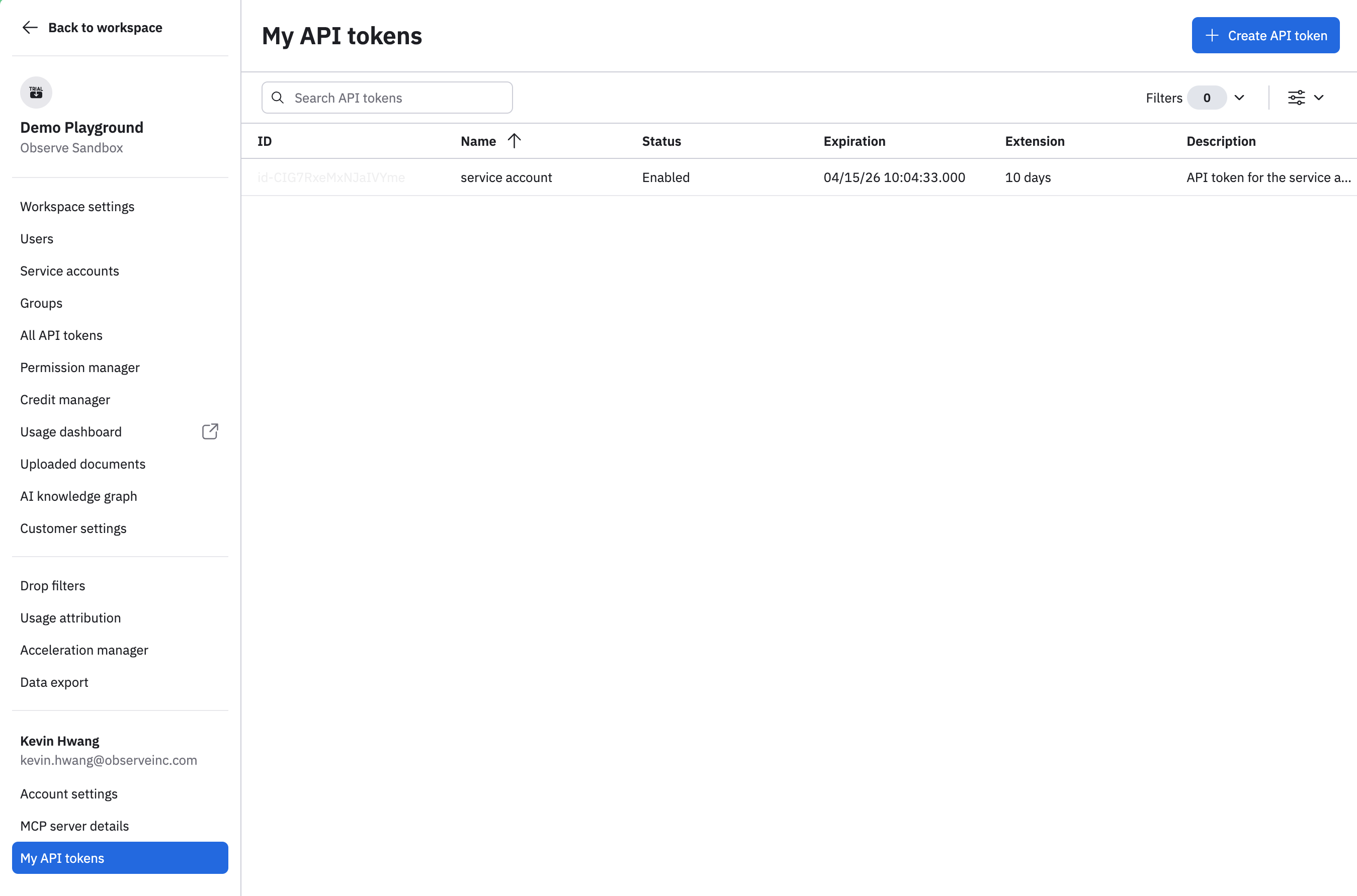
To view your API tokens:
- Hover on your user name in the left navigation, then select Manage account.
- Click My API tokens.
Disable service account token
Below is a sample cURL command to disable a service account token:
curl https://123456789012.observeinc.com/v1/service-accounts/1234/api-tokens/id-<token-id> \
  --request PATCH \
  -H 'Content-Type: application/json' \
  -H 'Authorization: Bearer 123456789012 <API_TOKEN>' \
  -d '{"disabled": true}'
Updated about 2 months ago