

Discover and map your services
Learn how to investigate and troubleshoot your services, databases, message brokers, and uninstrumented services.
Service management in Observe by Snowflake APM provides powerful tools to visualize, monitor, and understand your system’s architecture and performance. Service management automatically discovers services, databases, message brokers, and uninstrumented services using your OpenTelemetry data, offering insights into their health and relationships.
Service Catalog
The Service Catalog, or Service Explorer, is a comprehensive list of all services, databases, message brokers, and uninstrumented services detected in your environment. For each service, it displays critical request rate, errors, and duration (RED) metrics, so you can quickly identify which services might require attention. This view acts as your central hub for exploring the health and activity of your system.
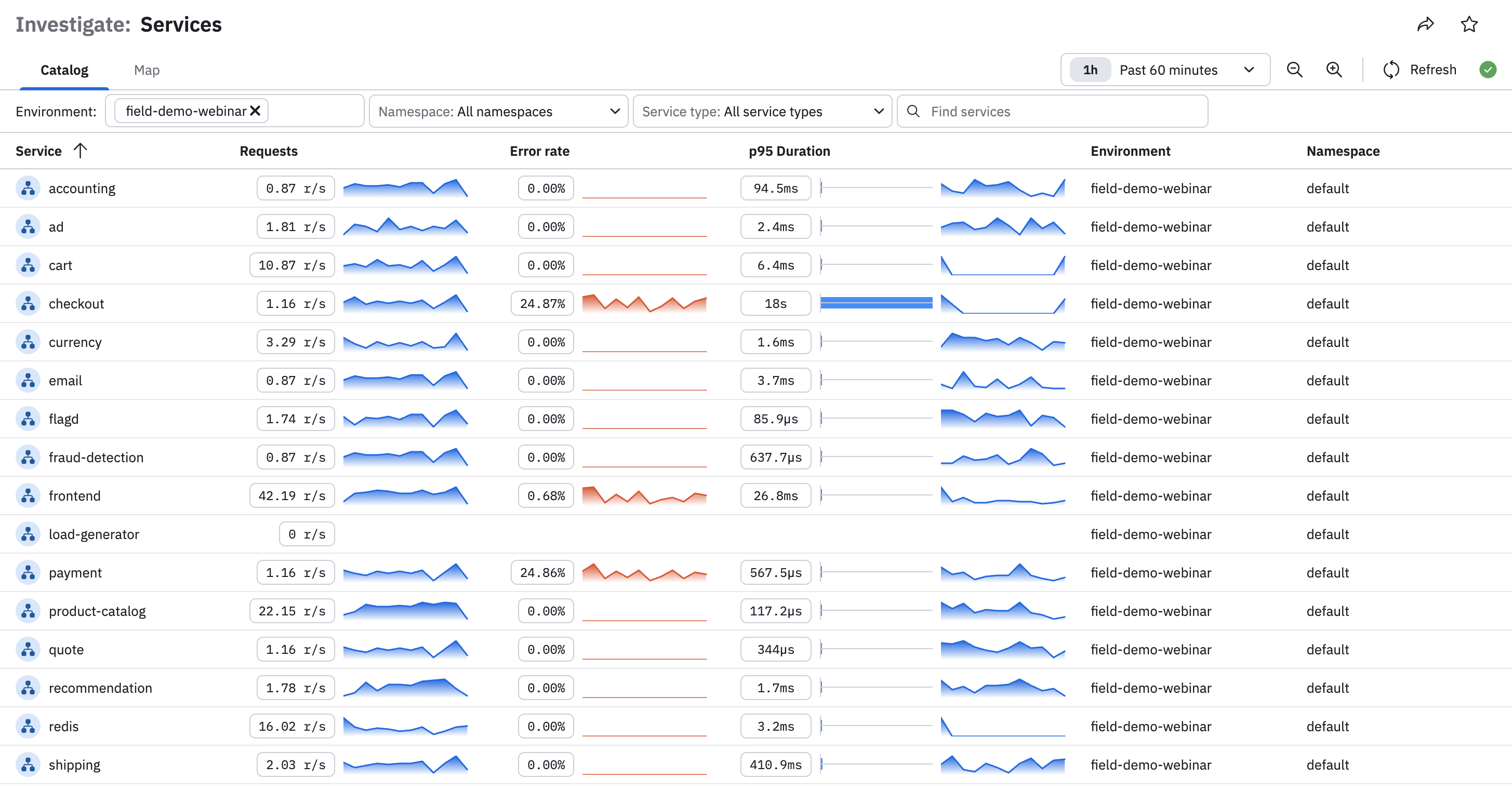
To adjust the services, databases, and message brokers listed on the page, you can do the following:
- Use the time picker to change the time window. The default time window is 1 hour.
- Click on any column header to rearrange the table content. For example, click Service to rearrange alphabetically, or Request to list the services by request volume in ascending or descending order.
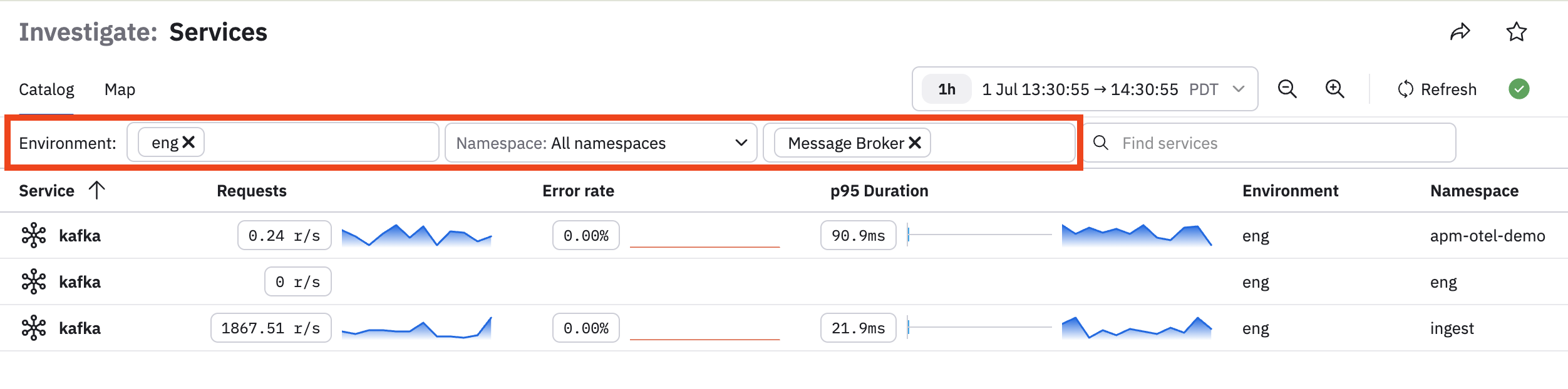
- Use the filter bar to select specific environments, namespaces, services, or just type and search for something specific. For example, if we want to see only message brokers in the eng environment:
Service Map
The Service Map visually represents the communication relationships between services, databases, message brokers, and uninstrumented services showing how traffic flows through your system. It overlays RED metrics on both services and the connections (edges) between them, making it easy to identify bottlenecks, errors, or latency issues within dependencies.
These features are designed to streamline debugging, performance optimization, and overall service management by providing a clear, data-driven view of your architecture in real-time.
Services and edges show up on the service map if they have reported data in the last 7 days.
Observe by Snowflake leverages the OpenTelemetry service.namespace resource attribute as a way to logically group microservices. By ensuring this attribute is properly set in your span data, teams can better understand their business service architecture and interactions, facilitating reliable operation of business-critical applications.
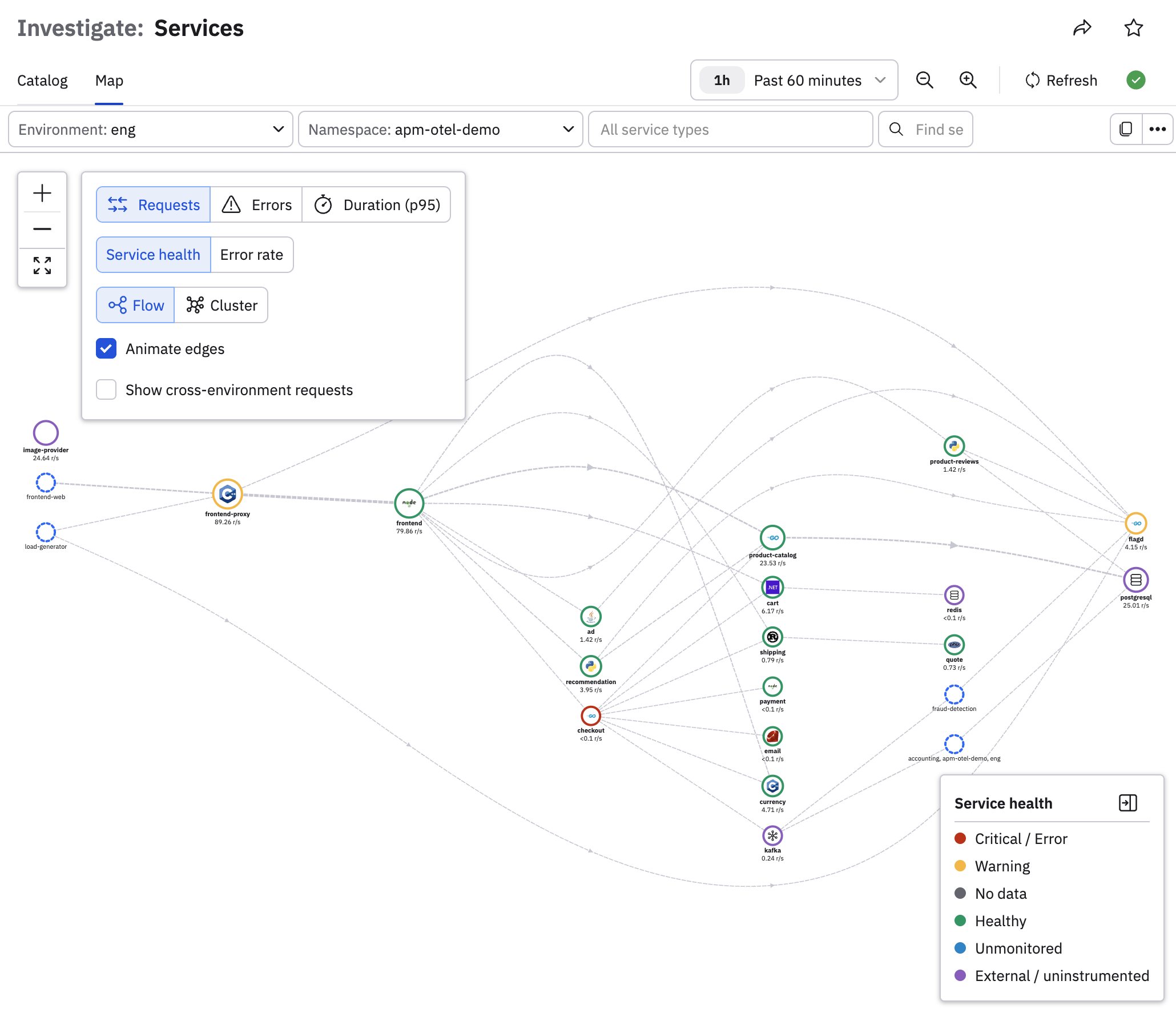
Service health and error rate
The default view for the Service Map shows you the health of your services as reported by any associated Monitors. See Service monitoring workflow for more information about how you can bind services and Monitors together.
If you want to see information about the error rates on your services, click Error rate:
Show cross-environment requests
Private preview feature (Invite only)This feature is enabled per tenant by Observe by Snowflake and is not generally available. To participate, contact your Observe by Snowflake representative. You may access and use this preview feature solely for internal evaluation purposes. Previews are provided as-is. Your use of this preview is subject to the Snowflake Preview Terms located at https://www.snowflake.com/en/legal.
Click the Show cross-environment request checkbox to view any traffic going across environments, in case you need to view such dependencies for your investigations.
Service Inspector
Select any service in the Service Explorer to view the Service Inspector, which provides details for that individual service. For example, if we select the frontend service from the Service Explorer, we can view the details for just that service, such as some key performance indicator (KPI) charts for the service, along with the health of the service:
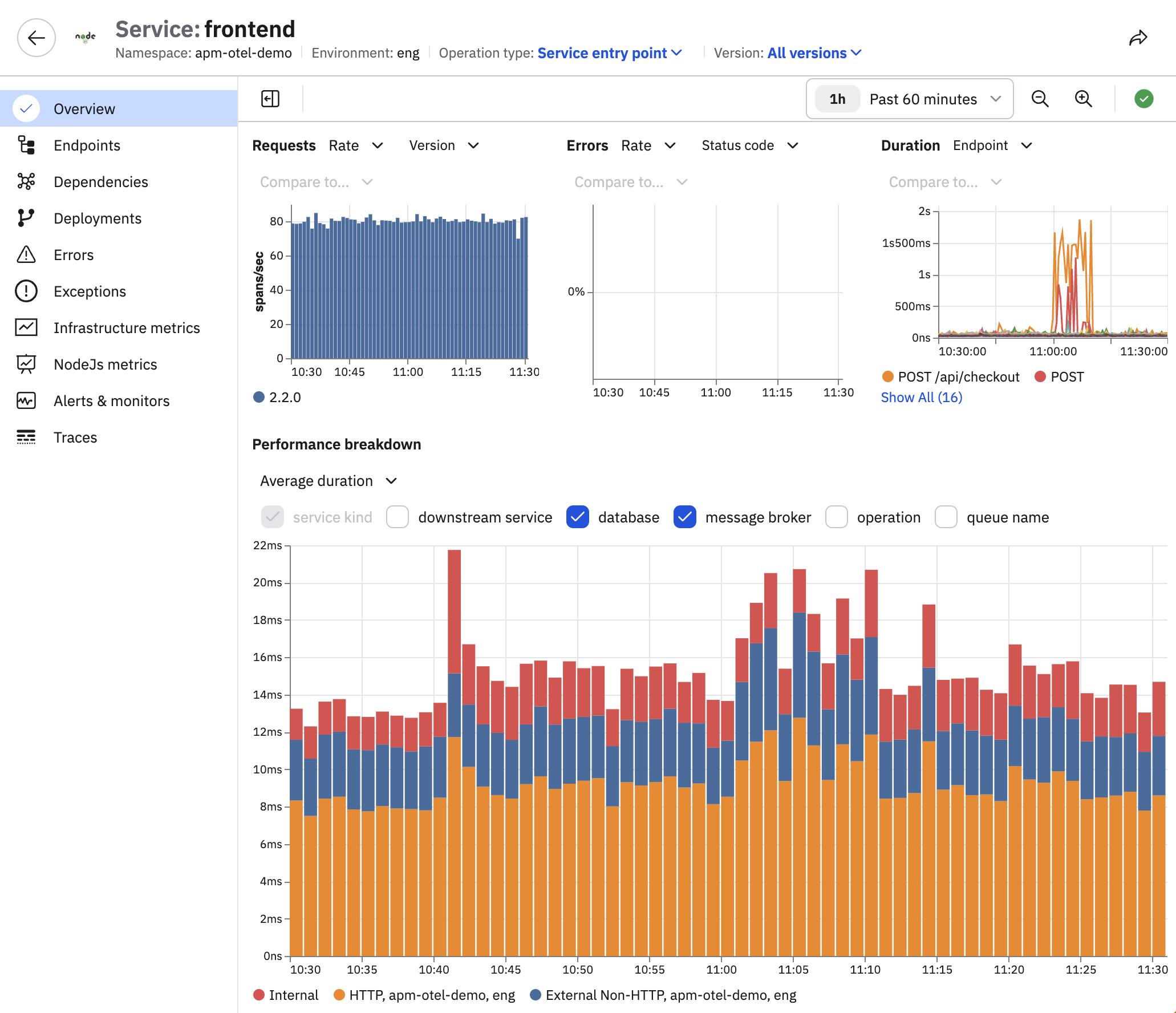
Use the left tabs to explore the service. The tabs that appear depend on the service. See Service Inspector tab availability by service type.
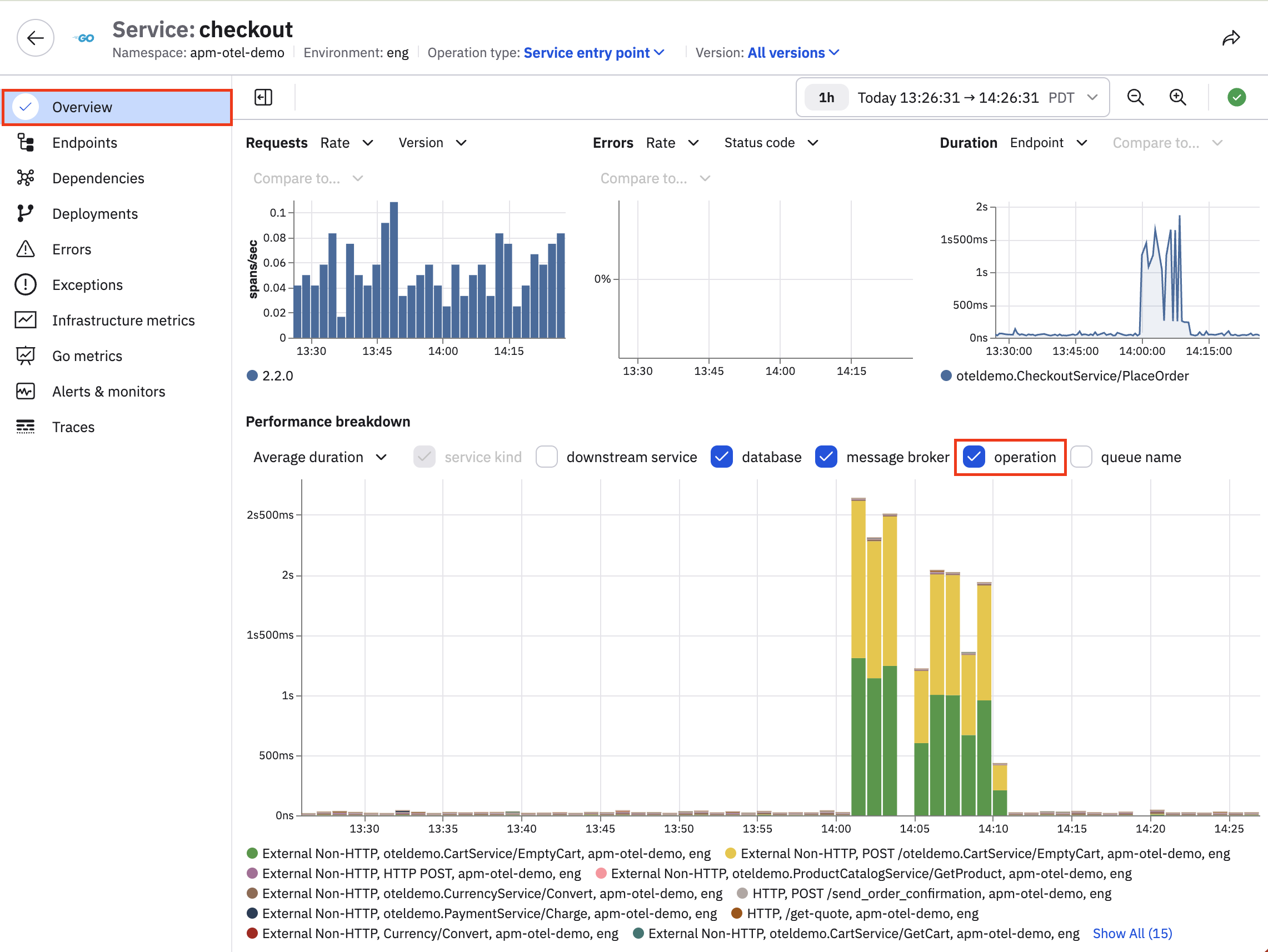
Step 1. Is something wrong?
View the Overview tab for RED charts and service-level health details. Add operation details to the chart to view the RED metrics broken down by span type.
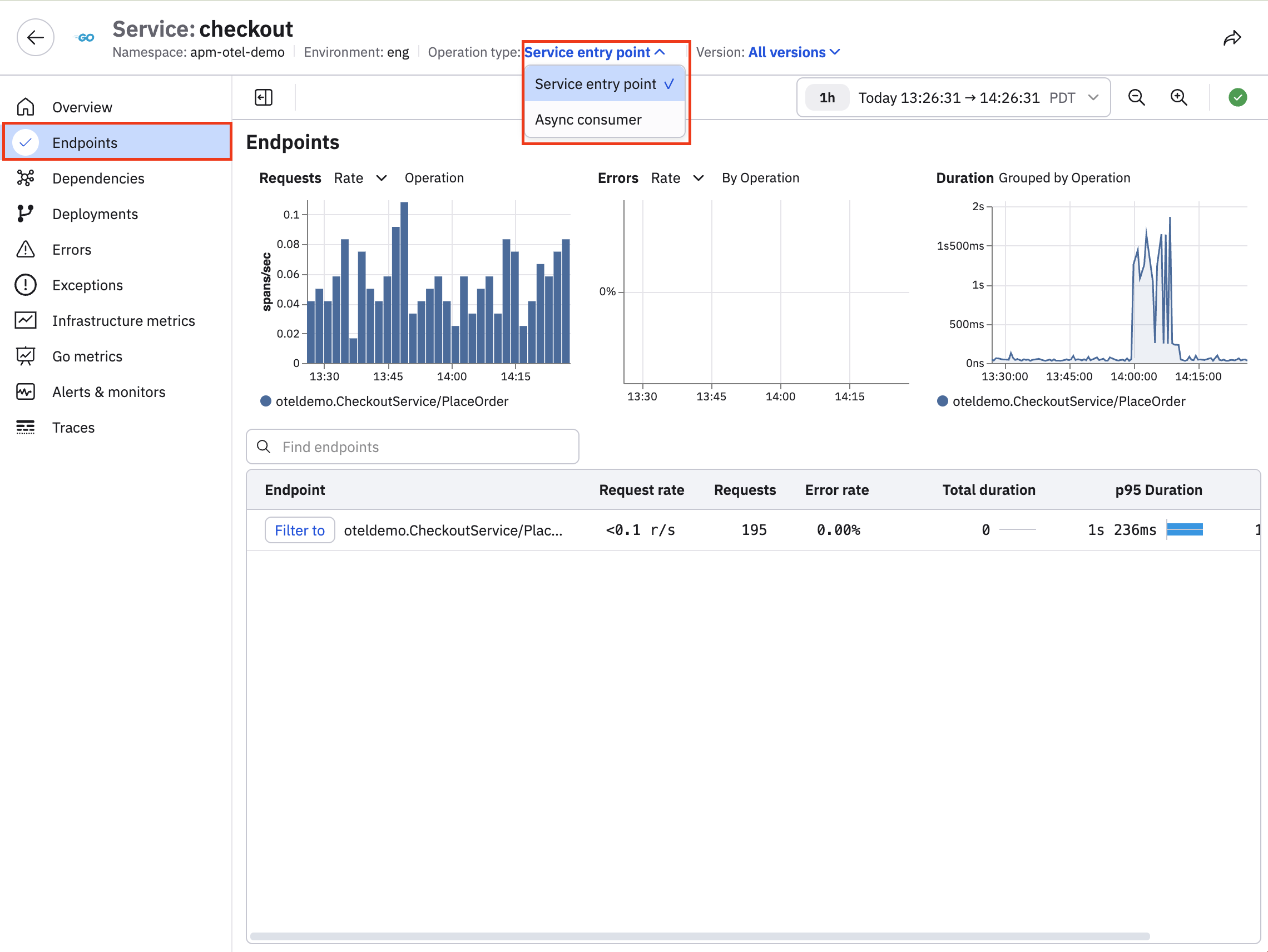
Step 2. When are the errors concentrated?
View the performance breakdown in the Endpoints tab where you can sort of endpoint or Async consumer:
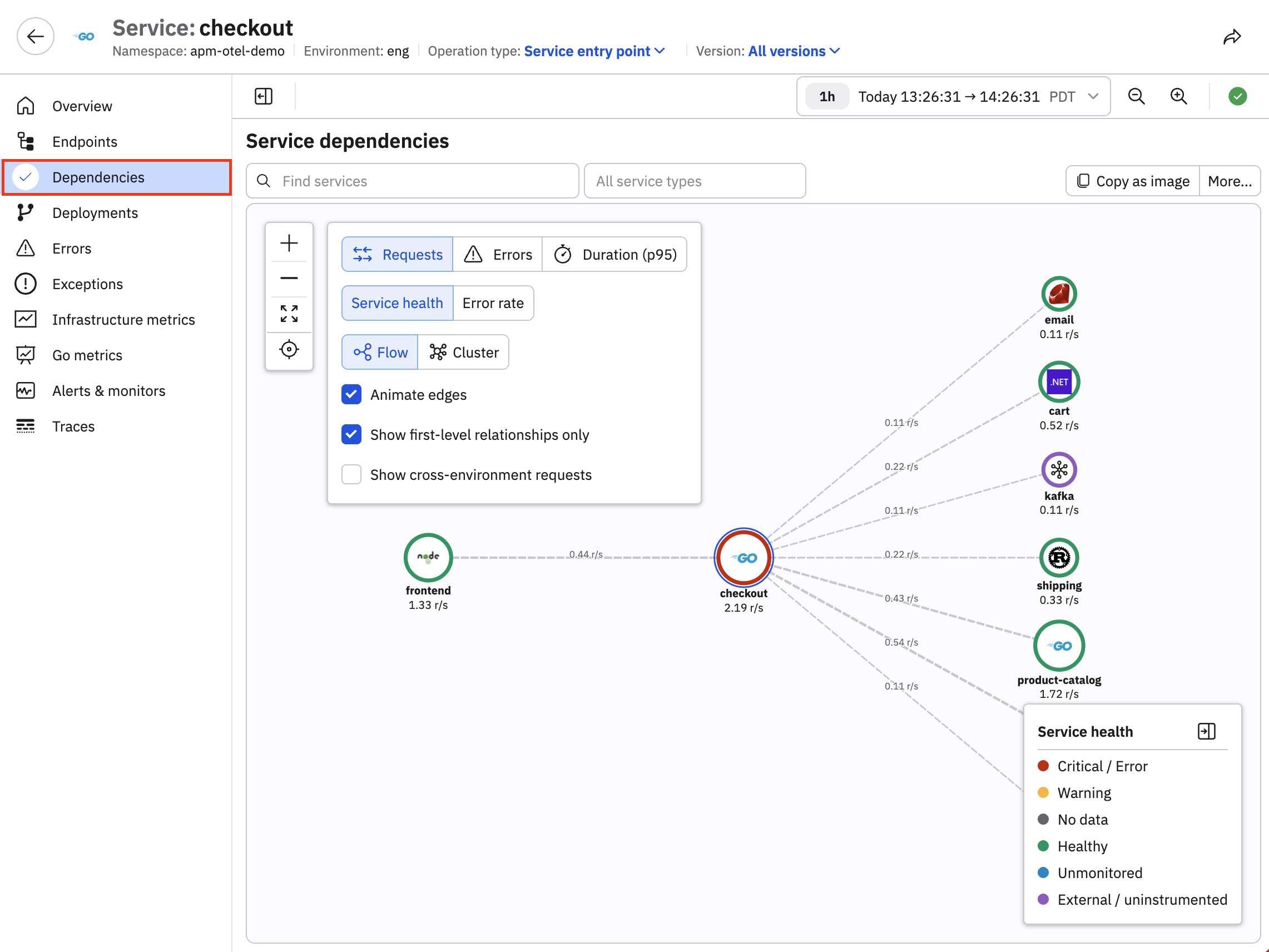
Step 3. Who is involved?
View the dependency map in the Dependencies tab to visualize downstream and related services.
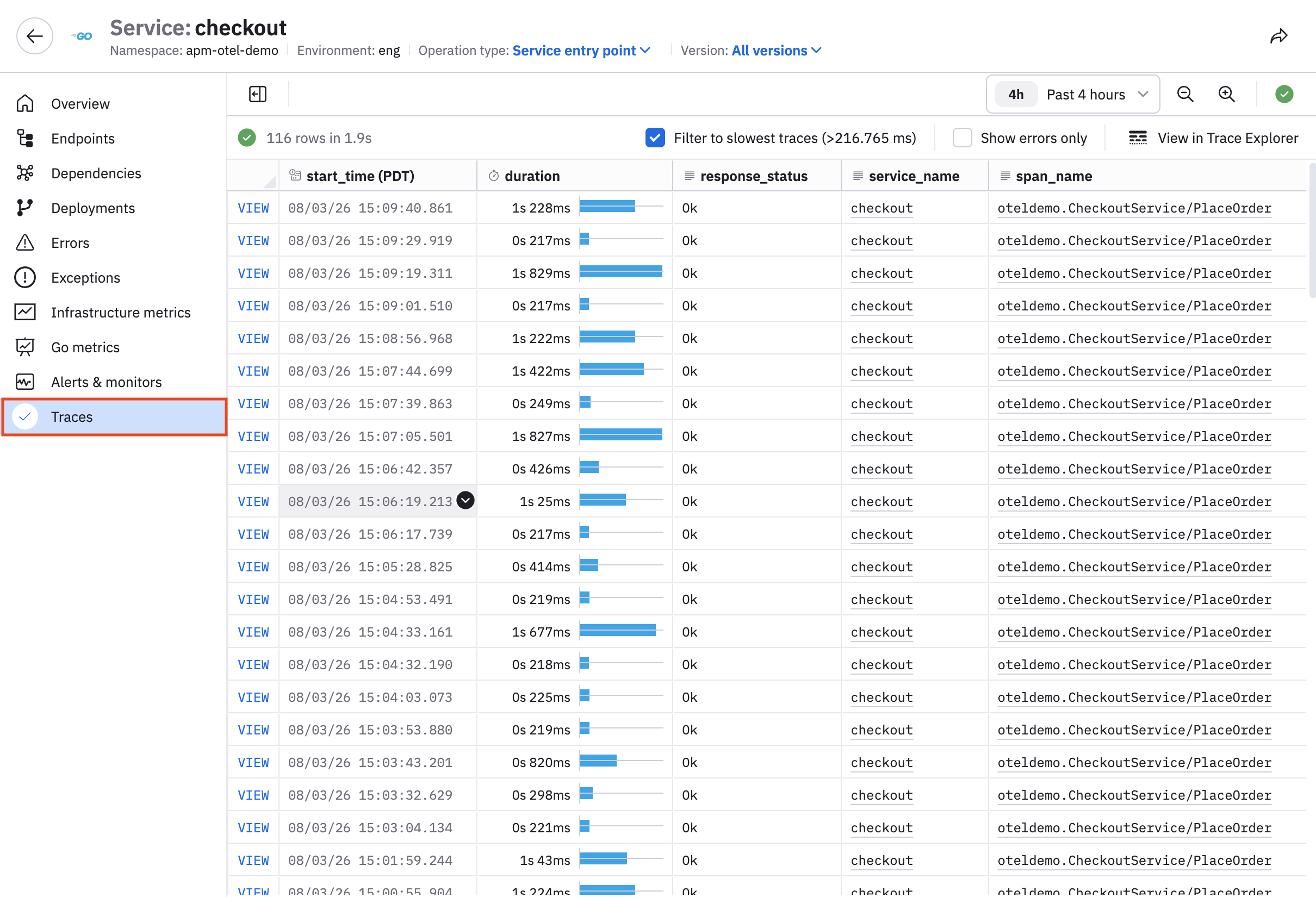
Step 4. What exactly failed?
View the Errors, Exceptions, and Traces tabs.
Here is an example from the Traces tab:
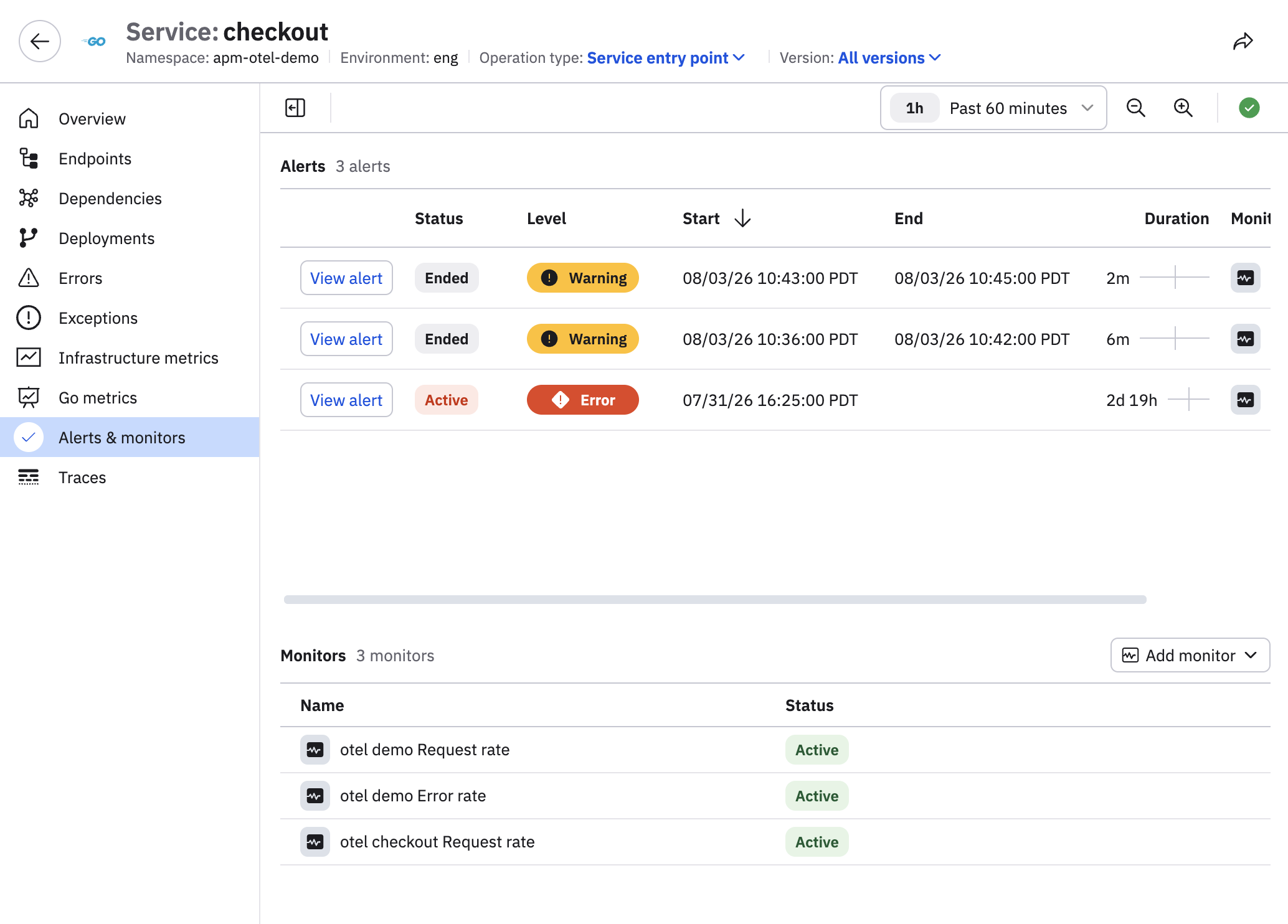
You can also use the Alerts & monitors tab to view the Monitors bound to this service, along with any alerts being generated. See Service monitoring workflow for an example.
Use the filters in the filter bar, such as environment, namespace, operation type, version, or endpoint, to scope all of these views. For example, you can change the operation type from Service entry point to Async consumer to reframe the Service Inspector.
Updated 27 days ago