

Install the Google Cloud Platform Quickstart app
NoteBefore you start, make sure you have configured your GCP project.
Install the Google Cloud Quickstart app to monitor and troubleshoot your Google Cloud infrastructure, including but not limited to:
- Compute Engine
- Kubernetes Engine
- Cloud Memorystore
- Cloud SQL
- Bigquery
- Cloud Run
NoteAlthough Observe by Snowflake allows you to control the amount of data consumed from GCP, the consumption of assets, logs, and metrics does incur costs. See Google Cloud’s Operations Suite Pricing for more information.
Install the Google Cloud Platform Quickstart app
Follow the instructions in Observe by Snowflake apps to find and install the Google Cloud Platform Quickstart app.
Create connections to Google Cloud Platform
After you install the app, open the app to create the connections from Observe by Snowflake to the Google Cloud Platform.
- In Observe by Snowflake, open the Google Cloud Platform Quickstart app.
- Click the Connections tab.
- Click Get started next to Onboard metrics for a GCP project to begin creating a poller.
- Enter your Google Project ID in the GCP Project ID field.
- In the Service Account Private Key JSON field, enter the entire JSON string you either generated with Terraform or downloaded from the GCP Console.
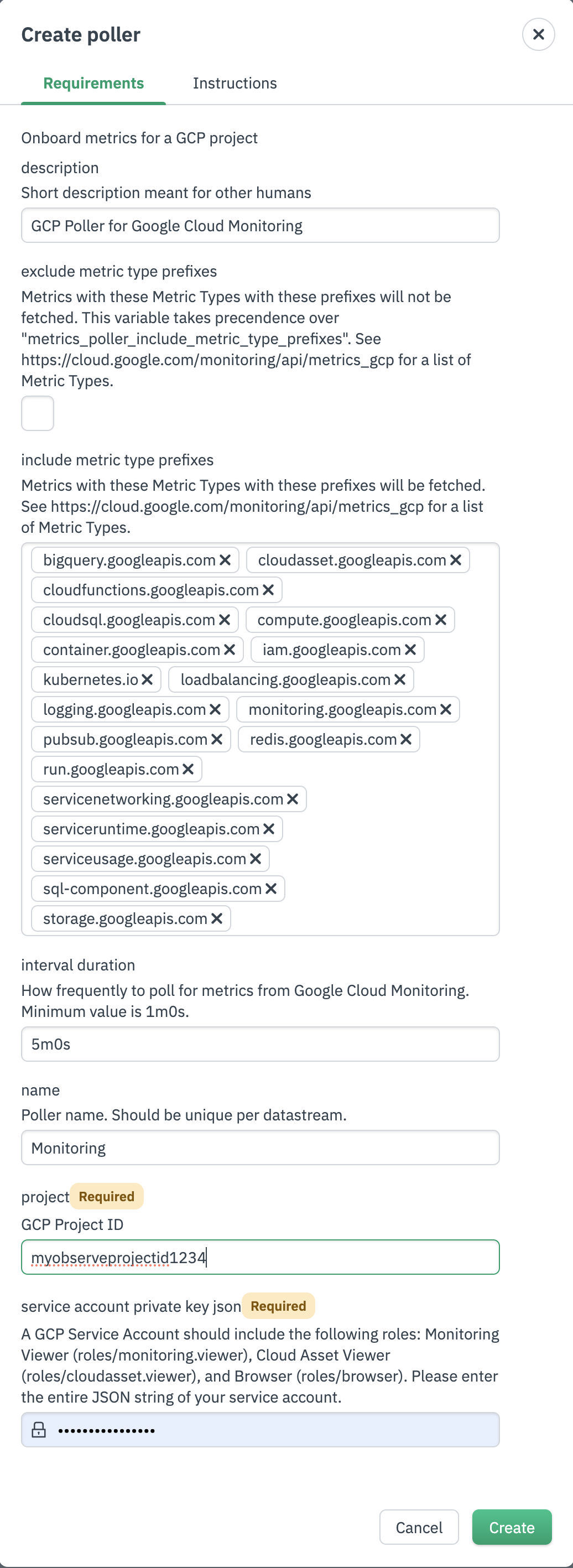
- Click Create.
- From the Connections tab in the Google Cloud Platform Quickstart app, click Get started next to Onboard data using a GCP Pub/Sub Subscription.
- Enter your Google Project ID in the GCP Project ID field.
- In the Service Account Private Key JSON field, enter the entire JSON string you either generated with Terraform or downloaded from the GCP Console.
- In the GCP Pub/Sub Subscription field, enter the subscription name you saved in your configuration with Terraform or downloaded from the GCP Console.
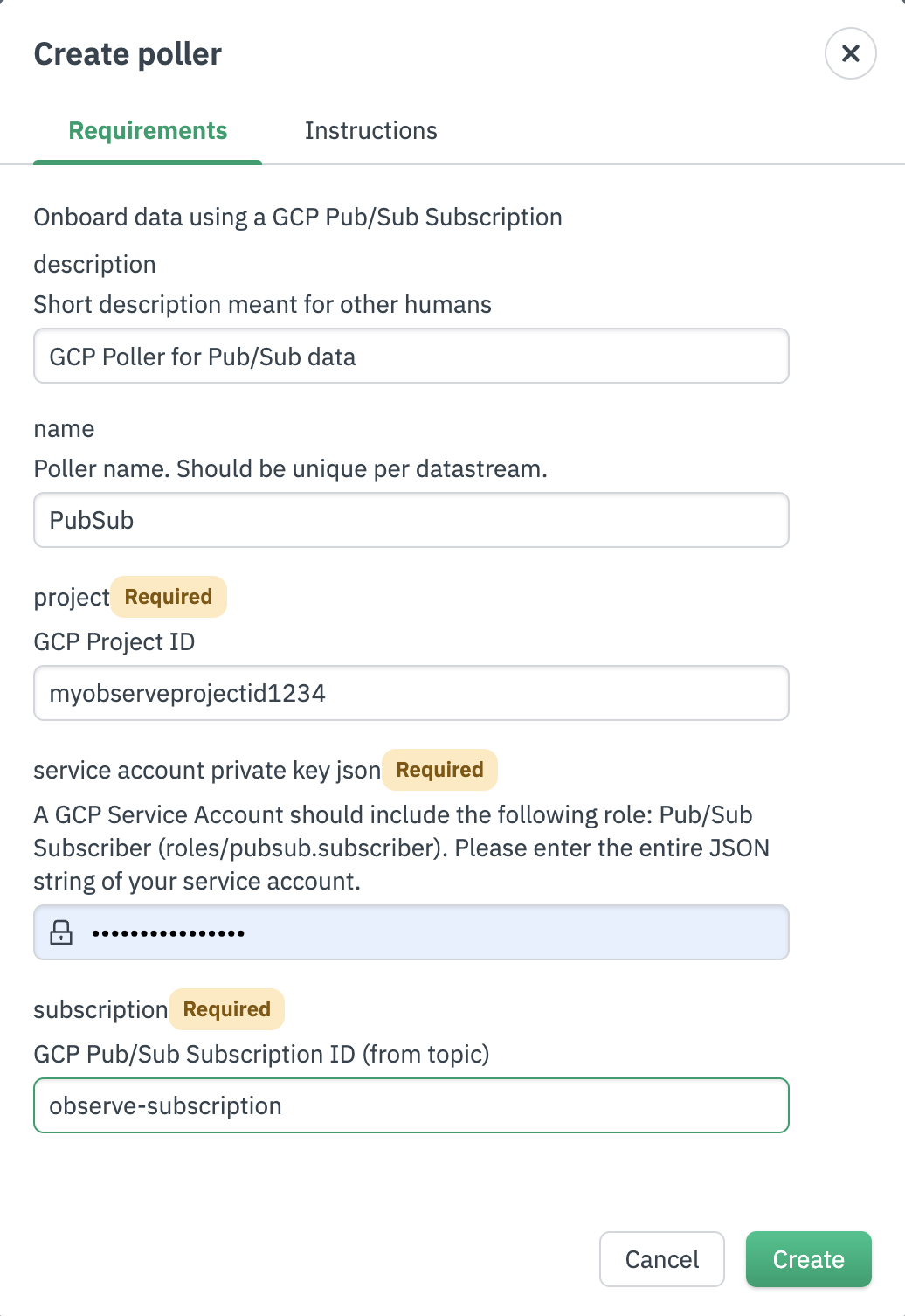
- Click Create.
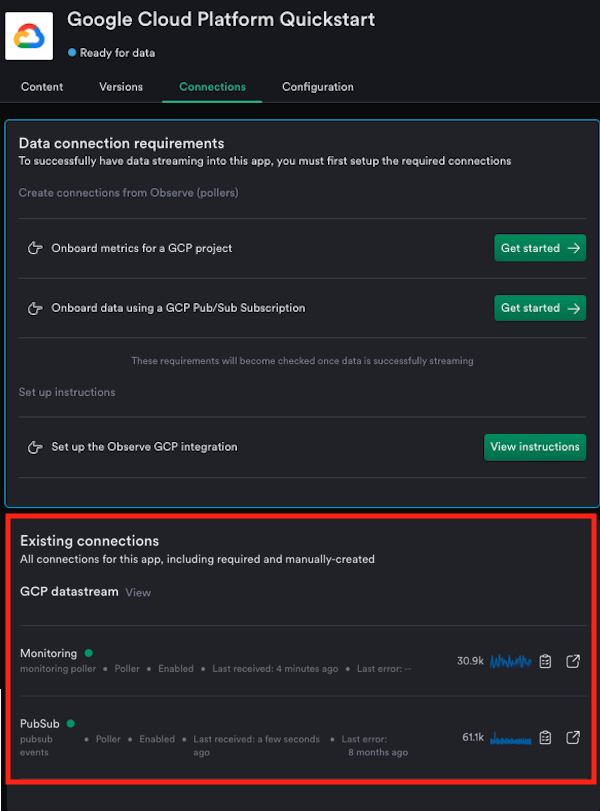
- Return to the app and look under Existing connections to verify that Observe by Snowflake is receiving data from Google Cloud Platform.
Updated about 1 month ago
Did this page help you?