

Configure ADFS SSO
Observe by Snowflake supports using Microsoft Active Directory Federation Service (ADFS) using Security Assertion Markup Language (SAML 2.0). Use the following steps to configure SSO for ADFS.
Configure Microsoft ADFS
- From the ADFS Management Console, navigate to the Relying Party Trusts page and select Add Relying Party Trust... to start the Add Relying Party Trust Wizard.
- Use the default option of Claims aware and click
Start. - For the
Select Data Sourcestep, chooseEnter data bout the relying party manuallyand clickNext. - For Specify Display Name, enter a relevant value such as
Observe Incand clickNext. - For Configure Certificate you can skip this step and just click
Next. - For Configure URL select the option for
Enable support for the SAML 2.0 WebSSO protocoland in the input box forRelying party...add the following URL, substituting your customer ID in place of${OBSERVE_CUSTOMER_ID}and your region URL in place of${REGION_URL}. See Observe by Snowflake deployment regions to find your region URL.
https://${OBSERVE_CUSTOMER_ID}.${REGION_URL}/auth/saml2/callback- For Configure Identifiers in the
Relying part trust identifierinput box, paste the same URL from the previous step:
https://${OBSERVE_CUSTOMER_ID}.${REGION_URL}/auth/saml2/callback- For the remaining steps, you can use whatever settings are appropriate for your organization.
Configure claim issuance policy
In order for Observe by Snowflake to provision and authenticate the AD FS user to Observe by Snowflake, you need to send specific attributes via ADFS claims. To set these up, follow these steps - you will be adding 2 rules.
-
From the ADFS Management Console, navigate to the Relying Party Trusts page and select
Edit Claim Issuance Policy.... -
Click the
Add Rule...button, and for the Choose Rule Type step, selectTransform an Incoming Claim.- For the
Claim rule nameinput field, fill inNameId. - For the
Incoming claim typeselectUPN. - For the
Outgoing claim typeselectName ID - For the
Outgoing name ID formatselectEmail - Select
Pass through all claim values
click
Finish. - For the
-
Click the
Add Rule...button, and for the Choose Rule Type step, selectSend LDAP Attributes as Claims. Provide a name for your claim rule in theClaim rule nameinput box. EnsureActive Directoryis selected as theAttribute store. You will create three attribute mappings, and then clickFinish.
| LDAP Attribute | Outgoing Claim Type |
|---|---|
| Given-Name | Given Name |
| Surname | Surname |
| E-Mail-Addresses | E-Mail Address |
Group membership attributes
-
To send group attributes to Observe by Snowflake, the claim must contain an identifier named
groups. To add this claim description, navigate to theClaim Descriptionsarea of the ADFS Console and selectAdd Claim Description. Set the values forDisplay name,Short nameandClaim identifierare all set to the valuegroups. Additionally, ensure both checkboxes forPublish this claimare also selected. ClickOKto save this.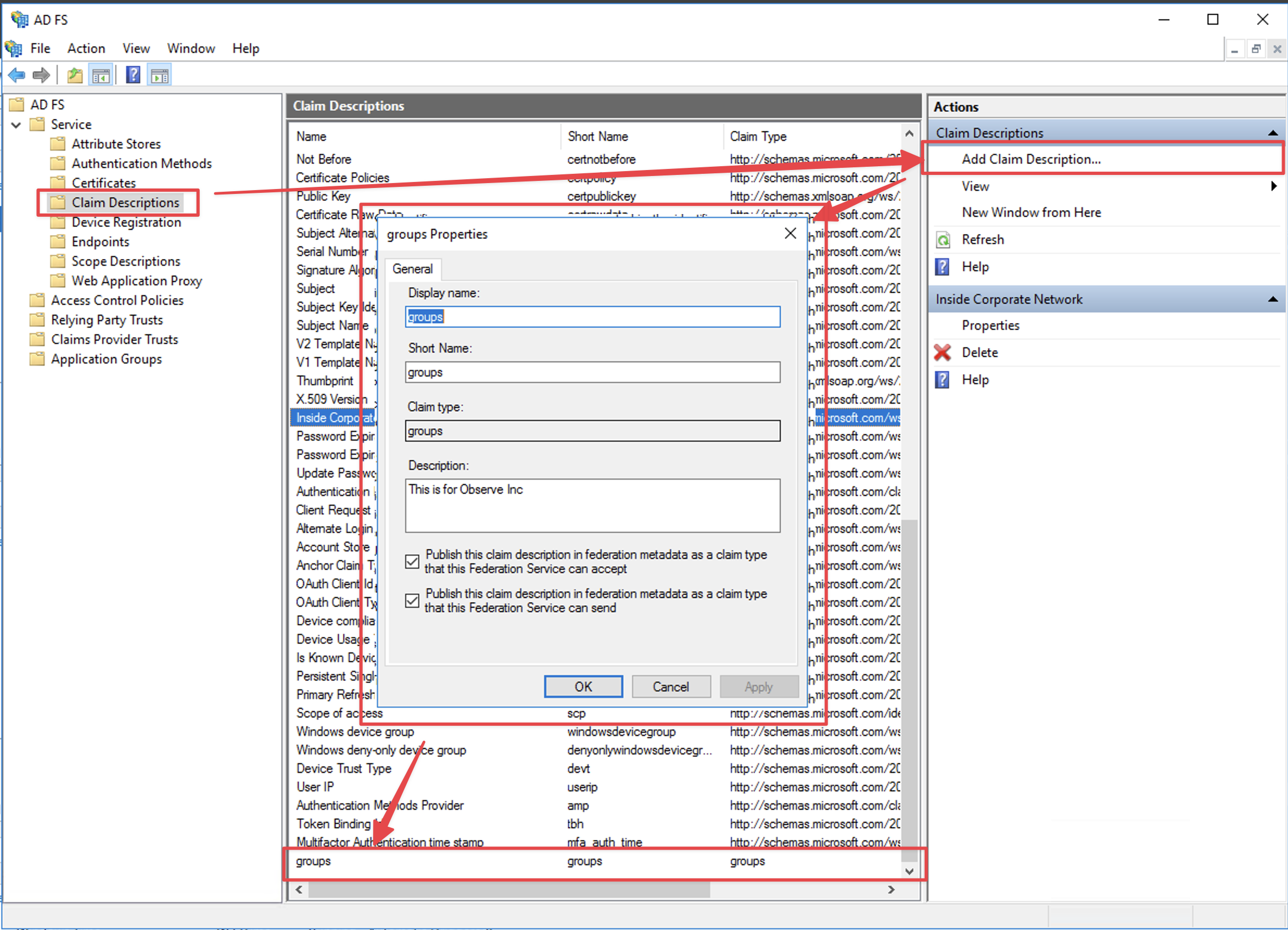
You now need to add an additional Claim Issuance Policy to send the group membership values to Observe by Snowflake:
-
From the ADFS Management Console, navigate to the Relying Party Trusts page and select
Edit Claim Issuance Policy.... -
Click the
Add Rule...button, and for the Choose Rule Type step, selectSend LDAP Attributes as Claims. Provide a name for your claim rule in theClaim rule nameinput box. EnsureActive Directoryis selected as theAttribute store. You will create the following attribute mapping, and then clickFinish.
| LDAP Attribute | Outgoing Claim Type |
|---|---|
| Token-Groups - Unqualified Names | groups |
Configure Observe by Snowflake
Perform the following steps to configure Observe by Snowflake for ADFS SSO:
- In the left navigation rail, hover on your user name, then select Manage account.
- Click Customer settings.
- Click Add SAML.
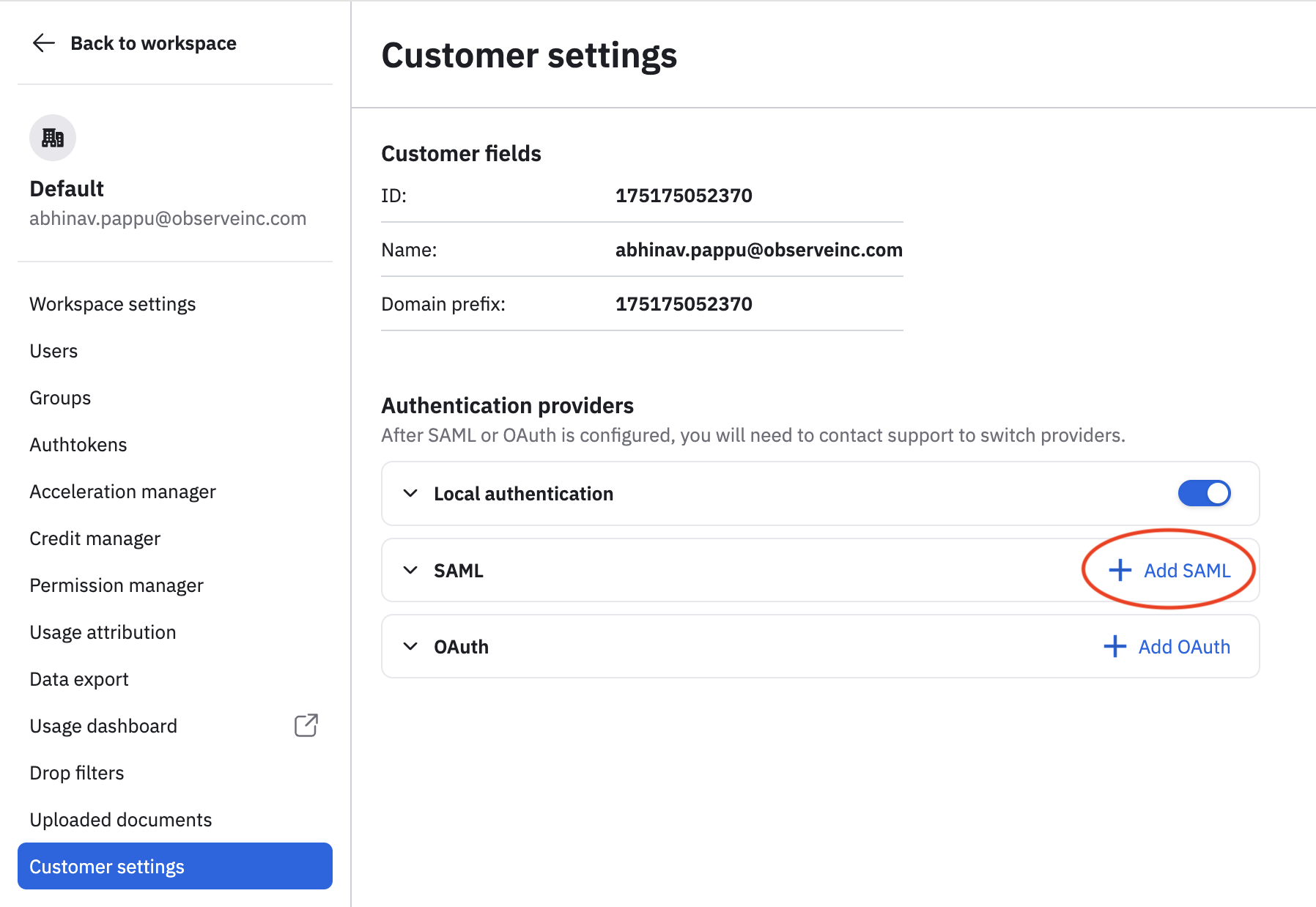
- In the Entry point field, enter the URL for type SAML 2.0/WS-Federation of your ADFS server. Typically the URL has the suffix
/adfs/ls/. For example if your ADFS server ishttps://adfs.mycompany.comthen the Entry point value would be:
https://adfs.mycompany.com/adfs/ls- Open your ADFS X.509 certificate in a text editor and paste the Base64 certificate into the CERT field.
NoteYou must export your ADFS certificate in Base-64 encoded X.509 format. Observe by Snowflake currently supports ADFS where the Token-signing and Token-decrypting certificate are the same.
- Click Add SAML Provider.
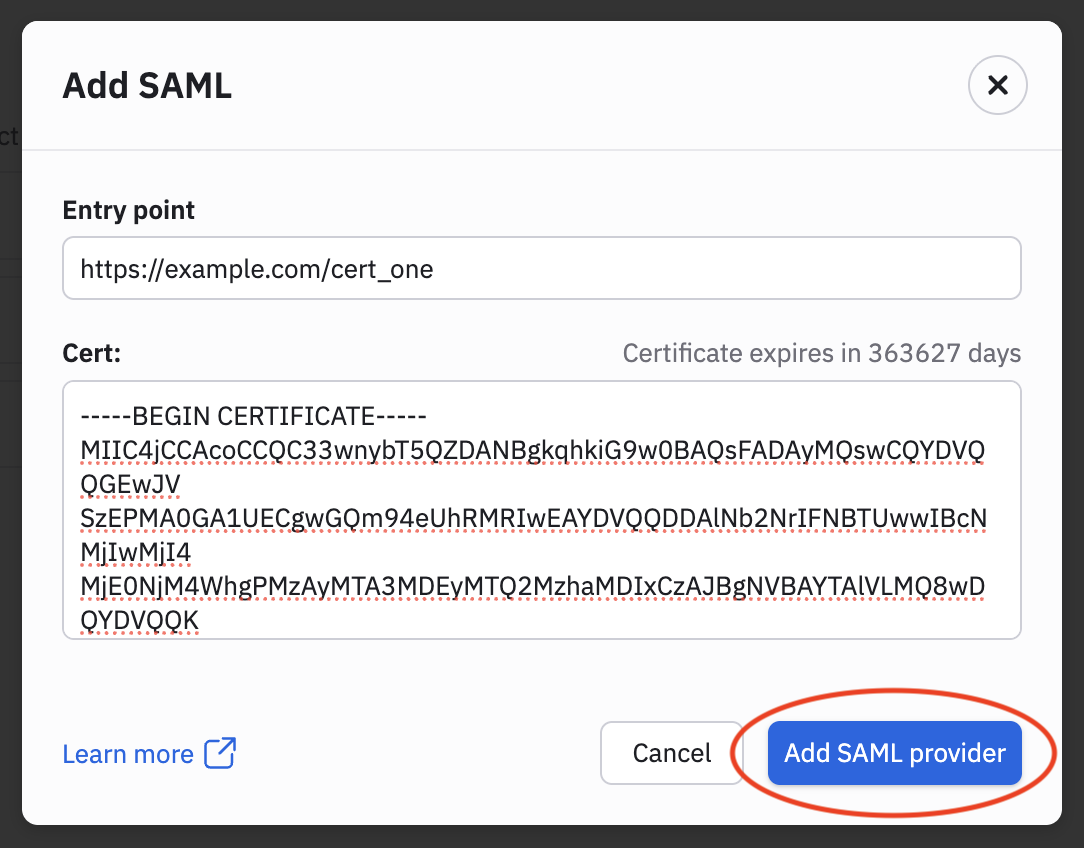
Updated 29 days ago