

Create a virtual warehouse to run Observe for Snowflake
You can create a virtual warehouse in Snowflake using the UI or the consnole.
Create a virtual warehouse from the UI
The Snowflake for Observe native application needs a virtual warehouse to run admin UI and (optionally) run the tasks.
- Log into your Snowflake instance in Snowsight console.
- Change to the SYSADMIN role or whatever role you use to create virtual warehouses.
- Navigate to Admin\Warehouses.
- Click + Warehouse.
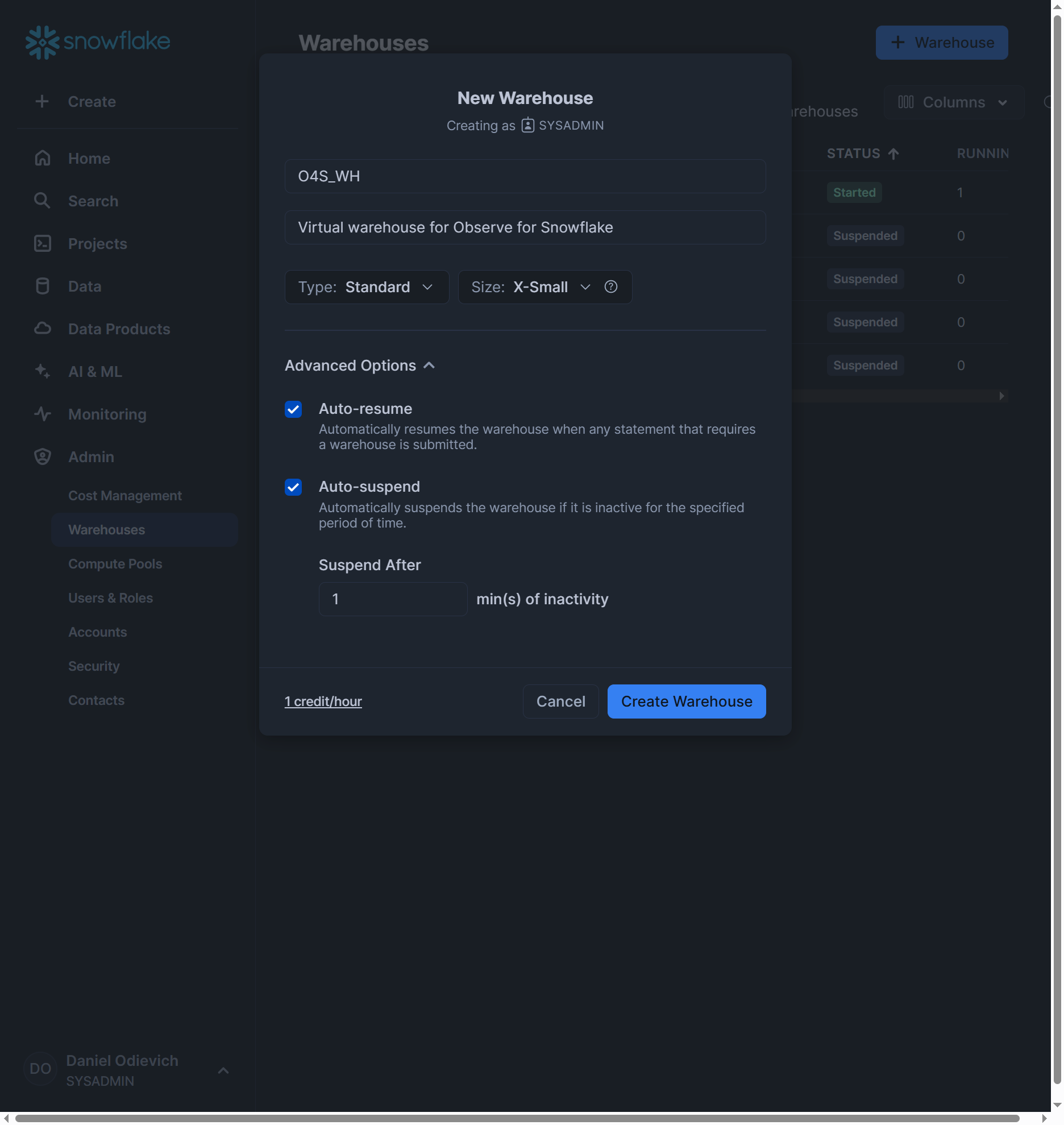
- Create the warehouse:
- Choose X-Small in Size.
- Choose Standard in Type.
- Give the warehouse a name, such as O4S_WH.
- Check Auto-resume.
- Check Auto-suspend.
- Specify 1 minute for the inactivity period.
- Click Create Warehouse.
Create a virtual warehouse from the Console
Perform the following tasks:
- Log into your Snowflake instance in Snowsight console
- Navigate to Project\Worksheets.
- Create new Worksheet and name is o4s scripted install. This worksheet will continue to be used throughout the exercise so keep it open.
- Run the following commands:
--------------------------------------------------------------------------------
-- [ manual ]
-- Step 0: Provision warehouse to be used
--------------------------------------------------------------------------------
USE ROLE SYSADMIN;

CREATE WAREHOUSE IF NOT EXISTS O4S_WH;
ALTER WAREHOUSE SET WAREHOUSE_SIZE = XSMALL;
ALTER WAREHOUSE SET AUTO_SUSPEND = 60;
ALTER WAREHOUSE O4S_WH SUSPEND;
Updated about 1 year ago
Did this page help you?