

Observe platform
This page summarizes the new features and enhancements made available with each release.
The Observe platform is updated continuously. This list is periodically updated with the latest functionality and changes.
Feature status
New features are released with one of the statuses defined in the following table.
| Status | Description |
|---|---|
GA | The feature has been publicly announced and is generally available in all tenants. |
PuPr | The feature has been publicly announced, but is only available in select tenants. |
PrPr | The feature has not been announced, and is available by invitation only. |
Deprecated | This feature is deprecated and is no longer supported. |
Latest releases
March 25, 2026
New features
GA
Anomaly monitors allow you to surface deviations from normal recent behavior. See Anomaly monitors for mnore information about this type of Monitor, and High number of APM service exceptions for an example of how to build one.
March 11, 2026
Enhancements
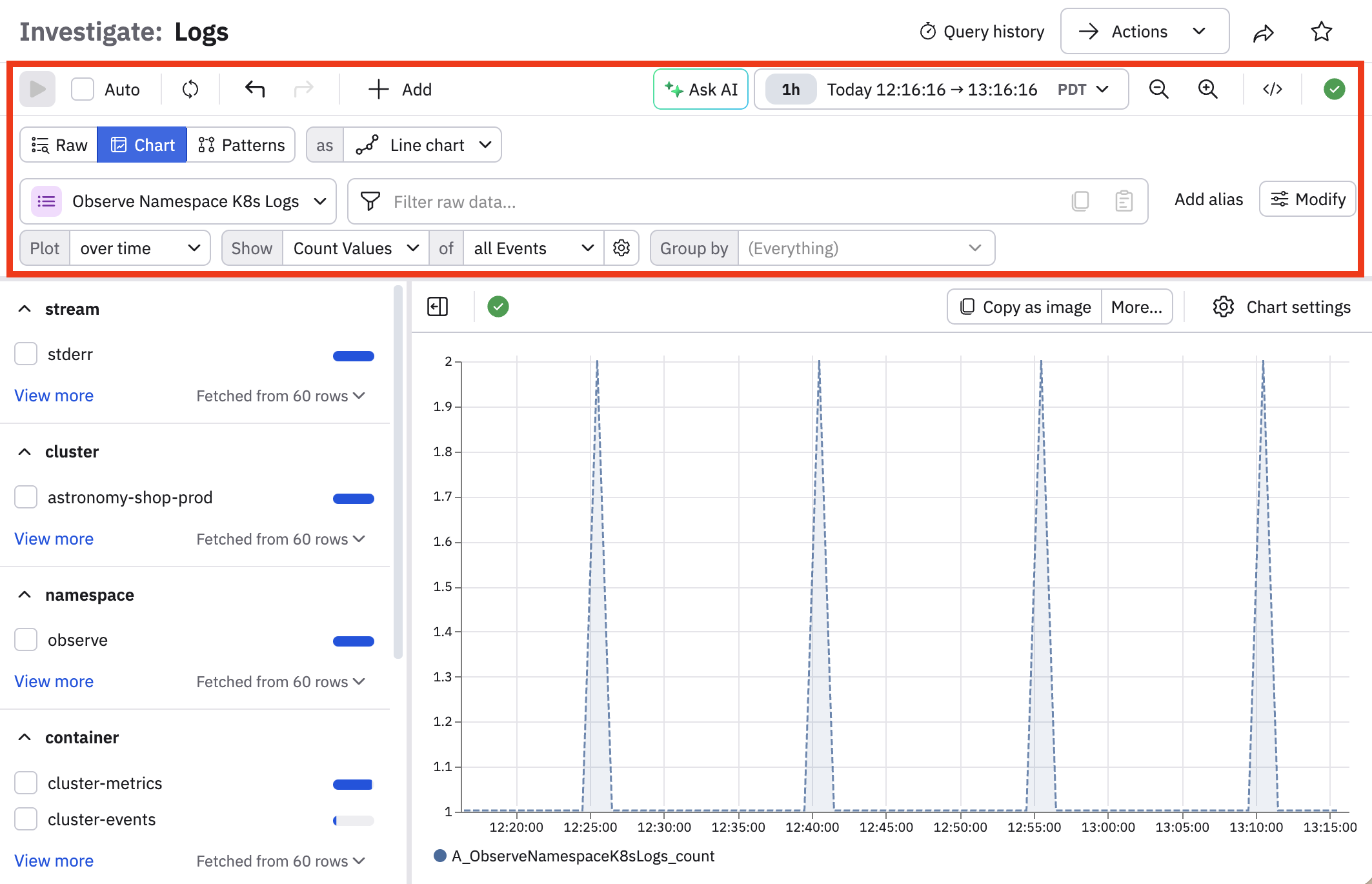
The query builder (the Dataset picker and query bar) is re-designed to provide a clearer hierarchy, make it easier to distinguish between functions and multiple expressions, and is more compact so there is more space to visualize your data. No functionaltiy is changed or removed with this enhancement.
February 25, 2026
Deprecated
The Observe CLI Tool is deprecated and no longer supported. Use the Observe API for any workflows you want to run from the command line.
February 4, 2026
New features
GA
Single stat dashboards are updated to include new styling options and faceting support. Existing single stat visualizations are not affected by this update. See Single stat.
January 28, 2026
New features
PrPr
Anomaly monitors allow you to surface deviations from normal recent behavior. See Create an anomaly monitor.
PrPr
Dataset query filters allow you to protect sensitive data from appearing in search results. See Dataset query filters.
Enhancements
AI SRE is enhanced to recognize role-based access control (RBAC) restrictions, so When a user asks AI SRE a question, context graph only returns the Datasets that user has access to. See Observe AI important notes and concepts.
January 21, 2026
New features
GA
Upgrade to version 1.2.0 of the Observe Usage Reporting app to get the AI Model Usage Dashboard. See Monitor your AI usage.
January 7, 2026
New features
GA
This release introduces AWS EKS Fargate support for the Observe Agent, enabling pod metrics collection and application telemetry (including traces) for workloads running on EKS Fargate. See Deploy in a serverless EKS Fargate cluster.