

Monitor and track new deployments on your service
Learn how to track new deployments in your environment.
Deployment tracking in APM helps you quickly identify the impact of new deploys on your service’s performance and reliability. By correlating deploy events with key RED metrics (request rate, errors, and duration), you can determine whether a new version of your service has introduced issues such as increased latency, errors, or degraded throughput.
Requirements
Make sure the following requirements are met so that Observe by Snowflake can track deployments in your environment:
-
APM deployment tracking uses the
service.versionresource attribute on OpenTelemetry span data to break down service performance by deployment. -
When we see a span with a new value of
service.version, we create an event that is used for deployment markers and deployment time in the table of deployments.
Use your build system to set the service.version resource attribute from the git commit hash. For example:
export OTEL_RESOURCE_ATTRIBUTES="service.version=$(git rev-parse --short HEAD)"Deployment tracking
In this example, we select an apiserver service to examine for deployment tracking:
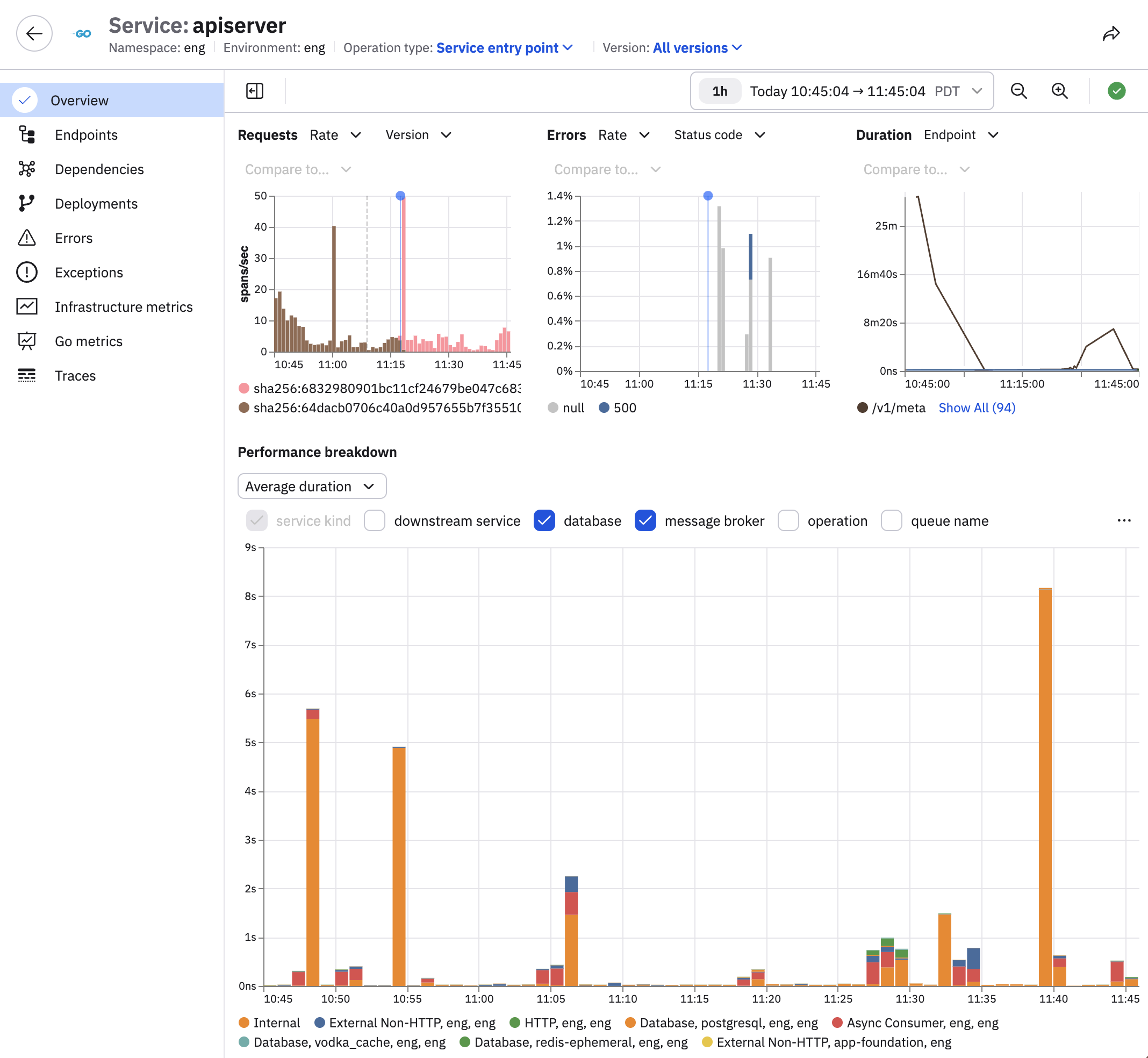
Click Deployments to view a complete list of all deployments, including timestamps, to track changes over time.
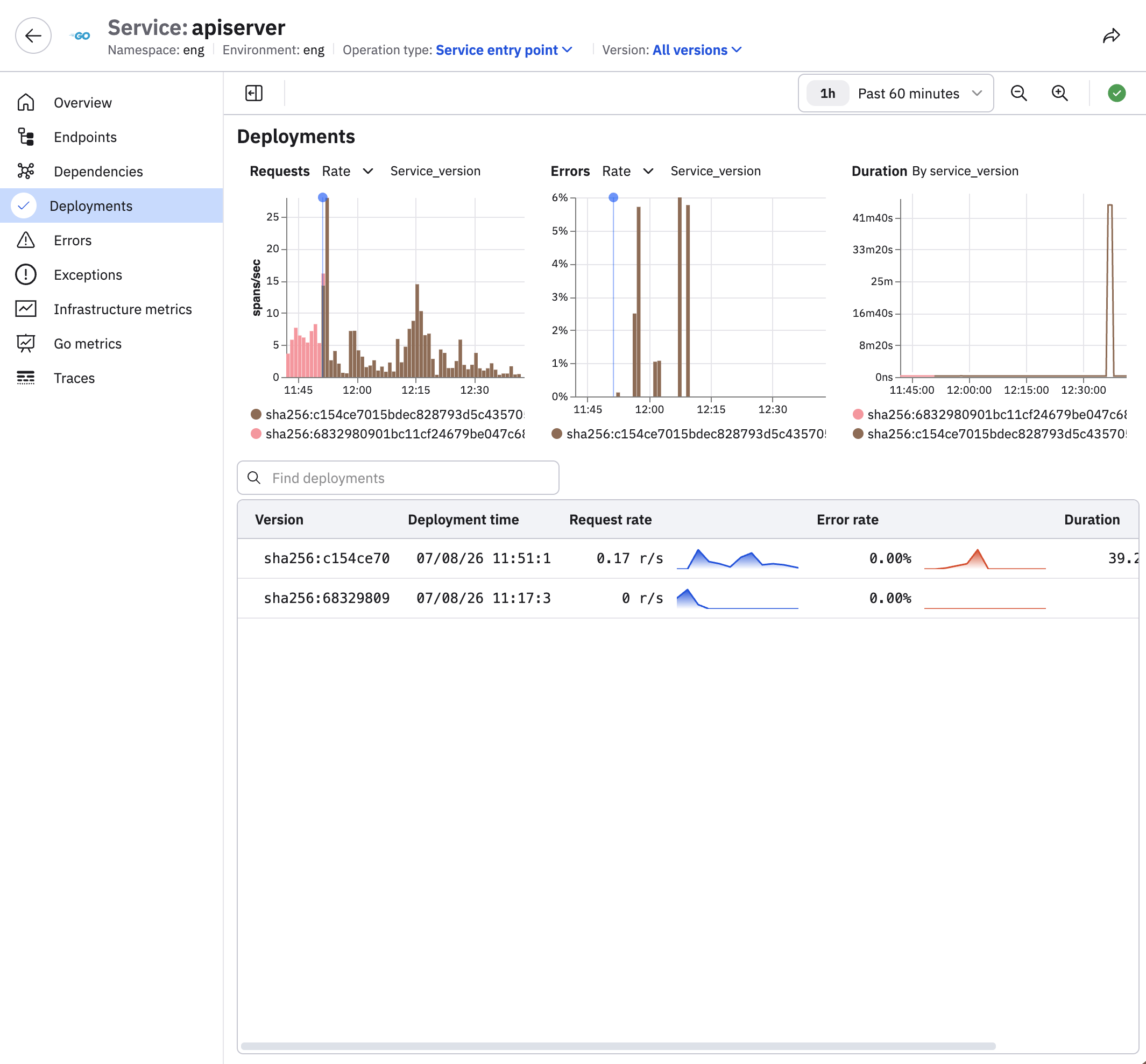
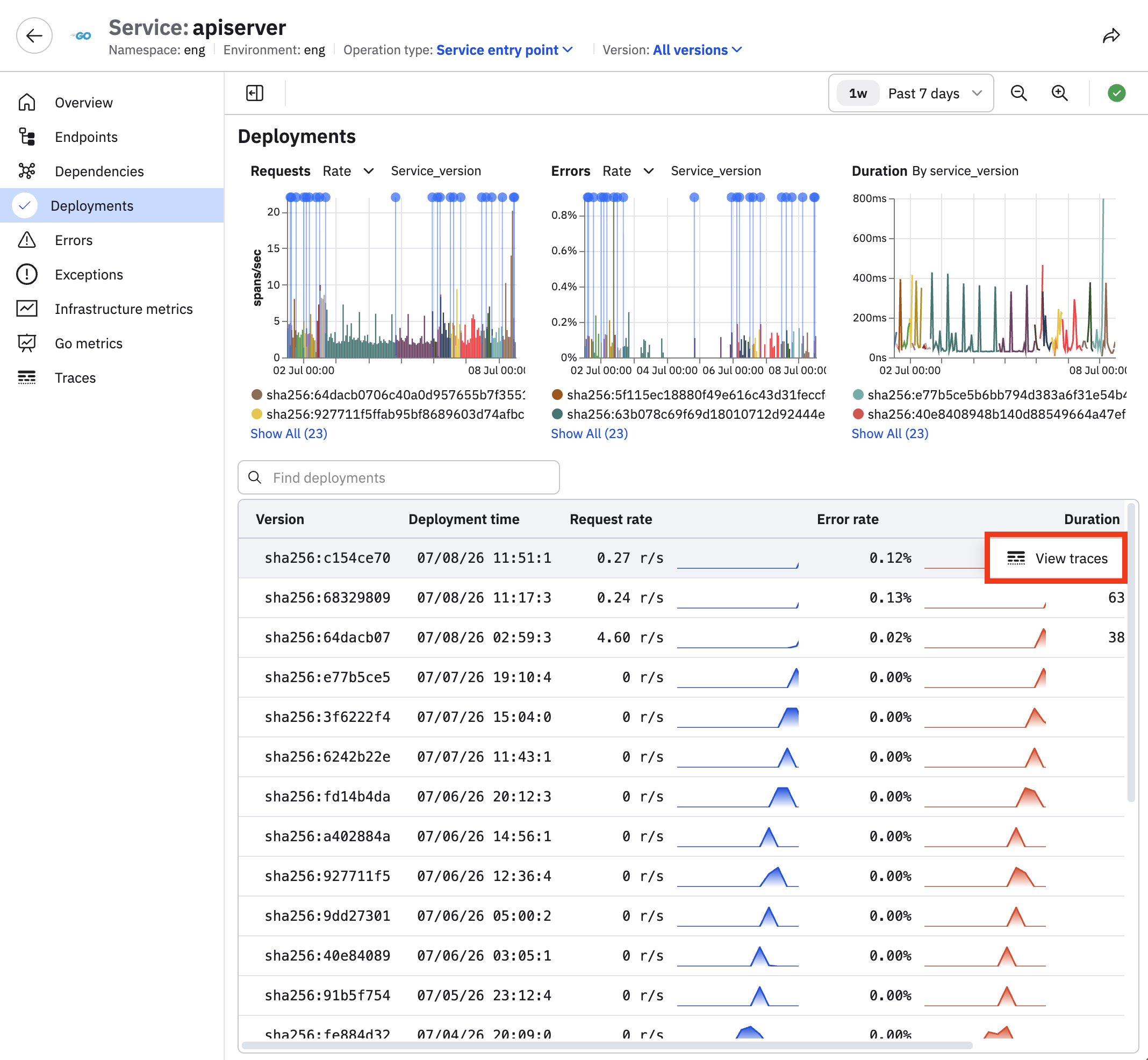
We can see there have been two deployments for this service in the past hour. Change the time picker from the last hour to the last week, and we can see there are many more:
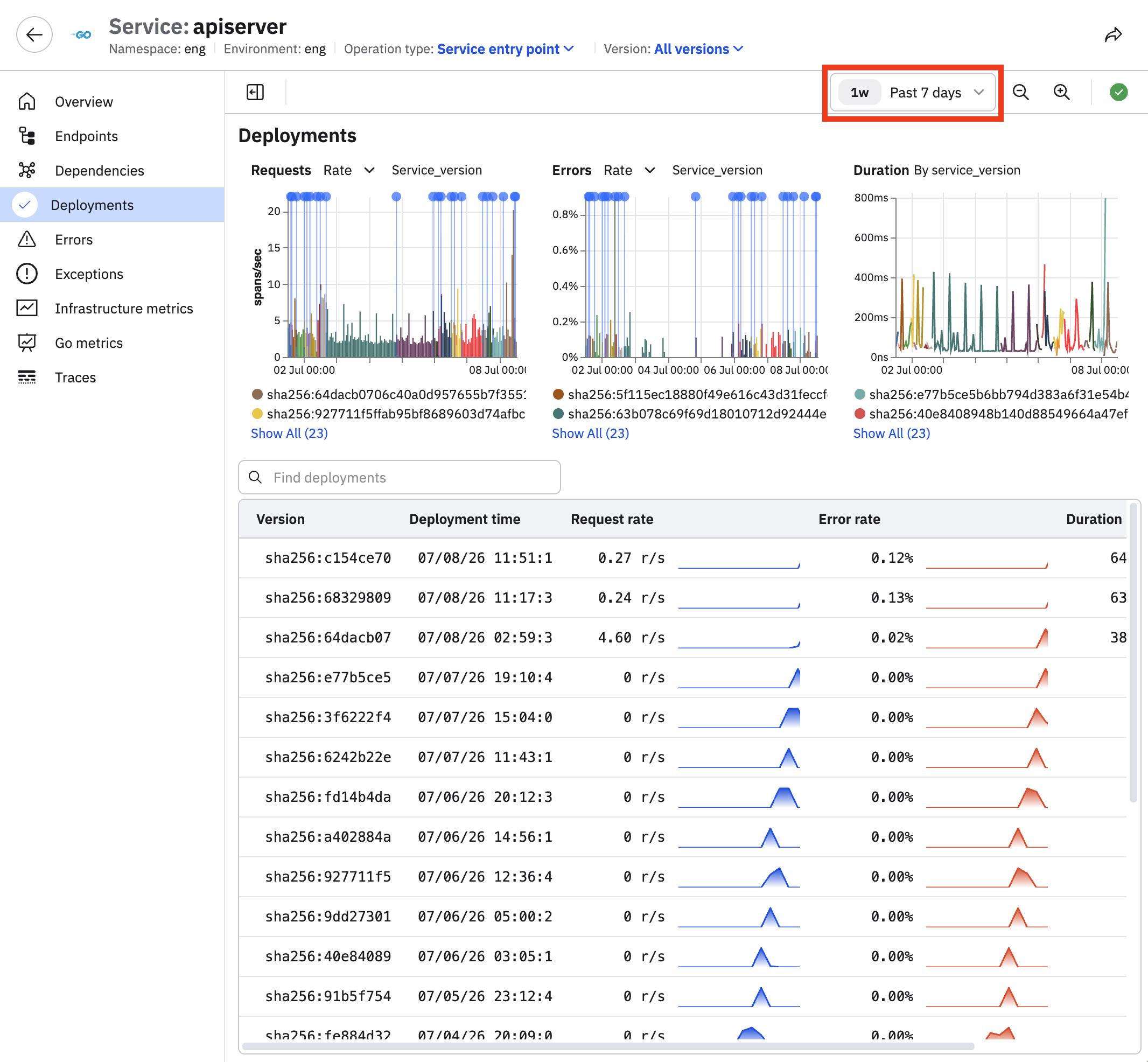
The blue deployment markers on the RED metric charts clearly indicate when a new deploy occurred, making it easy to correlate performance changes with specific deployments.
You can click on any deployment in the RED chart and select Focus series to reduce the visual clutter and view the behavior for just that deployment:
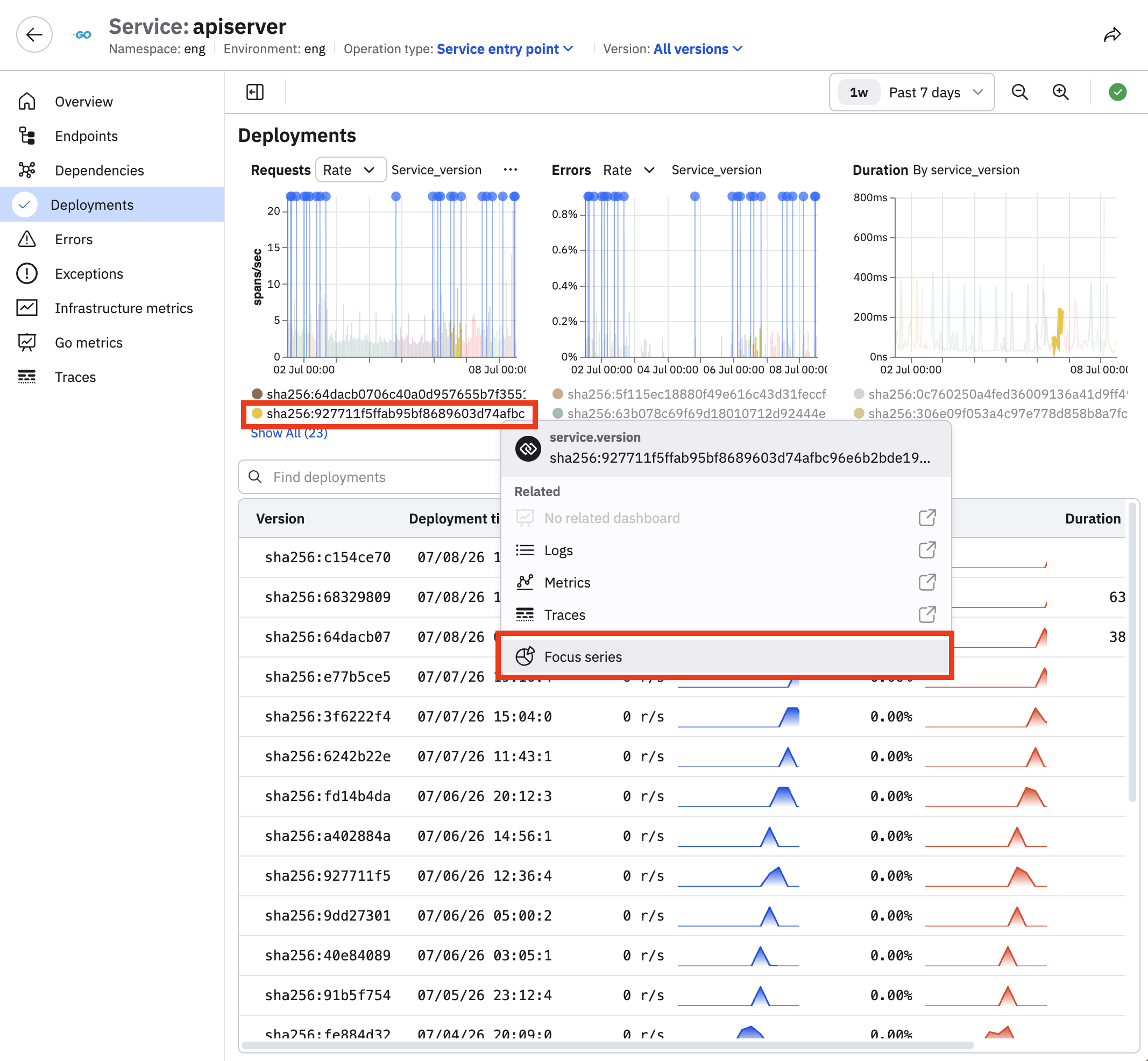
Click Remove focus to return to the original view.
Hover on a deployment in the table and click View traces to view the trace changes over time for that deployment:
This workflow empowers you to assess the health of new deployments in real-time, identify regressions or anomalies introduced by changes, and roll back or remediate issues quickly to ensure system stability and a seamless user experience.
Updated about 2 months ago