

AI SRE
Learn how to use the AI SRE observability assistant.
What is AI SRE?
Observe by Snowflake AI SRE is your AI-powered site reliability engineering (SRE) observability assistant. Use AI SRE to help you investigate incidents, debug slow or error-prone services, and summarize observability insights across logs, metrics, and traces all through natural language.
AI SRE models
AI SRE uses Snowflake Cortex as the model gateway, Cortex Embed for memories, and Cortex Search for documentation.
Use AI SRE in Observe by Snowflake
AI SRE is available in a variety of places in Observe by Snowflake.
You can access AI SRE directly from the Home page, or by selecting AI SRE in the navigation bar asd shown in the following example:
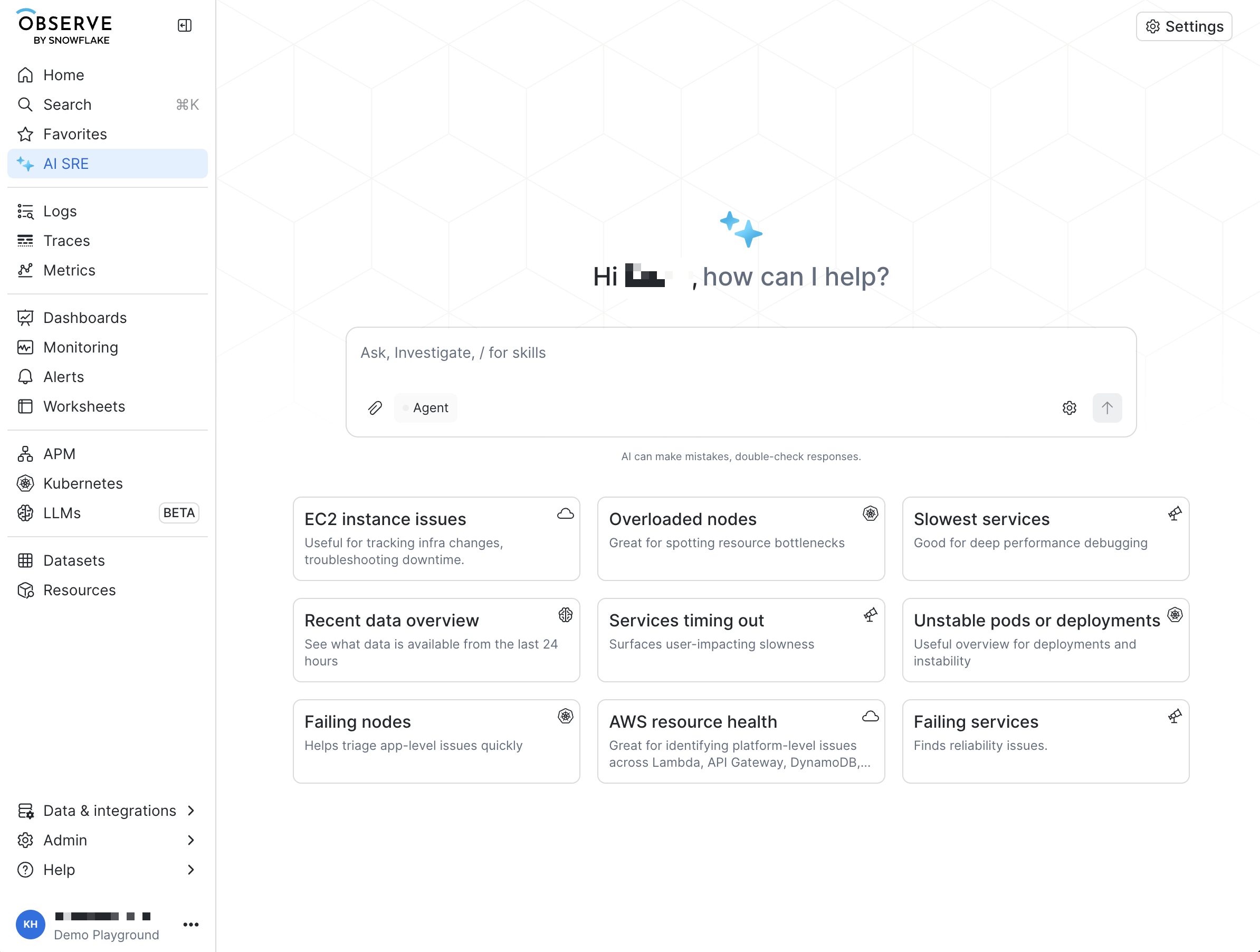
From the Home page, begin by selecting one of the pre-loaded questions, or ask AI SRE a question directly in the text field, such as Why did latency spike last night?
The AI SRE agent uses a range of skills and tools to run queries and summarize insights in the chat. Many of the same skills and tools are also available through the MCP server and CLI.
You can also use AI SRE to create and run skills and configure connectors. See Create AI SRE skills and Configure AI SRE connectors.
In addition to the AI SRE agent on the Home page and in the navigation bar, some areas of the product have a page-specific assistant, available to customers with AI SRE:
- Trace Explorer
- Monitor creation
- APM capabilities, such as listing services and environments, and inspecting the invocation graph, are tools the AI SRE agent uses, including from the Home page. They are not a separate APM agent.
The Trace Explorer and Monitor creation assistants use the context of the page they run on, so you start them by opening that page rather than from the Home page.
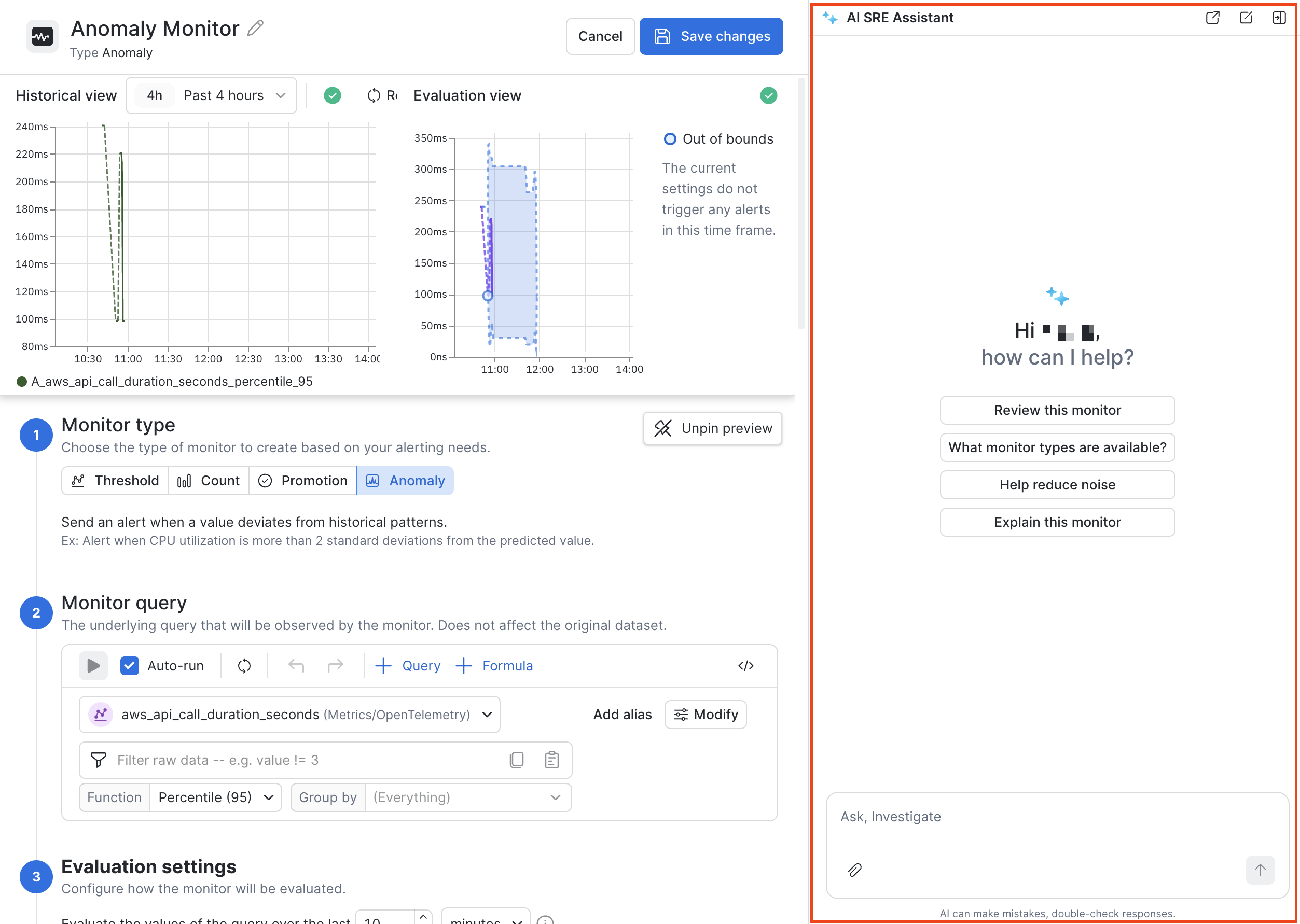
For example, you can use the Monitor creation agent to help you create a Monitor from scratch by providing a description of what you want to monitor. See Threshold Monitor example: Check for CrashLoopBackOff for an example of how to start building a Monitor using AI SRE.
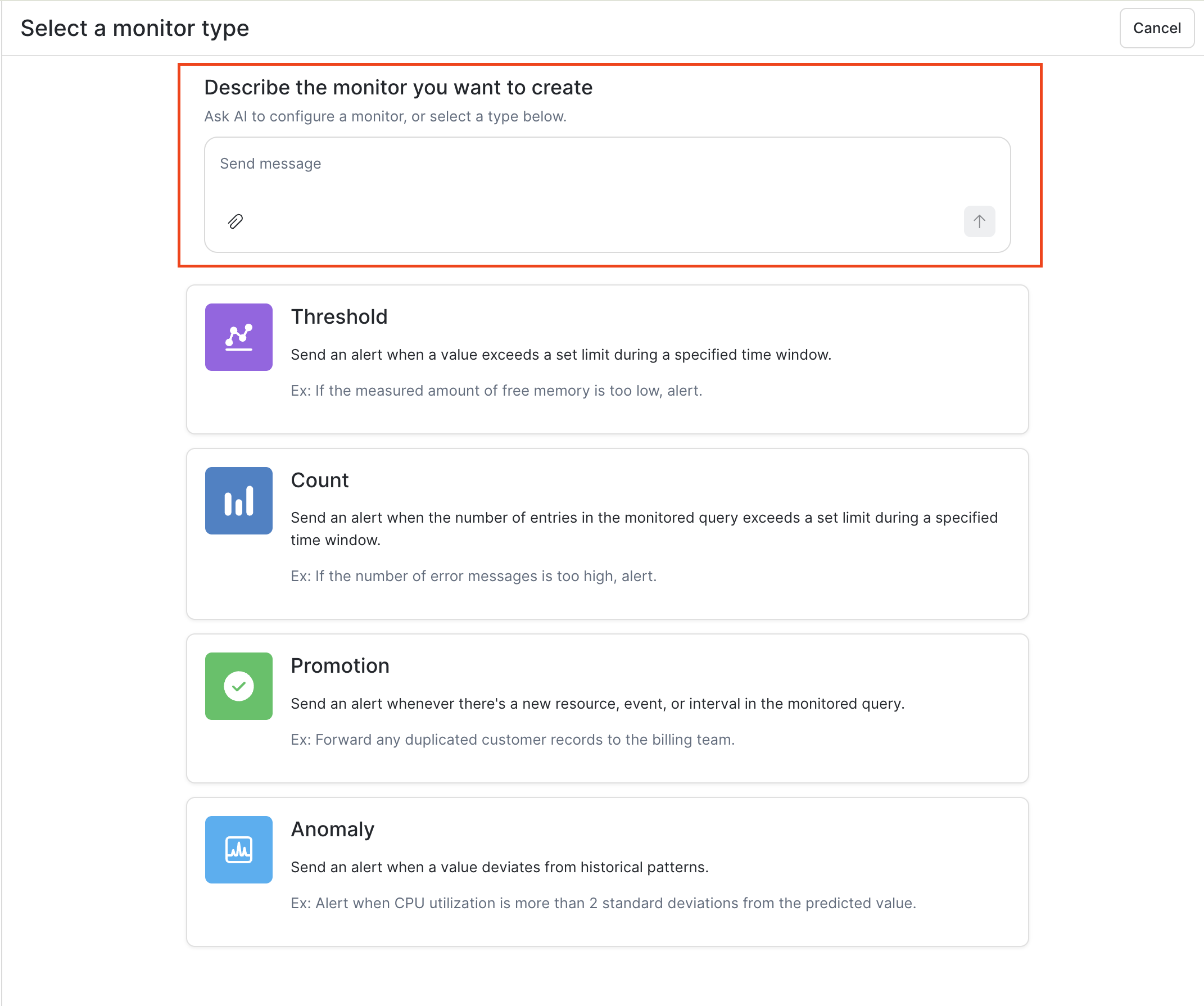
During the Monitor creation workflow, you can see the AI assistant available with Monitor-specific context already provided:
Legal notices
The data classification of inputs and outputs are defined as follows:
| Input data classification | Output data classification | Designation |
|---|---|---|
| Usage data | Usage data | Observe by Snowflake AI feature |
Updated about 1 month ago