

Pivot between data types
Observe by Snowflake supports flexibly pivoting between data types such as logs, metrics, and traces based on shared links to a resource. To learn more about resources, read about Resource Datasets.
A pivot menu is available either on selection of a cell in a table or selection on a visualization. Below, you can see the pivot menu appearing after selection of a cell in a table:
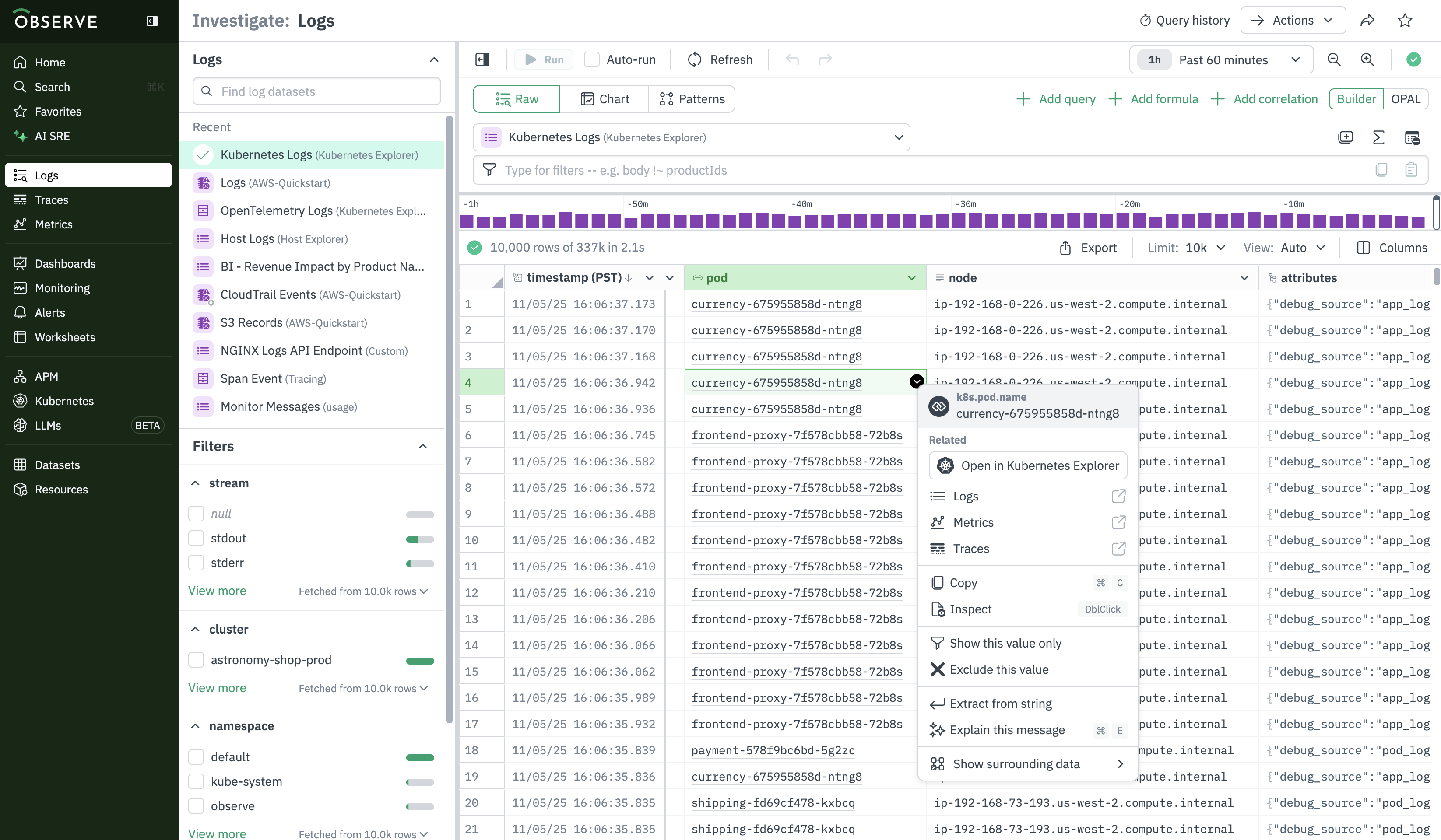
This pivot menu makes it easier for you to discover pivots to related logs, metrics, traces and dashboards via a linked resource or a correlation tag, by prioritizing the display of these pivot destinations.
This pivot menu also includes a change to link styling. Columns in Observe which are linked to resource are represented with a grey underline, as seen above. This is an update from earlier link styling which was green.
Updated about 1 month ago