

AI skills
Learn about the AI skills available with Observe by Snowflake, and how you can create your own.
Skills let teams encode repeatable investigation playbooks, such as investigating latency spikes or debugging frequent pod crashes, so the agent runs them consistently. Once a skill exists, anyone in the workspace (depending on visibility) can trigger the skill from chat without needing to re-explain the procedure.
See the Observe Skills repository in GitHub to view the skills available for Observe by Snowflake. The page also contains instructions for how to install the skills in various coding agents.
Some skills, such as the data onboarding skills, are not available in the AI SRE. Others are available for AI SRE, MCP Server, and CLI, but are designed to help you maximize the way your agents interact with MCP Server and the CLI.
AI Skills bundled with Observe by Snowflake
The Observe by Snowflake command line interface (CLI), MCP server, and AI SRE ship with a library of skills. These skills work immediately without additional setup so that you and your AI agents can get started quickly.
| Product surface | How to use a skill | What ships there |
|---|---|---|
| AI SRE | Use / in the chat. | Bundled investigation skills, along with workspace and private skills you create. |
| MCP Server | Skills installed in the coding agent call MCP Server tools. | Bundled investigation skills, along with GitHub skills you add to the client. |
| CLI | CLI skills you install using:npx skills add | Data onboarding and auto-instrumentation skills. |
Create your own AI skills
You can create your own skills from the AI Skills page or directly from AI SRE. The skills you create can be used by AI SRE, the MCP Server, and the CLI.
Create a new AI skill from the AI Skills page
Perform the following tasks to create a new skill for AI SRE from the AI Skills page:
- Hover on your user name, then click Manage account.
- Click My Agent skills.
- Click Add AI skill.
- Provide a name for the skill, a detailed description, and the Markdown instructions you want AI SRE to follow.
- By default, new skills are private and not visible to other users. Click Private and select Workspace to make this skill available for all users.
Create a new AI skill from AI SRE
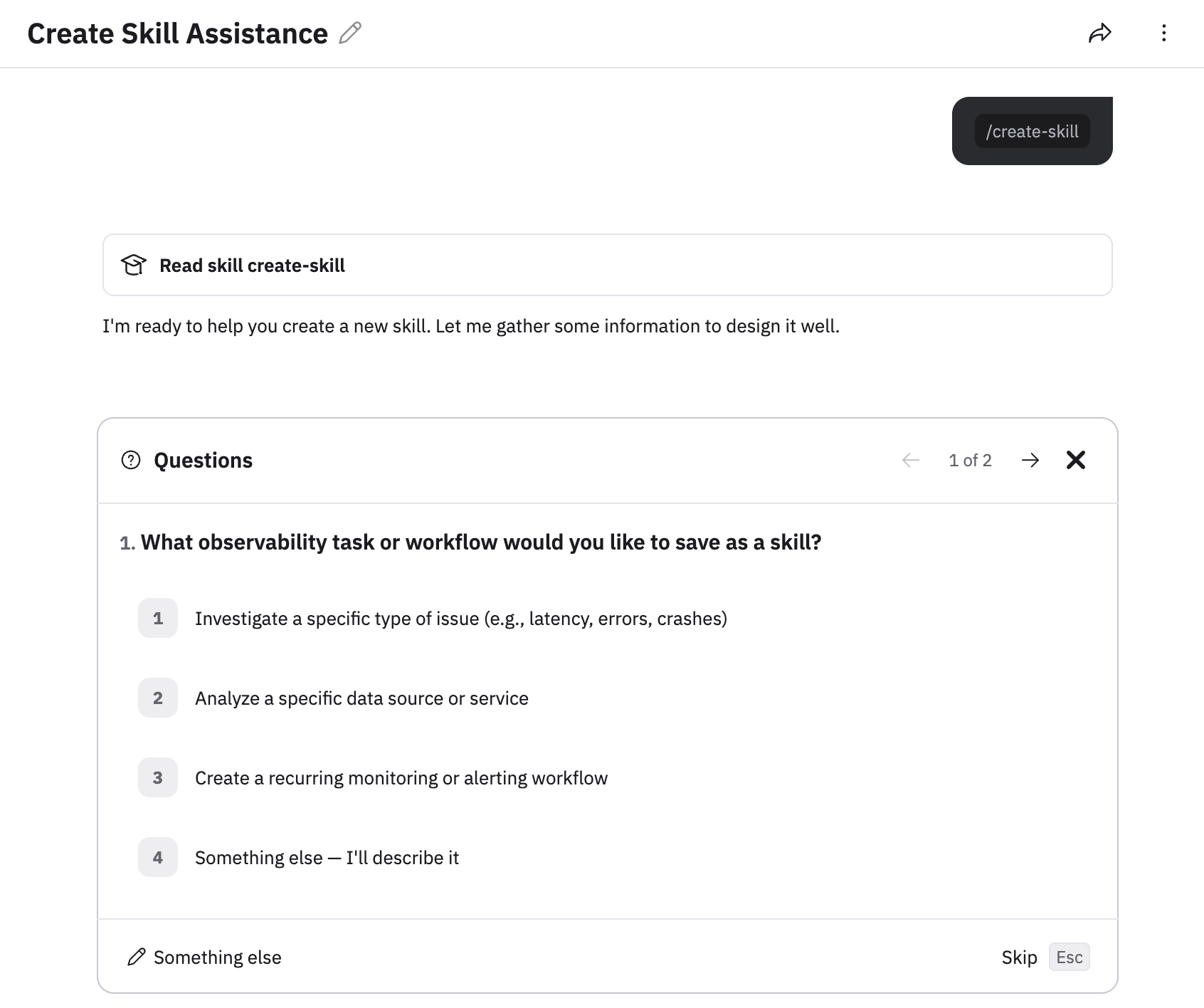
To create a new skill directly from AI SRE, just tell AI SRE to save this as a skill or use /create-skill, and follow the prompts on the screen.
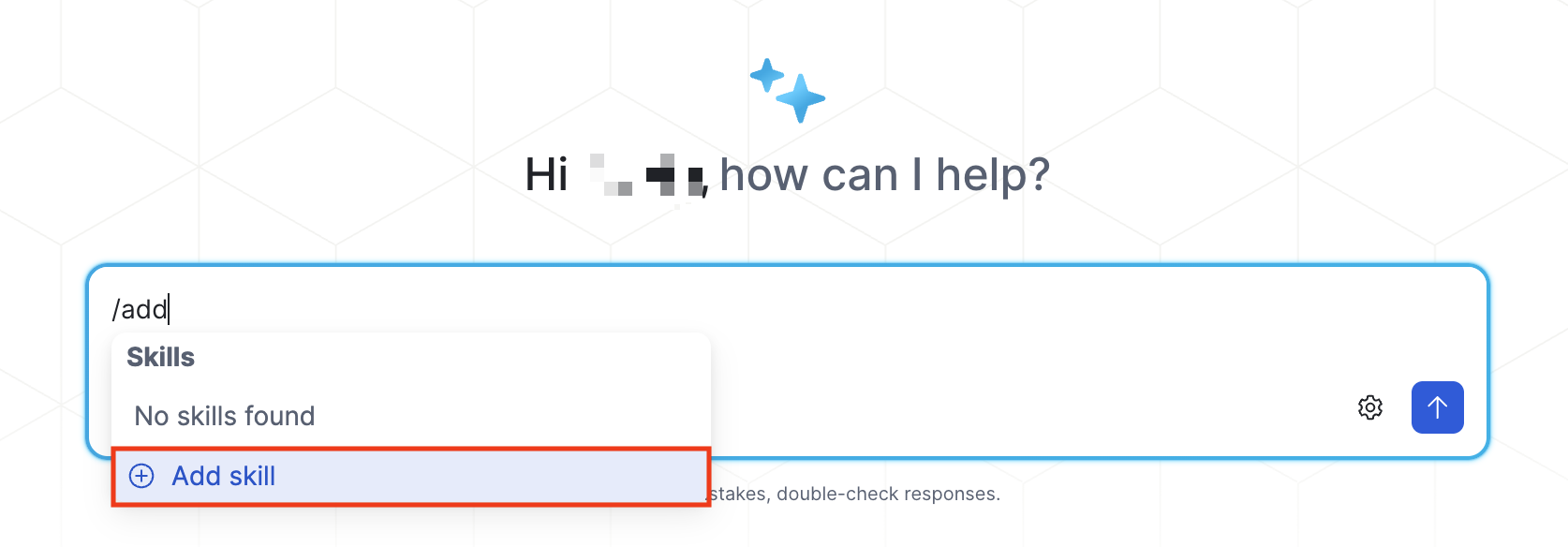
You can also just enter the slash (/) character and select Add skill:
By default, new skills are private and not visible to other users. Click Private and select Workspace to make this skill available for all users.
Create an AI skill using Terraform
You can use Terraform to create skills for AI SRE.
See observe_skill in the Observe by Snowflake Terraform Registry for more information and examples.
Manage your skills
Perform the following tasks to see which skills are available, and to delete or create new skills:
- Hover on your user name, then click Manage account.
- Click All AI SRE skills or My AI SRE skills depending on what you want to see.
- Click All Agent skills to view any skill that was created and added to Workspace, making it available for all users.
- Click My Agent skills to view any skill you created, regardless of whether you made it Private or added it to Workspace.
Hover on any skill, then click the pencil icon () to edit the skill, or click the trash can icon () to delete the skill.
You can use group permissions to determine if a user is allowed to create Workspace skills, or only private skills. See Manage groups and members.
Use a skill
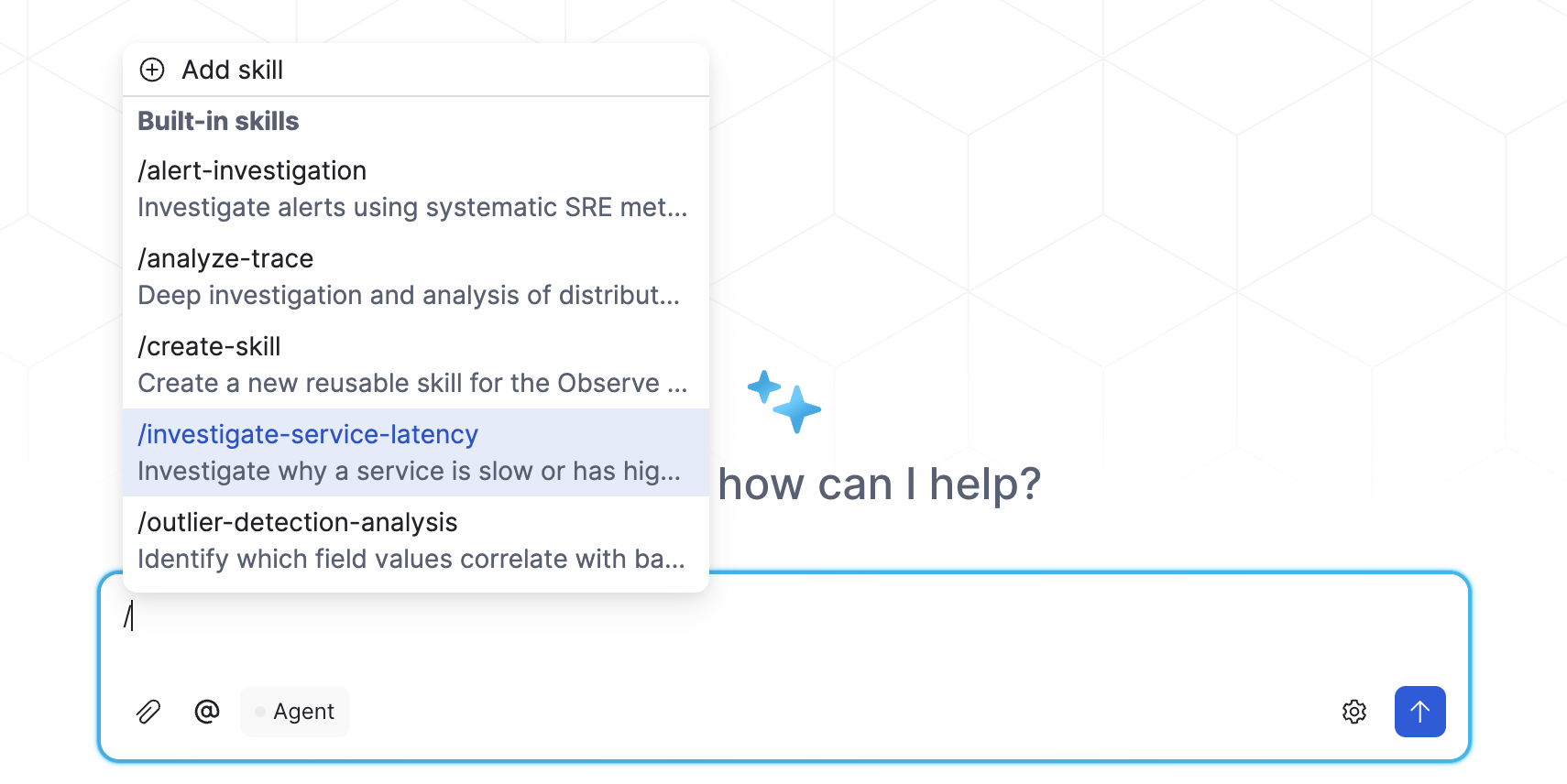
To use a skill, enter the forward slash (/) character and see the list of available skills, then select a skill or type in the skill name. For example:
Updated about 1 month ago