

Share AI SRE sessions
Learn how to share your AI SRE sessions with other Observe users.
From your AI SRE session, you can click the share icon () and invite other people in your organization to view your chat session.
To allow an AI SRE session to be shared, perform the following tasks:
- Configure chat permissions from the Workspace settings to set default group permissions for chat. For example, all members of a specific group are granted view or edit permissions for AI chats.
- Review share permissions and share the link. Share the link with members of your organization based on the configured group permissions for chat.
Configure chat permissions
First, set the permissions in your workspace settings as a sort of access control for who is able to view and edit a chat.
As a user with admin privileges, perform the following steps to define the groups whose members are allowed view or edit access to AI chats.
- Hover on your name in the left navigation, and select Manage account.
- Select Workspace settings.
- In the Permissions section, configure access control for chats.
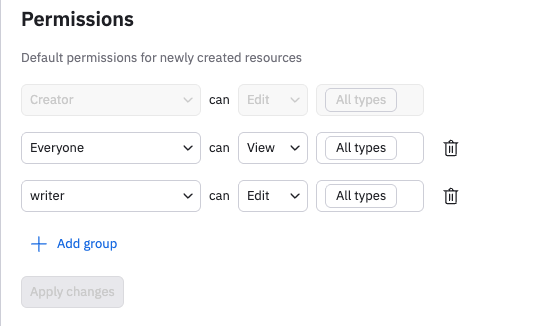
In the default settings, we see that the Everyone group grants all its members the ability to view All types, including AI chats, and the writer group grants all its members edit privileges. In this example, members of Everyone are allowed to view chats, and members of the writer group are allowed to view and edit chats:
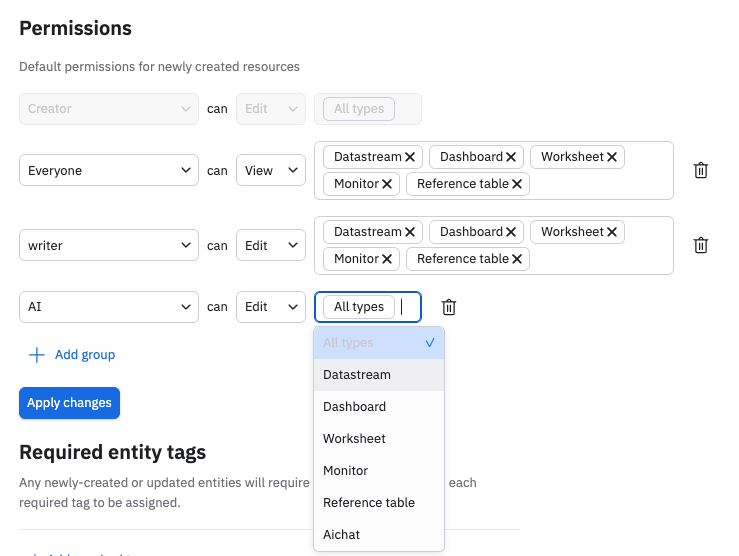
You can tune this access control as needed. This example shows the Aichat privilege removed from all groups except for the AI group, so that only members of the AI group can view and edit chats:
Review share permissions and share the link
From any AI SRE session, Click the share icon ().
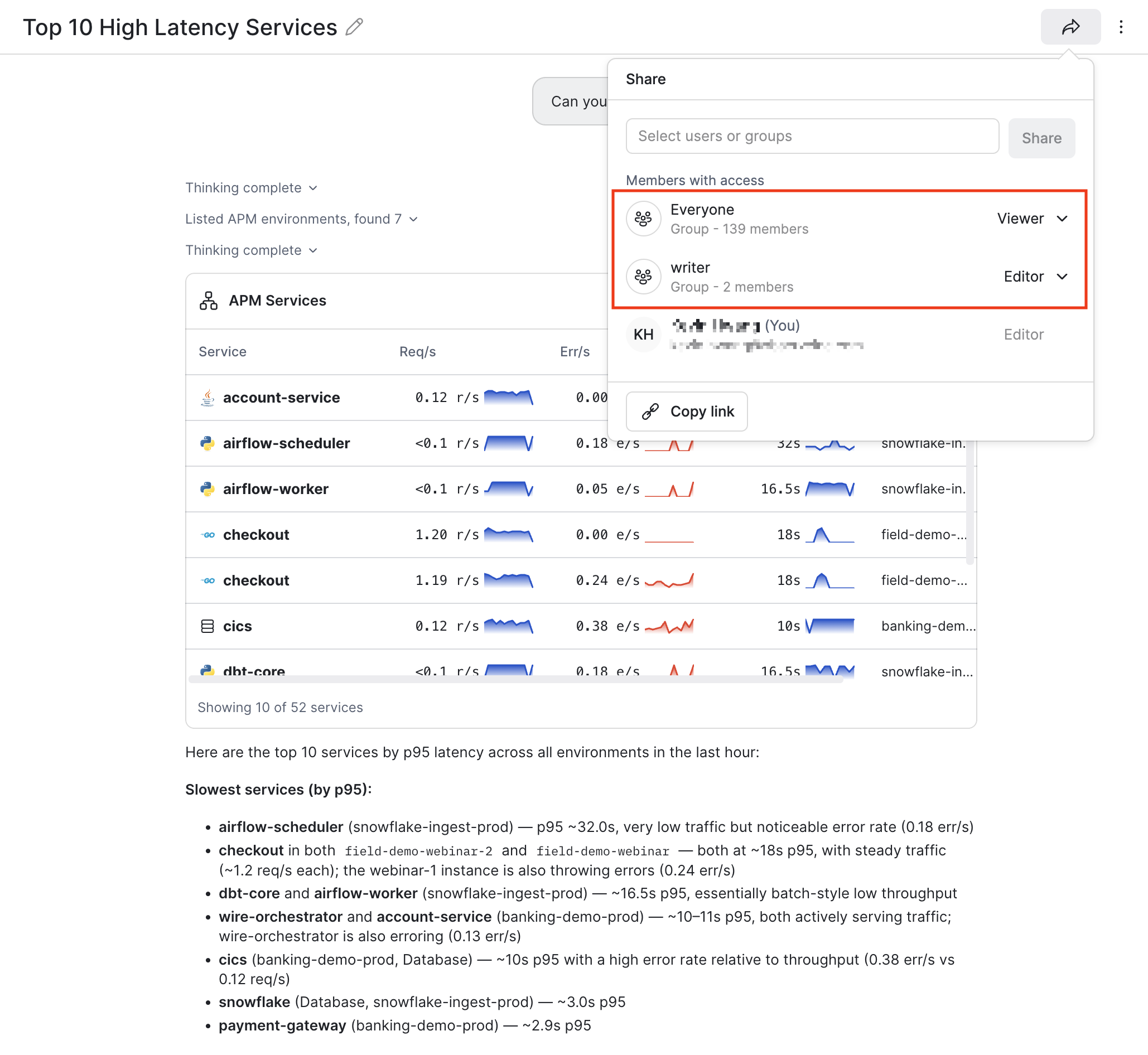
You can see the default permissions from the Workspace settings, where members of the Everyone group can view chats, and members of the writer group can edit chats.
Next, click Copy link and share the link with another individual using email, Slack, or other service.
- If you send the link to someone who is a member in the Everyone group, that person will be able to view the chat.
- If you send the link to someone who is a member in the writer group, that person will be able to edit the chat. Edit access to the chat doesn't mean that you can ask questions in the chat session, it just means you can edit the title, and also edit who has access to the chat.
Click in the Share drop-down list to grant additional groups or users access to the chat. For example, you can add a user who is not in any of the listed groups and grant them either viewer or editor privileges. Then, click Copy link and share the link in email, Slack, or other service.
Updated 22 days ago