

AI SRE connectors
Learn how to connect your Notion and Atlassian environments to AI SRE.
Connect AI SRE to additional tools and resources to help power your investigations and workflows.
Perform the following steps to configure connectors to Notion and Atlassian:
- Hover on your user name in the left navigation, then select Manage account.
- Click My AI SRE settings.
- Select the Connectors tab.
- Click Connect to connect AI SRE with Notion and Atlassian's MCP servers. You are prompted to verify that you want to allow Observe by Snowflake to connect with the other service's MCP servers.
In AI SRE, you can quickly see which connectors you have configured by clicking the settings icon (), then selecting Connectors:
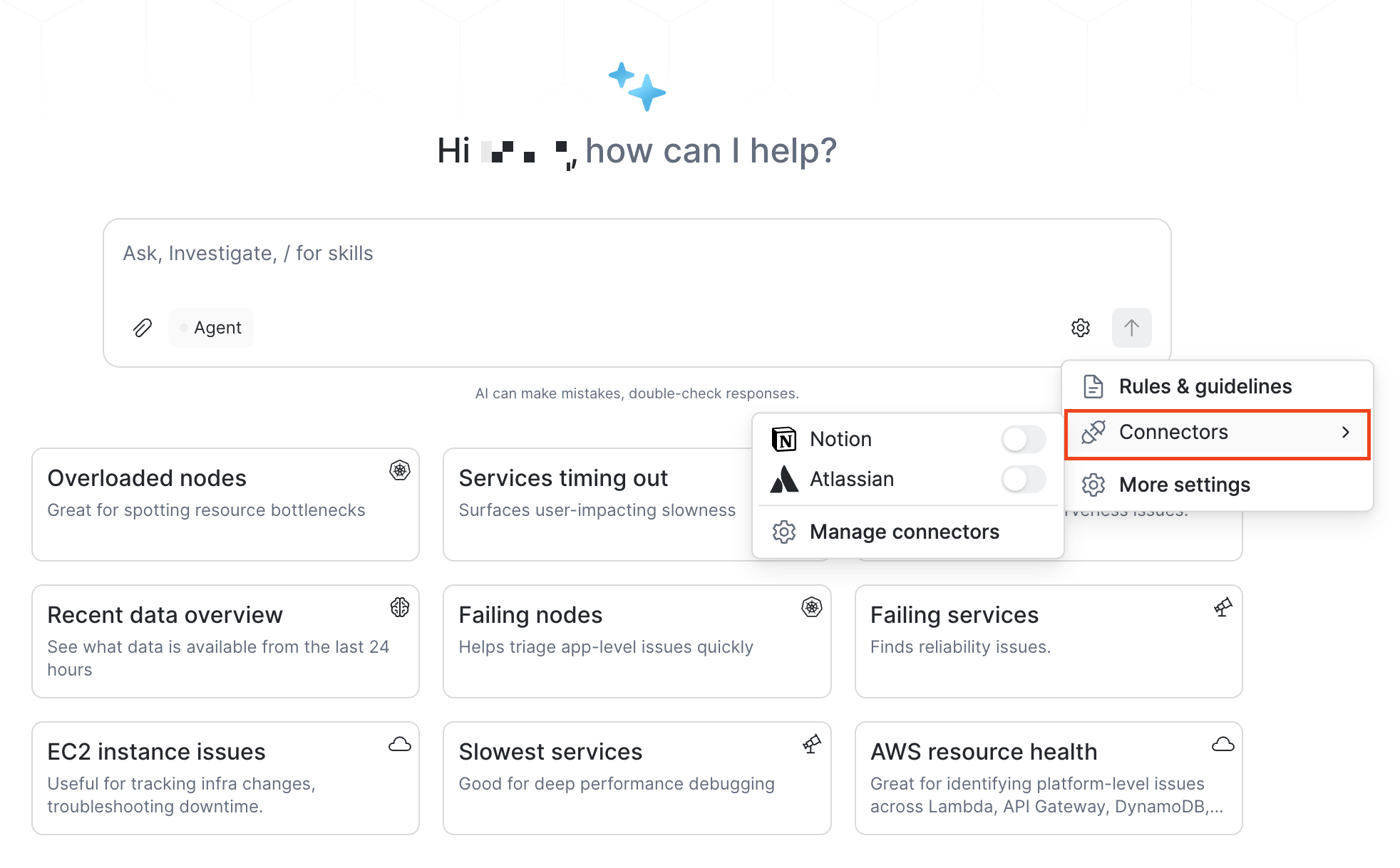
Slide the toggle switches to the on or off position to enable or disable any connectors, or click Manage connectors if you want to delete a connector.
Updated about 1 month ago
Did this page help you?