

Threshold Monitor example: Check for CrashLoopBackOff
Learn how to use AI SRE to check for Kubernetes container restarts.
In this example, we will use AI SRE to help us build a Monitor to detect CrashLoopBackOff conditions. indicating a pod's container is in a crash loop.
Access AI SRE and create the Monitor
Click AI SRE in the left navigation rail, and give it the following prompt:
Create a monitor to alert me when the CrashLoopBackOff metric in Kubernetes Pod Metrics is high.
For example:
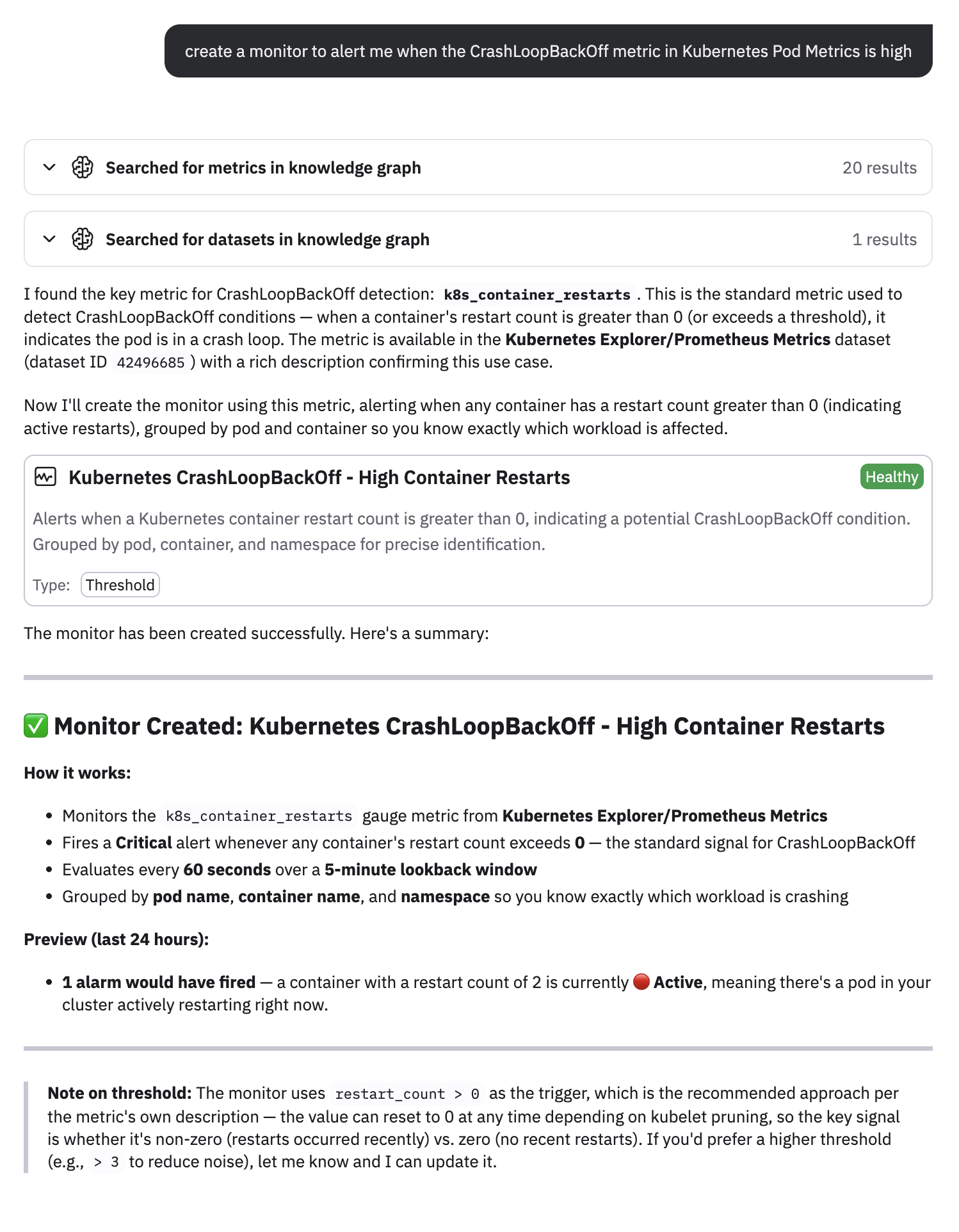
You can see that a threshold Monitor called Kubernetes CrashLoopBackOff - High Container Restarts was created. You can click on the Monitor name to open the Monitor in a separate tab.
AI SRE also gives you some context around how the Monitor was created, so you can review before editing the Monitor. For example, the metric used is k8s_restart_container for restart counts, from the Kubernetes Explorer/Prometheus Metrics Dataset. AI SRE also created a threshold where a Critical alert is generated any time the restart count is greater than 0. The metric count is evaluated every minute over a 5-minute lookback window.
You can ask AI SRE to change any of these parameters in the Monitor, or you can access the Monitor and configure it yourself.
Let's go directly to the Monitor.
Access and configure the Monitor
Click the name of the Monitor in the AI SRE panel to view the Monitor. To make any edits, click the pencil icon () in the Monitor.
In this example, we will modify some of the evaluation settings.
- Edit the Monitor.
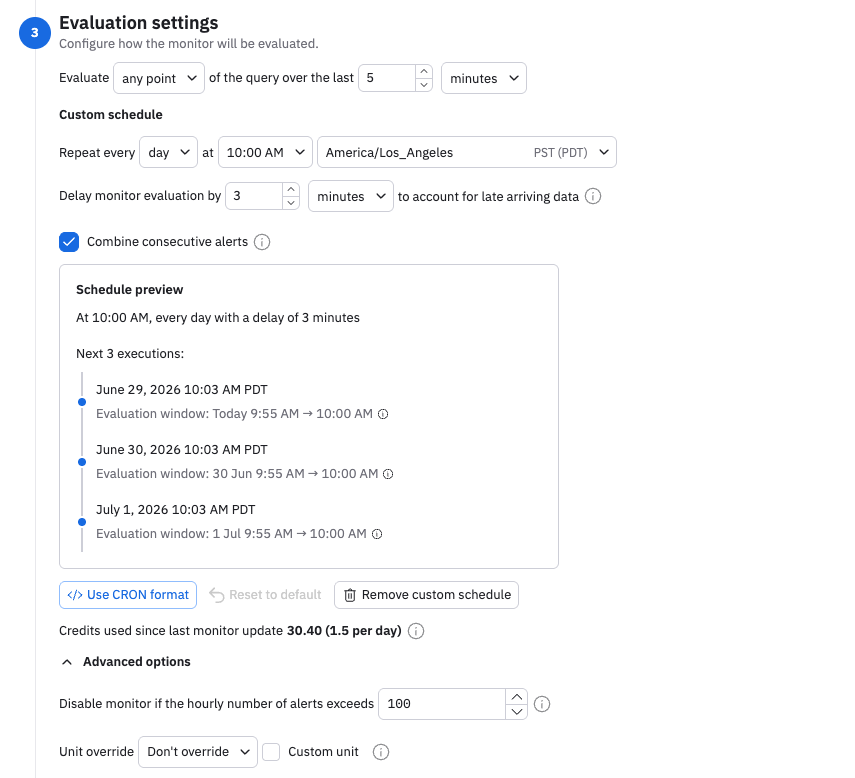
- In the Evaluation settings section, click Add custom schedule.
Click the Combine consecutive alerts checkbox. This causes repeated separate alerts for the same condition to be combined into a single alert, thus reducing alert volume:
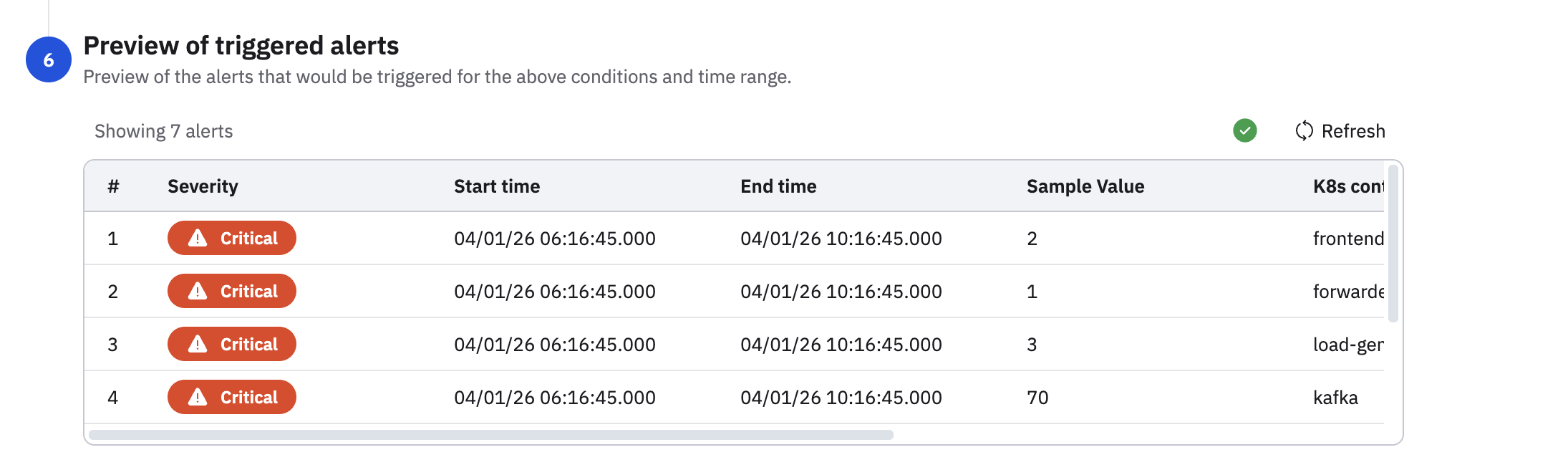
Scroll down to view the alerts preview. In the alerts preview, you can see the Monitor is created with the parameters AI SRE indicated, along with a description:
The only section of the Monitor AI SRE did not configure is the notification action, which you can configure as needed. For example, you can send a message to a Slack channel each time an alert is generated.
Updated 4 months ago