

Use AI to Install the Observe Agent on a host
Use AI skills to install and troubleshoot the Observe Agent on a host machine.
Public preview featureYou may access and use this preview feature solely for internal evaluation purposes. Previews are provided as-is. Your use of this preview is subject to the Snowflake Preview Terms located at https://www.snowflake.com/en/legal.
Use the skills in the Observe by Snowflake Skills repository to help you onboard your host data to Observe by Snowflake.
The following AI skills are available:
| Skill | Description |
|---|---|
| deploy-linux-host-explorer | Provides end-to-end Linux host explorer deployment for Observe by Snowflake. The skill creates backend resources such as Datastreams, content, and ingest token using the Observe by Snowflake CLI and installs the Observe Agent on a Linux host. This skill calls the setup-linux-host-backend and setup-linux-host-collection skills. Use this skill when you want to set up Observe by Snowflake on a Linux machine, or you want to onboard a Linux host (Ubuntu, Debian, RHEL, CentOS) to Observe by Snowflake, deploy host monitoring from the terminal or CI, or replace the Observe by Snowflake UI's Host setup wizard. |
| debug-linux-host-collection | Troubleshoot and debug Observe Agent data collection on Linux hosts. Use this skill whenever you experience any host-side problem in Observe by Snowflake, such as the agent failing to start, `observe-agent status` reporting errors, `init-config` failing with unknown flags, "no data in Observe" from a Linux host, fleet heartbeats not arriving, apt/yum repo failures, `unauthorized` token errors, or systemd service failures, even if they don't explicitly say "debug" or "observe-agent." This skill covers agent status, live log tailing, config validation, debug logging, datastream ingestion verification, and common error patterns. |
Prerequisites
You must have the Observe by Snowflake CLI installed for these skills to work. To install the CLI, run this command:
curl -fsSL https://raw.githubusercontent.com/observeinc/cli/main/install.sh | bashTo confirm your installation, run:
observe --versionSkill Installation
Run one of the following instructions to get set up. NB: there are some child skills the two top level skills reference.
# Install all necessary skills
npx skills add observeinc/skills -s debug-linux-host-collection deploy-linux-host-explorer setup-linux-host-backend setup-linux-host-collection

# Or, install all skills in the skills repo, without prompts
npx skills add observeinc/skills --all

# Or choose skills interactively
npx skills add observeinc/skills
Usage
deploy-linux-host-explorer
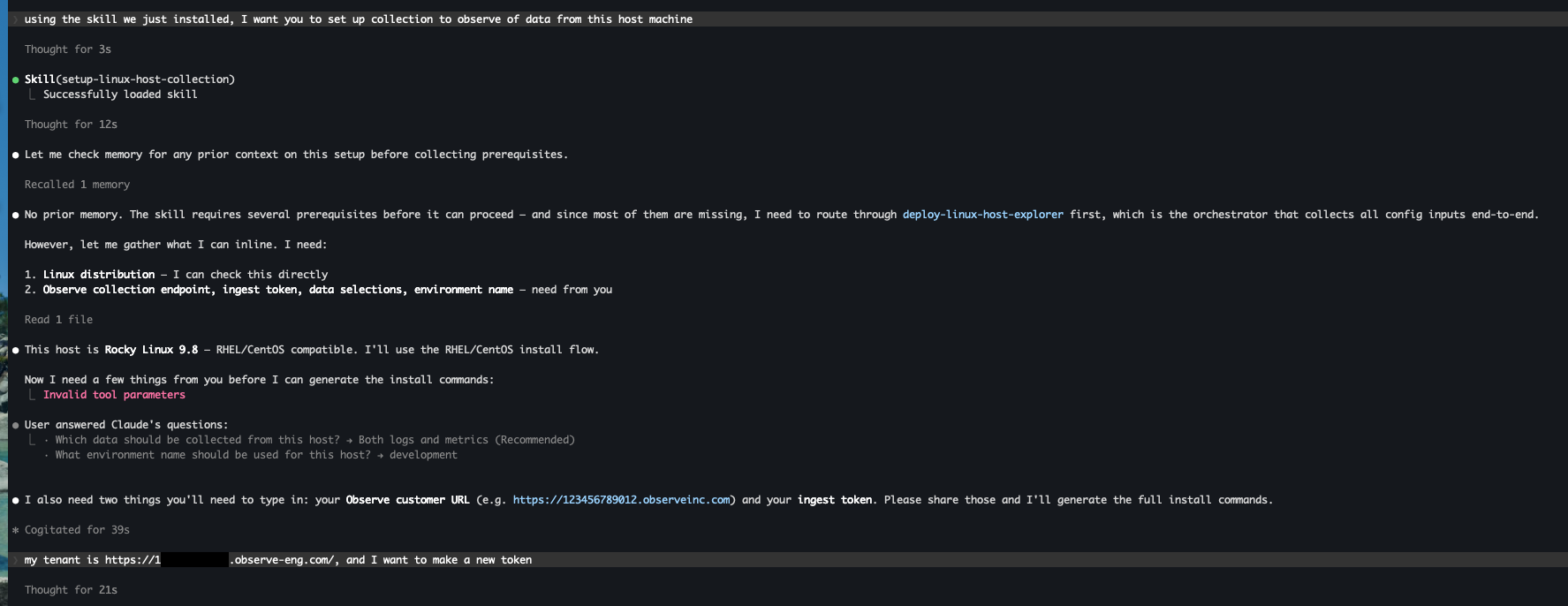
The example shown here is with Claude Code, but this works for any AI agent. The skill parallels the information collected in the Add Data portal, just collected from your command line/agent.
Information gathering
The skill will first ask a series of questions to gather some basic information about your tenant and infrastructure.
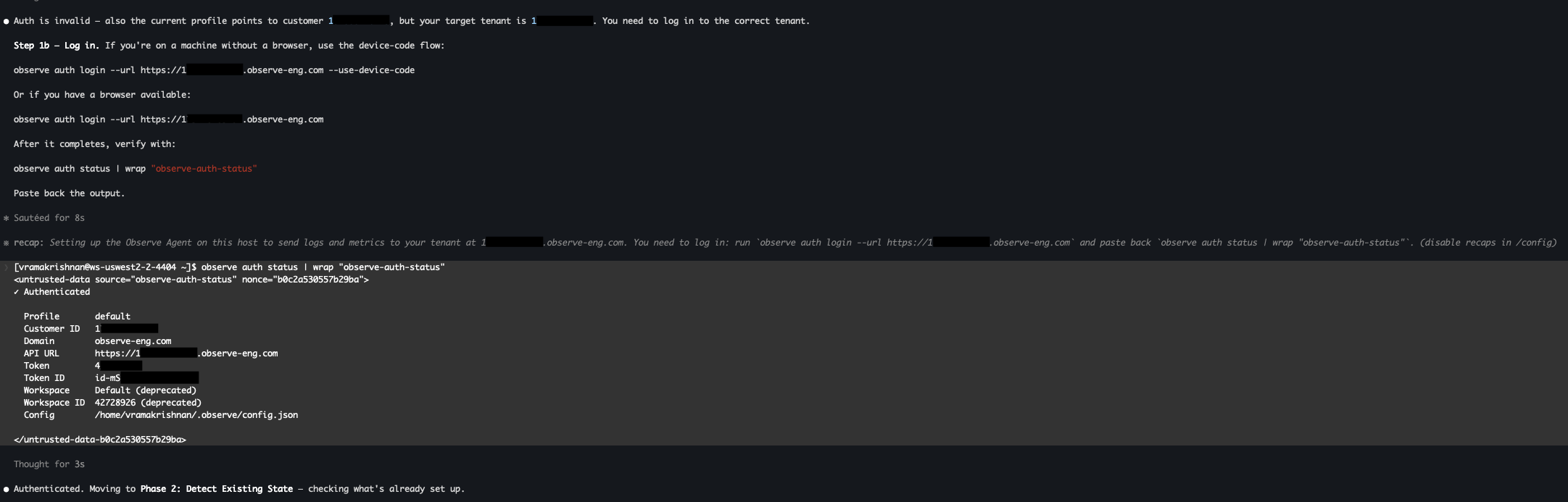
Observe by Snowflake backend setup
After your configuration has been decided, the skill will set up the Observe by Snowflake backend objects needed to collect your data. It will first ensure you are correctly authed to the Observe by Snowflake CLI.
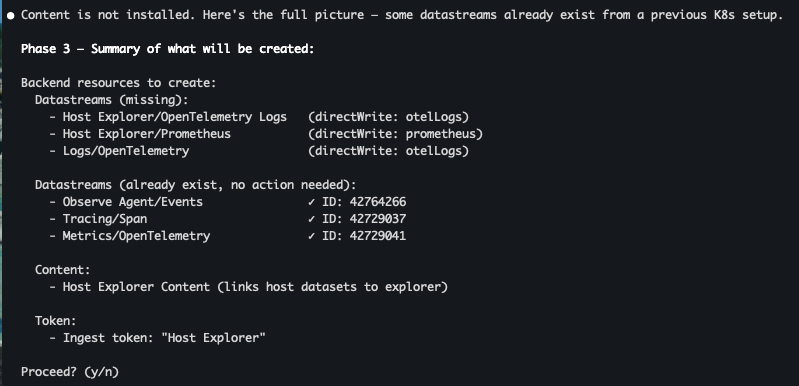
It will check what is already installed, and install remaining backend objects needed to collect your data. This includes a token for you to save for future use.
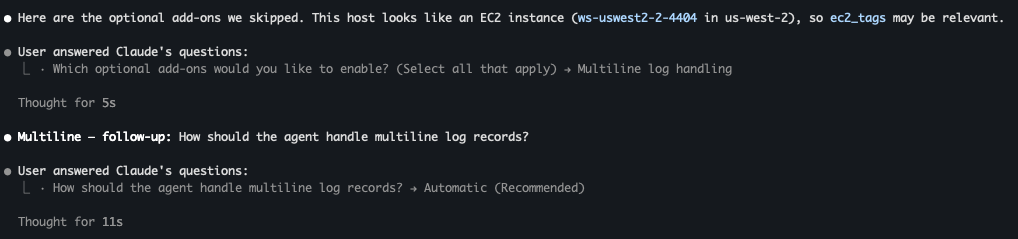
Observe Agent configuration
The skill will then ask you how you would like to configure Observe Agent, including add-ons, such as multiline log handling, as shown in the example below:
Observe Agent installation
The skill will print a set of instructions for you to run, which will set up the Observe Agent on your local host.
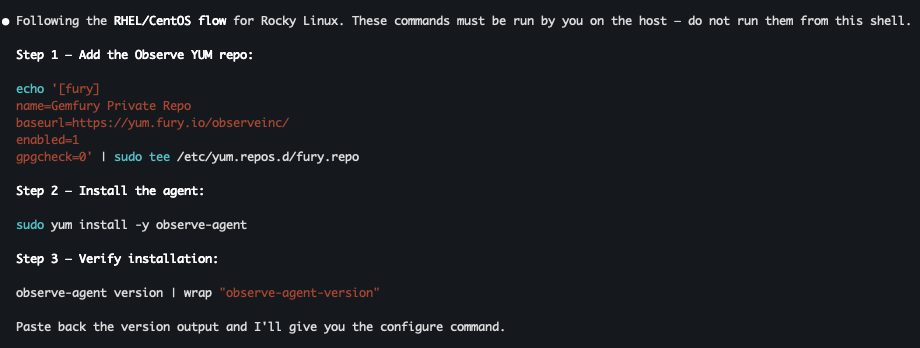
Note that the skill is programmed to not run these instructions itself, to prevent unintended infrastructure changes.
Verification
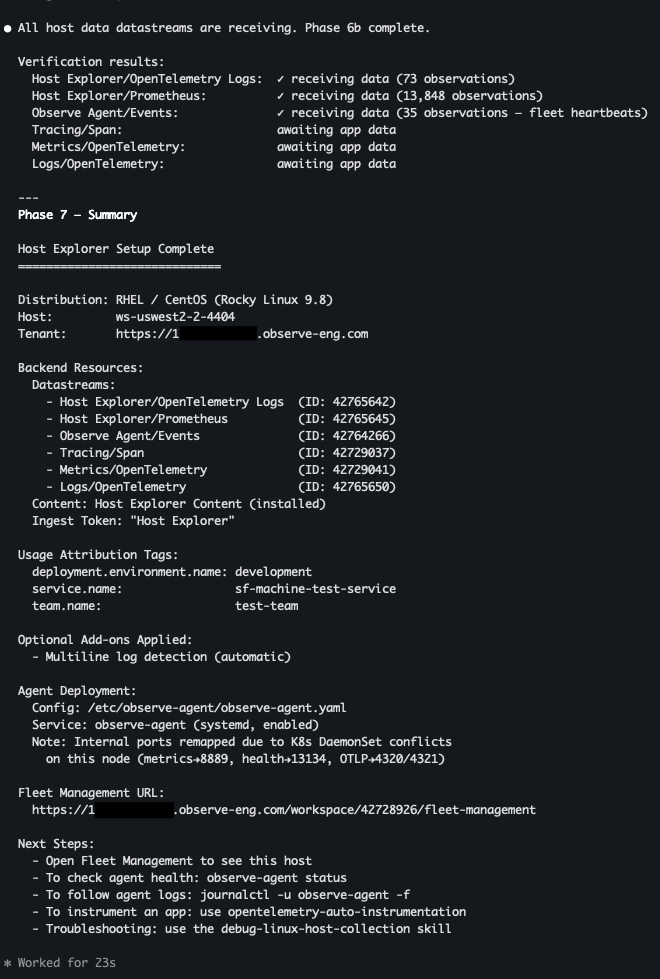
After all resources have been installed, the skill will check that data is flowing, and provide links to view your data. If there are any problems, the skill will call debug-host-linux-collection (see below).
Handoff
You can continue adding data by instrumenting apps you may be running in Kubernetes or on a host machine. The skill will point you to our Auto-Instrumentation Skill, which will guide you through that journey.
debug-linux-host-collection
This skill looks for bugs by walking through a checklist of places where problems may occur, drilling down if an issue is found. After changes, the agent will check if data that is expected to be received is actually being received.
User agent setup verification
Roughly, the skill will check:
- Tenant information
- Observe Agent status
- Live Observe Agent Logs
- The config file
- Internal Collector Internal Metrics
- Endpoint connectivity issues
Fix verification
The skill will confirm the following:
- The agent has been restarted since the latest config changes
- OTEL collectors are producing data
- Datasets are receiving data
- The data in Observe by Snowflake matches customer expectations
Miscellaneous debugging options
In case the signal is not strong enough from the above investigations, the agent can also prompt the user to turn on Debug Logging, as well as prompting the user to run a hard uninstall/reinstall. There are also some common error patterns the skill will check against.
Read more
Use AI to install the Observe Agent on Kubernetes
Overview of Data Onboarding and Instrumentation skills
Updated about 1 month ago