

Customize dashboard parameters
Learn how you can add more complex filters to your dashboard cards.
When you Add dashboard parameters in Observe by Snowflake, the bindings have the following properties by default:
- They apply only to a single field or tag.
- They filter that field or tag to be equal to the selected value(s).
For example:
// single-value example
filter clusterName = $Cluster_Name or is_null($Cluster_Name)

// multi-value example
filter array_contains($k8s_cluster-name, #k8s.cluster.name) or is_null($k8s_cluster_name)
You can apply more complex filters to your dashboard cards. For example:
- Dynamically adjusting a chart query. You can adjust the resolution of a time chart while viewing a dashboard by directly injecting a parameter into the
timechartOPAL verb. - Filtering using a non-equality. You can apply range filters to your dashboard cards, such as a parameter that filters to duration greater than (>) some input, or a contains filter, such as a parameter that filters to all service names that contain batchjob. To do either of these cases, you must manually edit the default parameter OPAL binding to use a different filter operator.
Observe the following tips for creating custom parameter binding expressions:
- Make sure your parameter input matches the type of field you want to filter. Most parameters apply values of type
string(with the exception of number parameters, which are typefloat64). So if you want to create a single-value that filters durations above a threshold, make sure to convert your parameter from astringto adurationusingparse_duration(). - Once you create a custom parameter binding expression, you’ll be locked into OPAL mode and will no longer be able to bind parameters to that modified card using the UI.
Example: Dynamically adjust the timechart resolution
timechart resolutionCreate a single-value parameter and define a set of custom values that represent different time buckets. For example:
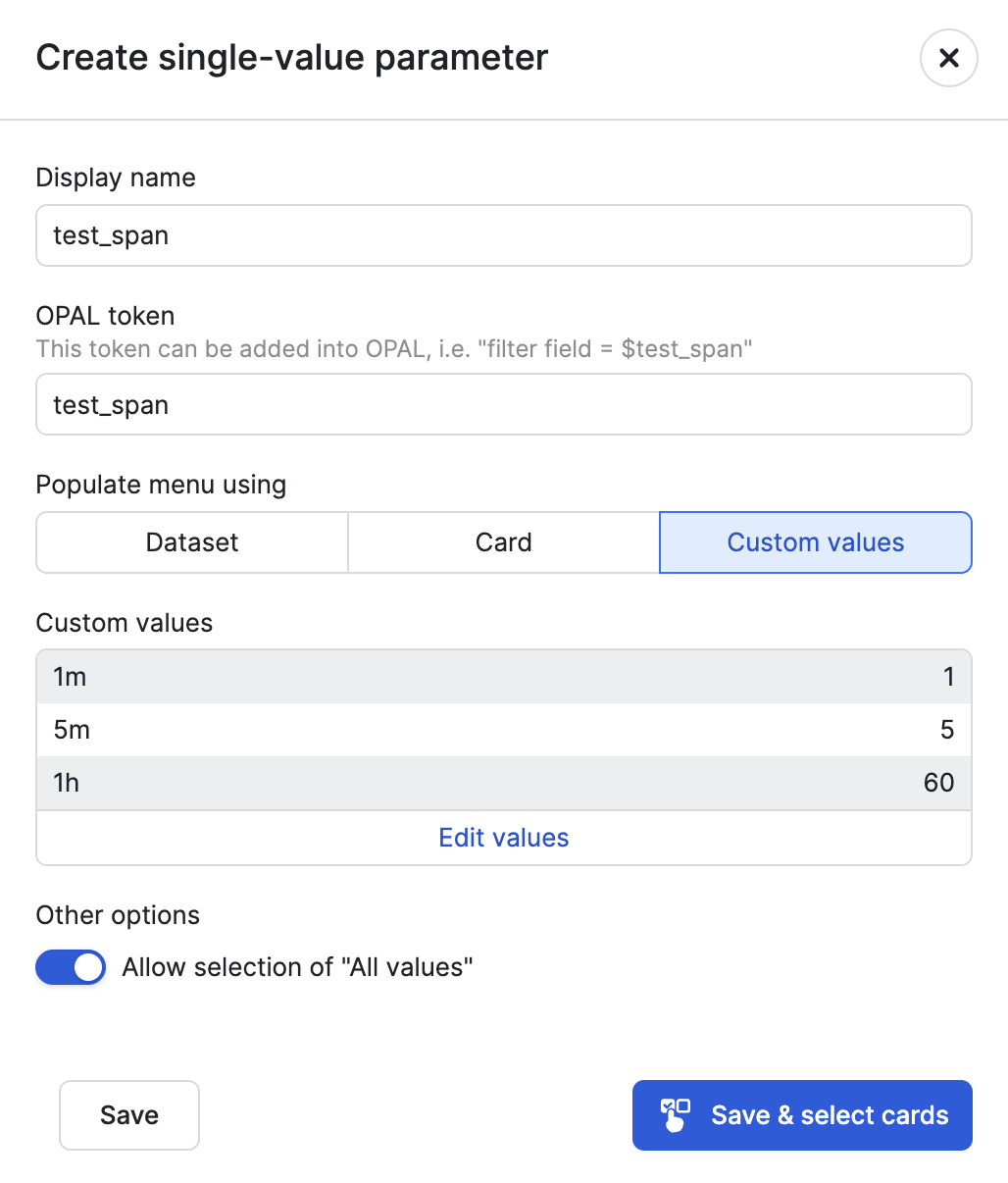
Replace the resolution in your time chart with $test_span, and convert that parameter (string) to type duration using parse_duration :
timechart options(empty_bins:true), parse_duration($test_span), A_WebAppUserEventsv2_count:count(), group_by(clusterName)
Example: Filter duration greater than some threshold
Create a number parameter and bind it to your selected card.
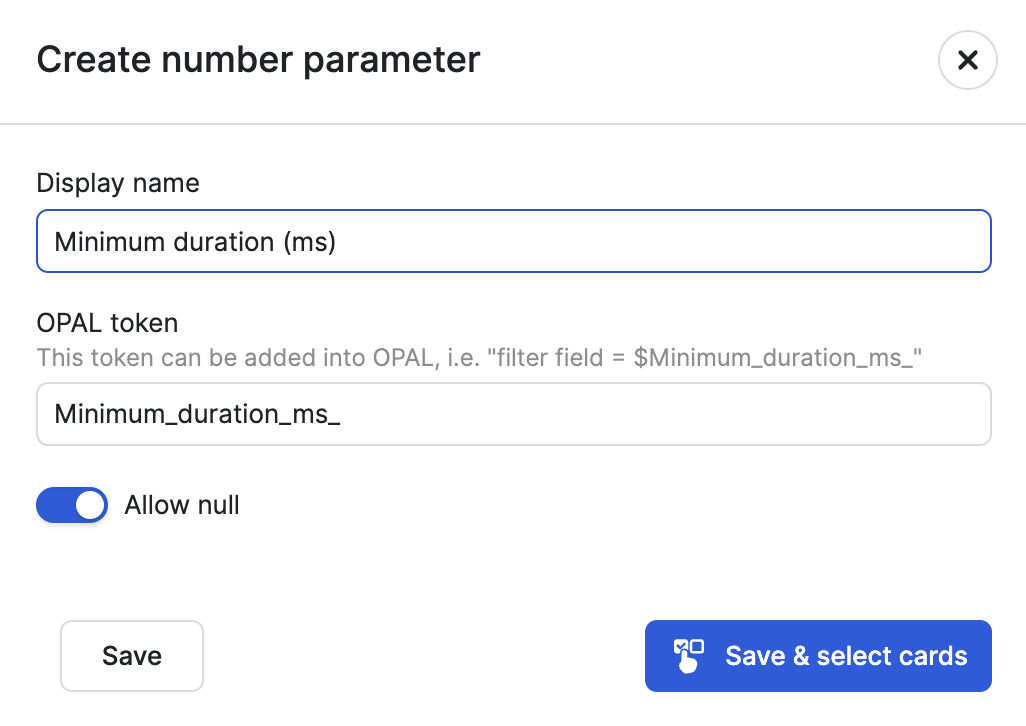
Then alter that binding expression to use greater than (>) instead of equals (=), and convert the parameter from float64 to a duration.
filter duration > duration_ms($Minimum_duration_ms) or is_null($Minimum_duration_ms)
Example: Filter service name based on partial match
Create a text parameter and bind it to your selected card.
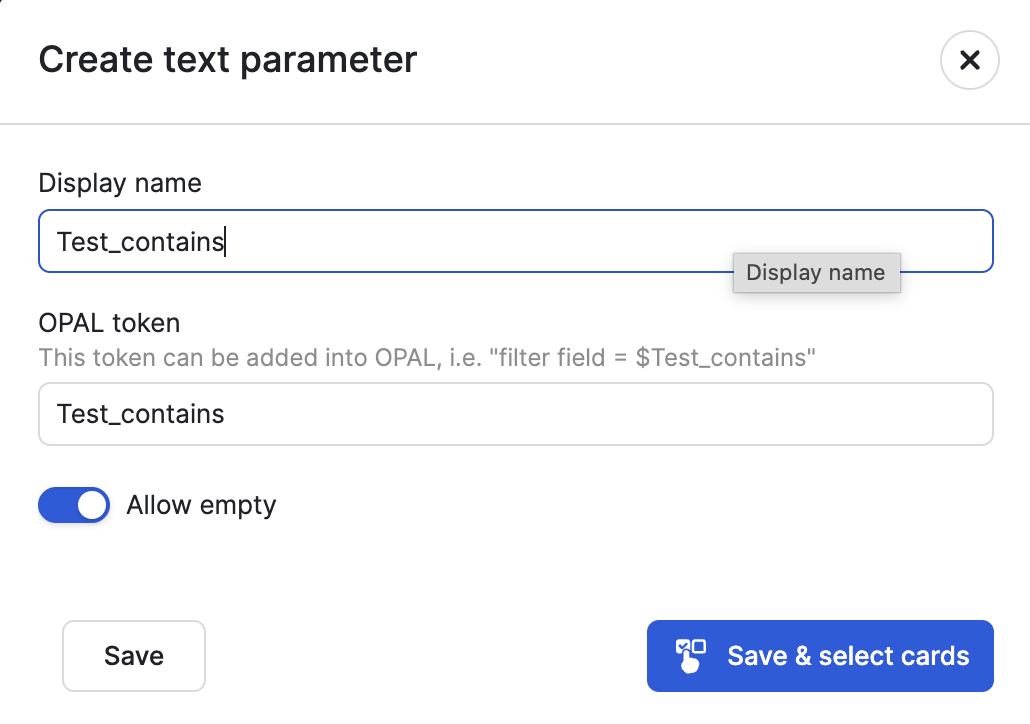
Then alter that binding expression to use contains() instead of =. You don't need to convert the parameter type because contains() already accepts strings.
filter contains(clusterName,$Test_contains) or $Test_contains = ""
Example: Create custom dashboard parameters using card queries
In this example, we'll use Kubernetes Logs data to create a dashboard with four total cards:
- Three of the cards are used as dashboard parameters.
- The fourth card contains data that can be filtered using the parameters from the first three cards. We will create single-value dashboard parameters using the first three cards to sort by cluster, namespace, and container names.
Begin by creating a new dashboard:
- From the left nevigation, select Dashboards.
- Click New dashboard.
- Select Add cards.
- Under the Tables section, select Dataset.
- Find and select the Kubernetes Logs Dataset.
- Give this query a name, such as return cluster names.
- Click the code icon () to open the OPAL editor, enter the following OPAL, then click Apply:
statsby group_by(cluster)
- Repeat this procedure to add a second card to return namespace names:
statsby group_by(namespace)
- Add a third card to return container names.
statsby group_by(container)
- The fourth card contains the data we want to sort. We'll pick a series of columns from the Kubernetes Log:
pick_col timestamp, stream, cluster, namespace, container, pod, body
At this point, we have a dashbard with four cards:
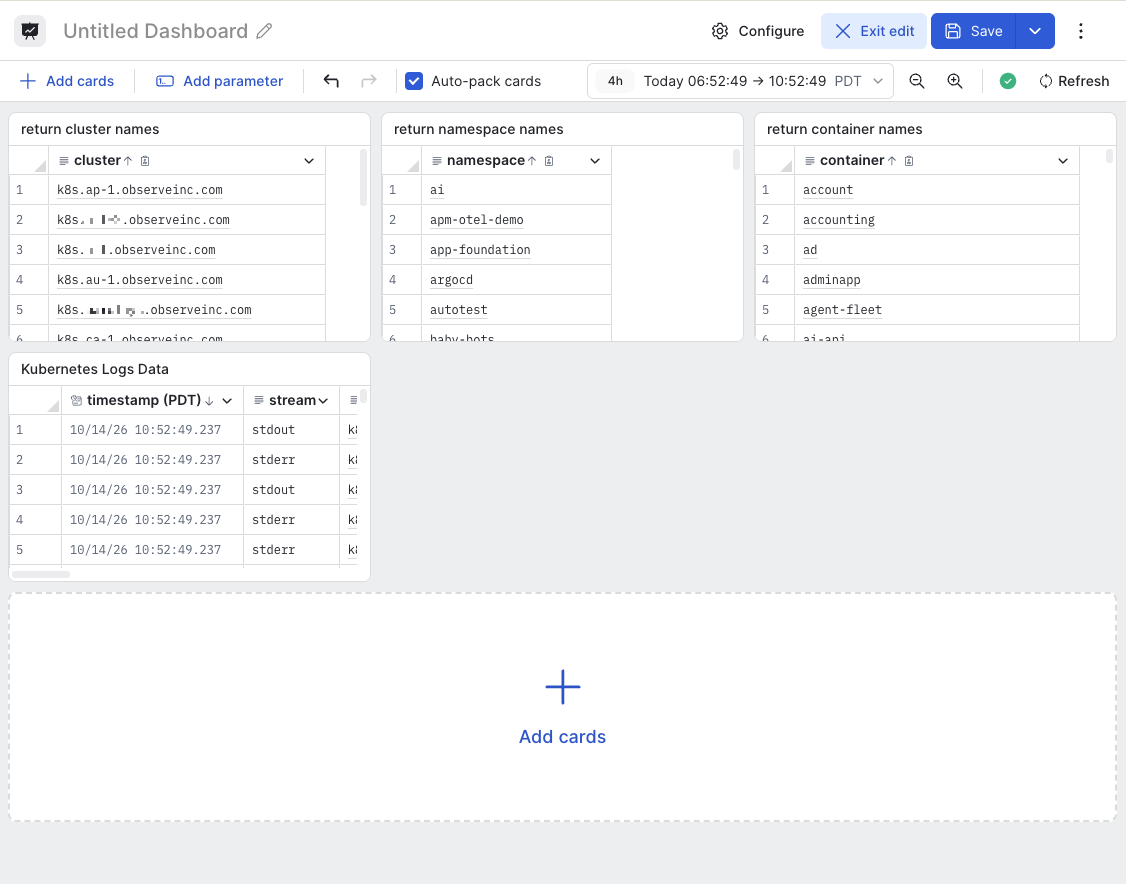
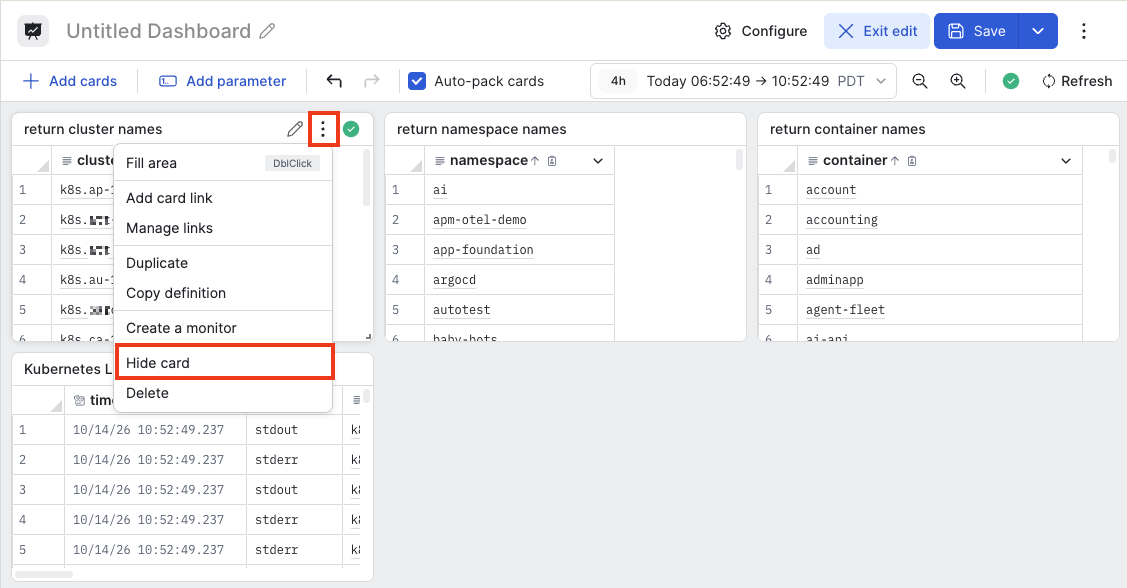
Next, we want to hide the cards we're using as filters. In the first three cards, hover on the card, click the ellipsis icon () and select Hide card.
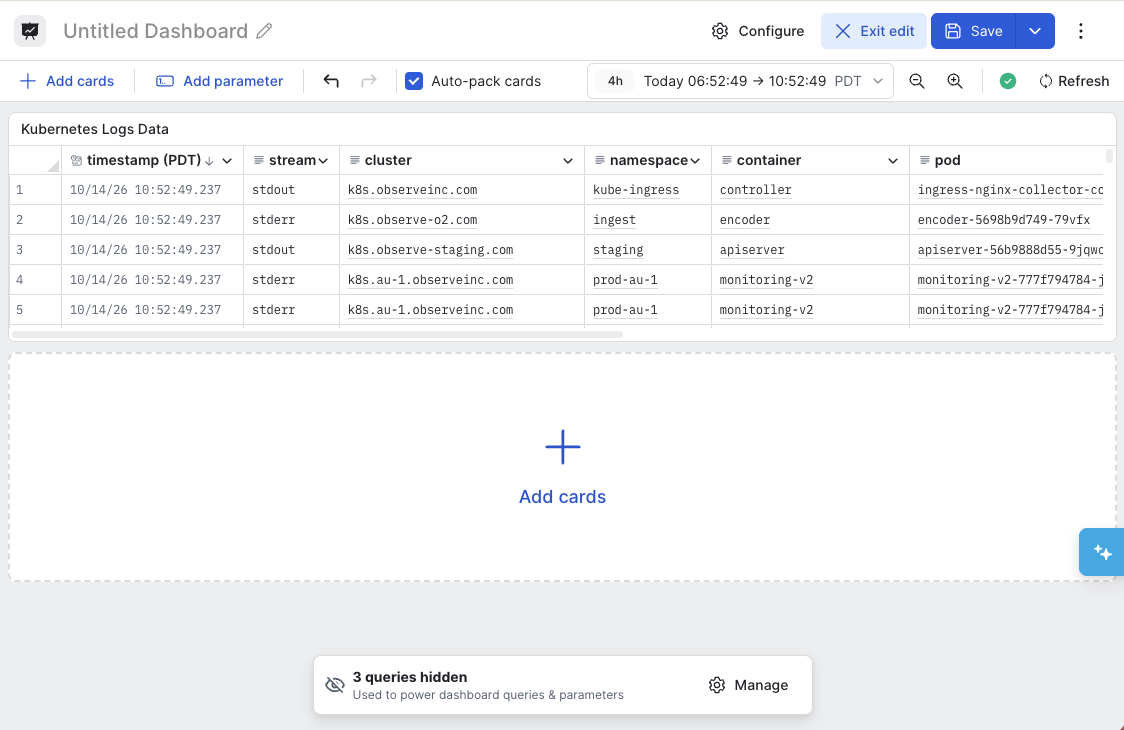
After hiding the return cluster names, return namespace names, and return container names cards in our example, we are left with just one visible card:
Now, lets create the dashboard parameters.
- Click Add parameter.
- Select Single-value.
- Enter Cluster as the display name.
- Under Populate menu using, select Card.
- Select return cluster names as the card.
- Select cluster as the column.
- Click Save & select cards.
- Select all of the cards in the dashboard except for return cluster names, we don't want to apply the filter to the source card. We are going to bind the value to the #k8s.cluster.name correlation tag.
- Click Save.
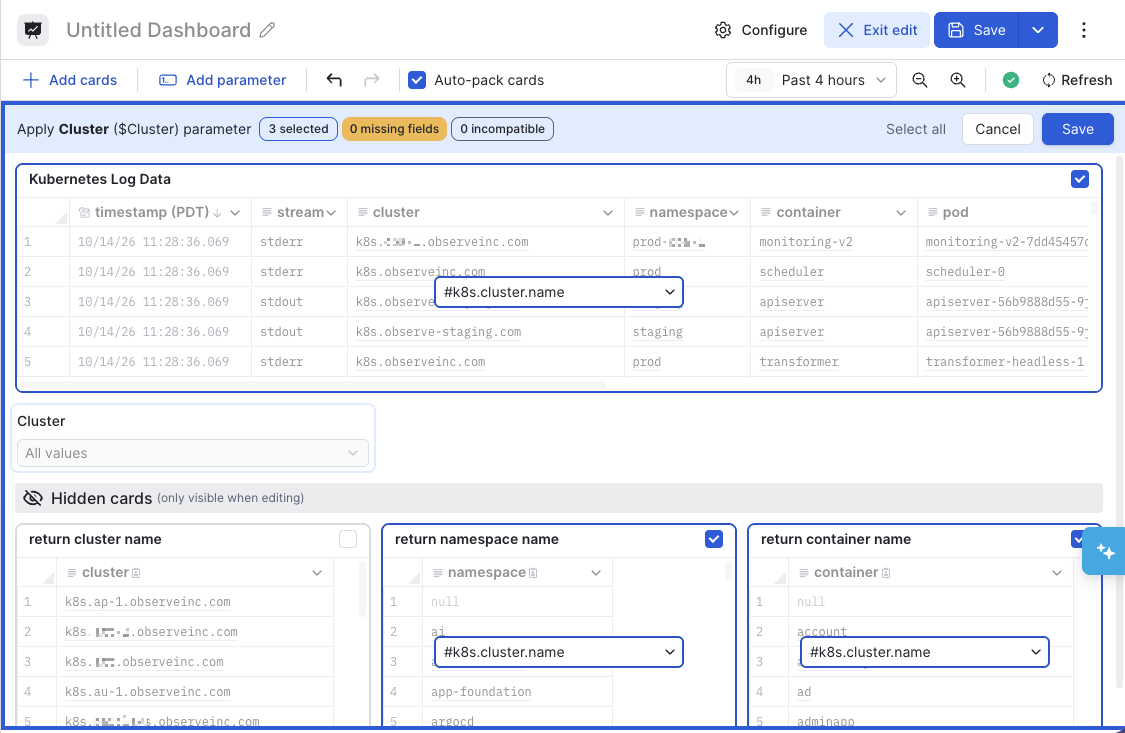
- Repeat this process to create a single-value card parameter for the namespace and container cards.
- Create a filter called Namespace and apply it to the #k8s.namespace.name correlation tag in the other three cards, but not the return namespace name source card.
- Create a filter called Container and apply it to the #k8s.container.name correlation tag in the other three cards, but not the return container name source card.
- Give the dashbard a name, then click Save.
Here is the dashboard with the three single-value parameters:
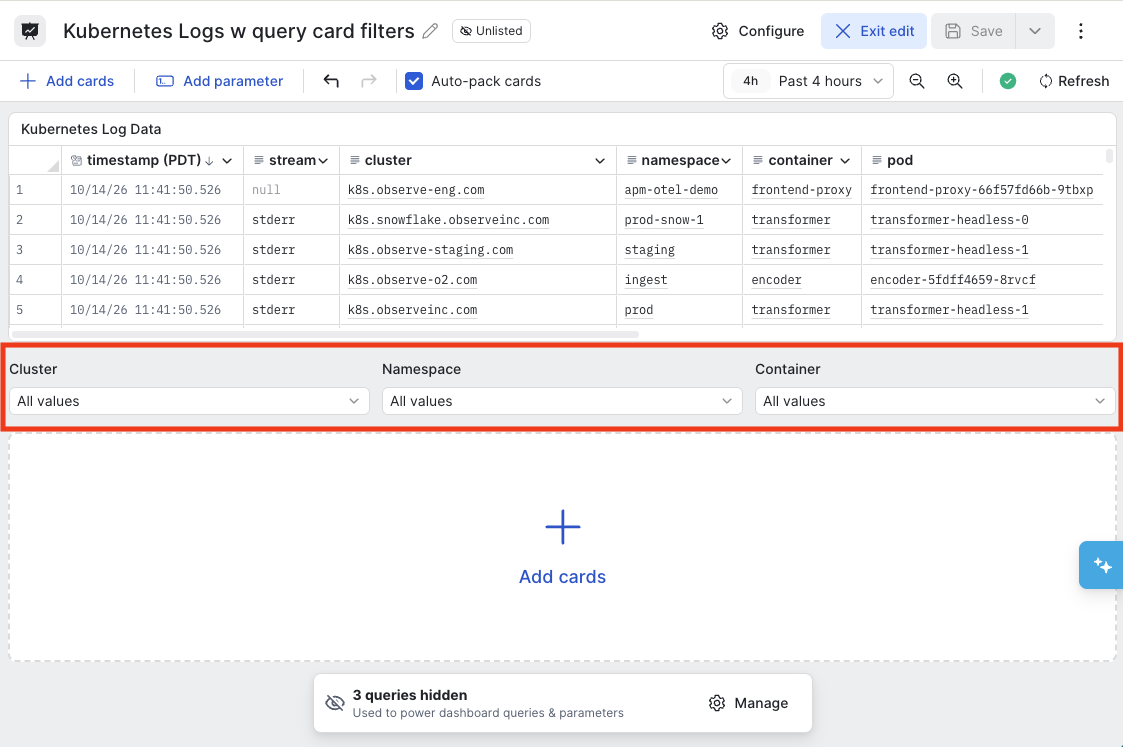
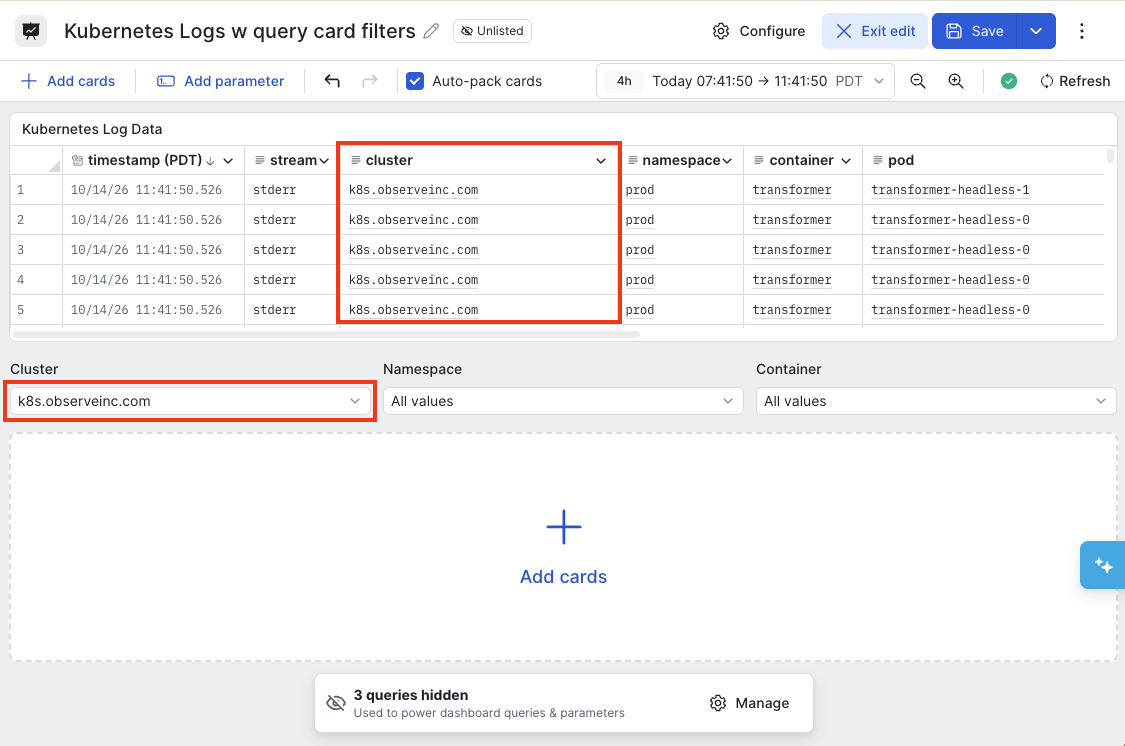
To test the dashboard filters, let's begin by selecting a cluster: k8s.observeinc.com. The Kubernetes Log Data card shows data only from the selected cluster:
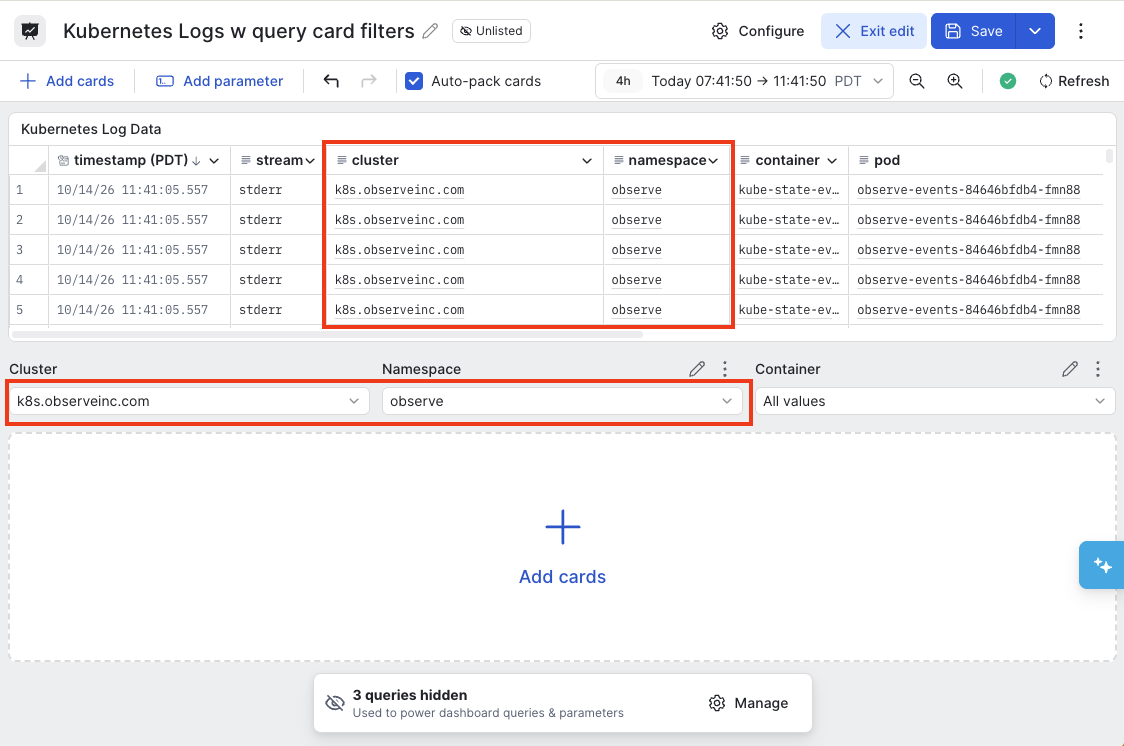
If we select another parameter, such as the observe namespace, the table onlys contain entries from the k8s.observeinc.com cluster and the observe namespace:
Updated 19 days ago